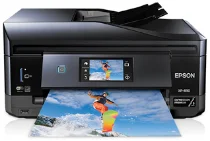
Epson XP-830 Printer Software and Drivers for Windows and macOS.
Supported Microsoft Windows Operating Systems
Windows 11
Windows 10 (32-bit and 64-bit)
Windows 8.1 (32-bit and 64-bit)
Windows 8 (32-bit and 64-bit)
Windows 7 (32-bit and 64-bit)
Windows Vista (32-bit and 64-bit)
Windows XP (32-bit and 64-bit)
Supported OS: Windows 11, Windows 10 32-bit and 64-bit, Windows 8.1 32-bit and 64-bit, Windows 8 32-bit and 64-bit, Windows 7 32-bit and 64-bit, Windows Vista 32-bit and 64-bit
This driver package installer contains the following items:
- Printer Driver
- Scanner Driver and EPSON Scan Utility
- Epson Fax Utility
- Epson Easy Photo Scan
- Epson Print CD
- Epson Event Manager
- Epson Software Updater
- Network Installer
- Epson ReadyInk Agent
Supported OS: Windows 10 32-bit, Windows 8.1 32-bit, Windows 8 32-bit, Windows 7 32-bit, Windows Vista 32-bit, Windows XP 32-bit
Supported OS: Windows 11, Windows 10 64-bit, Windows 8.1 64-bit, Windows 8 64-bit, Windows 7 64-bit, Windows Vista 64-bit, Windows XP 64-bit
Supported OS: Windows 11, Windows 10 32-bit and 64-bit, Windows 8.1 32-bit and 64-bit, Windows 8 32-bit and 64-bit, Windows 7 32-bit and 64-bit, Windows Vista 32-bit and 64-bit, Windows XP 32-bit and 64-bit
Supported OS: Windows 10 32-bit, Windows 8.1 32-bit, Windows 8 32-bit, Windows 7 32-bit, Windows Vista 32-bit, Windows XP 32-bit
Supported OS: Windows 11, Windows 10 64-bit, Windows 8.1 64-bit, Windows 8 64-bit, Windows 7 64-bit, Windows Vista 64-bit, Windows XP 64-bit
Supported macOS Operating Systems
macOS Ventura 13
macOS Monterey 12
macOS Big Sur 11
macOS Catalina 10.15
macOS Mojave 10.14
macOS High Sierra 10.13
macOS Sierra 10.12
OS X El Capitan 10.11
OS X Yosemite 10.10
OS X Mavericks 10.9
OS X Mountain Lion 10.8
Mac OS X Lion 10.7
Mac OS X Snow Leopard 10.6
Mac OS X Leopard 10.5
Supported OS: macOS Catalina 10.15, macOS Big Sur 11, macOS Monterey 12, macOS Ventura 13
This driver package installer contains the following items:
- Printer Driver
- ICA Scanner Driver
- Epson Easy Photo Scan
- Epson Fax Utility
- Epson Print CD
- Epson Event Manager
- Epson Software Updater
Supported OS: Mac OS X Lion 10.7, OS X Mountain Lion 10.8, OS X Mavericks 10.9, OS X Yosemite 10.10, OS X El Capitan 10.11, macOS Sierra 10.12, macOS High Sierra 10.13, macOS Mojave 10.14
This driver package installer contains the following items:
- Printer Driver
- ICA Scanner Driver
- Epson Easy Photo Scan
- Epson Fax Utility
- Epson Print CD
- Epson Event Manager
- Epson Software Updater
Supported OS: Mac OS X Leopard 10.5, Mac OS X Snow Leopard 10.6, Mac OS X Lion 10.7, OS X Mountain Lion 10.8, OS X Mavericks 10.9, OS X Yosemite 10.10, OS X El Capitan 10.11, macOS Sierra 10.12, macOS High Sierra 10.13, macOS Mojave 10.14, macOS Catalina 10.15, macOS Big Sur 11, macOS Monterey 12, macOS Ventura 13
Supported OS: macOS Catalina 10.15, macOS Big Sur 11, macOS Monterey 12, macOS Ventura 13
Supported OS: Mac OS X Snow Leopard 10.6, Mac OS X Lion 10.7, OS X Mountain Lion 10.8, OS X Mavericks 10.9, OS X Yosemite 10.10, OS X El Capitan 10.11, macOS Sierra 10.12, macOS High Sierra 10.13, macOS Mojave 10.14
Supported OS: Mac OS X Snow Leopard 10.6, Mac OS X Lion 10.7, OS X Mountain Lion 10.8, OS X Mavericks 10.9, OS X Yosemite 10.10, OS X El Capitan 10.11, macOS Sierra 10.12, macOS High Sierra 10.13, macOS Mojave 10.14, macOS Catalina 10.15, macOS Big Sur 11, macOS Monterey 12, macOS Ventura 13
Supported OS: Mac OS X Leopard 10.5, Mac OS X Snow Leopard 10.6, Mac OS X Lion 10.7, OS X Mountain Lion 10.8, OS X Mavericks 10.9, OS X Yosemite 10.10, OS X El Capitan 10.11, macOS Sierra 10.12, macOS High Sierra 10.13, macOS Mojave 10.14, macOS Catalina 10.15, macOS Big Sur 11, macOS Monterey 12, macOS Ventura 13
Epson XP-830 Specifications
The Epson Expression Premium XP-830 is a small-in-one printer with versatility and multifunctionality. It is ideal for a home office or personal use requiring high-quality prints from a small device.
The XP-830 gives you printing, scanning, copying, and faxing- all at your fingertips. It is a do-it-all solution for the home document needs. Not only does its five-ink system include the standard CMYK inks, but It also has Photo Black, which makes photo prints look better and creates a high-contrast effect.
While this print quality is particularly good for an all-in-one in this price class, the photo ink is more of a boost to the CMY inks than a way to compete elsewhere, since there are so many models with dedicated six-color photo picture systems costing only $50-$100 now.
The sheer convenience and ease of use that the XP-830 offers are very evident. The user interface feels all the more impressive because it has a large 4.3-inch touchscreen with logical menu icons in full color. In terms of wireless output, Wi-Fi and Wi-Fi Direct enable printing from an array of mobile devices unencumbered by cables. Epson also provides features including scan-to-cloud functionality and printing directly from SD cards or USB drives, both useful extras for modern users. Features such as automatic double-sided printing, an automatic document feeder, and the option to print on CDs and DVDs add convenience layers to the functionality of the XP-830 that many users appreciate.
However, with its weaknesses, the XP-830 is a practical office printer. Users with heavy printing requirements must be concerned about ink costs and waste. Moreover, the printer’s price per print may be higher than more business-oriented models that use ink more efficiently. The printer cannot handle high-volume print jobs, with a modest paper capacity in its tray. Users who require a packed-with-features all-in-one that delivers quality prints and doesn’t mind a premium for ink will find the Epson XP-830 an attractive option.