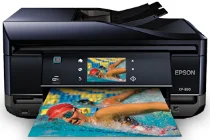
Epson XP-850 Printer Software and Drivers for Windows and macOS.
Supported Microsoft Windows Operating Systems
Windows 11
Windows 10 (32-bit and 64-bit)
Windows 8.1 (32-bit and 64-bit)
Windows 8 (32-bit and 64-bit)
Windows 7 (32-bit and 64-bit)
Windows Vista (32-bit and 64-bit)
Windows XP (32-bit and 64-bit)
Supported OS: Windows 8 32-bit and 64-bit, Windows 8.1 32-bit and 64-bit, Windows 10 32-bit and 64-bit, Windows 11
This driver package installer contains the following items:
- Printer Driver
- Scanner Driver and EPSON Scan Utility
- Epson Fax Utility
- Epson Event Manager
- Epson Software Updater
- Network Installer
Supported OS: Windows 7 32-bit and 64-bit, Windows Vista 32-bit and 64-bit, Windows XP 32-bit and 64-bit
This driver package installer contains the following items:
- Printer Driver
- Scanner Driver and EPSON Scan Utility
- Epson Fax Utility
- Epson Event Manager
- Epson Software Updater
- Network Installer
Supported OS: Windows 8 32-bit, Windows 8.1 32-bit, Windows 10 32-bit
Supported OS: Windows 8 64-bit, Windows 8.1 64-bit, Windows 10 64-bit
Supported OS: Windows 7 32-bit, Windows Vista 32-bit, Windows XP 32-bit
Supported OS: Windows 7 64-bit, Windows Vista 64-bit, Windows XP 64-bit
Supported OS: Windows 11, Windows 10 32-bit and 64-bit, Windows 8.1 32-bit and 64-bit, Windows 8 32-bit and 64-bit, Windows 7 32-bit and 64-bit, Windows Vista 32-bit and 64-bit, Windows XP 32-bit and 64-bit
Supported OS: Windows 10 32-bit, Windows 8.1 32-bit, Windows 8 32-bit, Windows 7 32-bit, Windows Vista 32-bit, Windows XP 32-bit
Supported OS: Windows 11, Windows 10 64-bit, Windows 8.1 64-bit, Windows 8 64-bit, Windows 7 64-bit, Windows Vista 64-bit, Windows XP 64-bit
Supported macOS Operating Systems
macOS Ventura 13
macOS Monterey 12
macOS Big Sur 11
macOS Catalina 10.15
macOS Mojave 10.14
macOS High Sierra 10.13
macOS Sierra 10.12
OS X El Capitan 10.11
OS X Yosemite 10.10
OS X Mavericks 10.9
OS X Mountain Lion 10.8
Mac OS X Lion 10.7
Mac OS X Snow Leopard 10.6
Mac OS X Leopard 10.5
Supported OS: Mac OS X Leopard 10.5, Mac OS X Snow Leopard 10.6, Mac OS X Lion 10.7, OS X Mountain Lion 10.8, OS X Mavericks 10.9, OS X Yosemite 10.10, OS X El Capitan 10.11, macOS Sierra 10.12, macOS High Sierra 10.13, macOS Mojave 10.14, macOS Catalina 10.15, macOS Big Sur 11, macOS Monterey 12, macOS Ventura 13
Supported OS: Mac OS X Snow Leopard 10.6, Mac OS X Lion 10.7, OS X Mountain Lion 10.8, OS X Mavericks 10.9, OS X Yosemite 10.10, OS X El Capitan 10.11, macOS Sierra 10.12, macOS High Sierra 10.13, macOS Mojave 10.14, macOS Catalina 10.15, macOS Big Sur 11, macOS Monterey 12, macOS Ventura 13
Supported OS: Mac OS X Leopard 10.5, Mac OS X Snow Leopard 10.6, Mac OS X Lion 10.7, OS X Mountain Lion 10.8, OS X Mavericks 10.9, OS X Yosemite 10.10, OS X El Capitan 10.11, macOS Sierra 10.12, macOS High Sierra 10.13, macOS Mojave 10.14
Supported OS: Mac OS X Snow Leopard 10.6, Mac OS X Lion 10.7, OS X Mountain Lion 10.8, OS X Mavericks 10.9, OS X Yosemite 10.10, OS X El Capitan 10.11, macOS Sierra 10.12, macOS High Sierra 10.13, macOS Mojave 10.14, macOS Catalina 10.15, macOS Big Sur 11, macOS Monterey 12, macOS Ventura 13
Epson XP-850 Specifications
With a combination of excellent core quality, it’s just as suitable for home use as for serious photographers. Would you laugh if I called anything else a work of art? Its print resolution of up to 5760 x 1440 dpi means that even the finest tonal transitions are caught with finesse when viewed on an XP-850 scanner.
XP-850’s connectivity is correct. This product supports wireless networks quickly and seamlessly over Wi-Fi or with an Ethernet connection for increased reliability. In addition to Epson Connect, the True-To-Life Print ensures that people can print from any place within their house. An easy-to-read “4.6-cm” color LCD screen and a touch panel for a user-friendly experience simplify your printer navigation and operation. Besides printing, the XP-850 offers good scanning and scan-based copying.
While the XP-850 multi-functional printer does have many positive points, it also has some notable downsides. The operational cost is the most obvious, as high-quality prints require a lot of ink. The replacement cartridges for the XP-850 are costly, and doing lots of printing will cause cartridges to be used up in short order. The print speed is correct, but it will also not set any records, so anyone who needs to do fast duplex printing at high volume will need another alternative. On balance, the Epson Expression Photo XP-850 is a good choice for people who want excellent photo prints and a home printer they can use to do anything. If you have heavy printing demands and are not price-sensitive or extremely worried about speed, this is not the machine for you. It is costly to keep the Epson running when many other options are cheaper and faster.