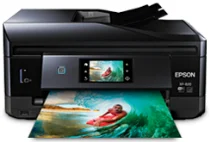
Epson XP-820 Printer Software and Drivers for Windows and macOS.
Supported Microsoft Windows Operating Systems
Windows 11
Windows 10 (32-bit and 64-bit)
Windows 8.1 (32-bit and 64-bit)
Windows 8 (32-bit and 64-bit)
Windows 7 (32-bit and 64-bit)
Windows Vista (32-bit and 64-bit)
Windows XP (32-bit and 64-bit)
Supported OS: Windows 11, Windows 10 32-bit and 64-bit, Windows 8.1 32-bit and 64-bit, Windows 8 32-bit and 64-bit, Windows 7 32-bit and 64-bit, Windows Vista 32-bit and 64-bit
This driver package installer contains the following items:
- Printer Driver
- Scanner Driver and EPSON Scan Utility
- Epson Event Manager
- Epson FAX Utility
- Epson Print CD
- Epson Software Updater
Supported OS: Windows XP 32-bit and 64-bit
This driver package installer contains the following items:
- Printer Driver
- Scanner Driver and EPSON Scan Utility
- Epson Event Manager
- Epson FAX Utility
- Epson Print CD
- Epson Software Updater
Supported OS: Windows 10 32-bit, Windows 8.1 32-bit, Windows 8 32-bit, Windows 7 32-bit, Windows Vista 32-bit, Windows XP 32-bit
Supported OS: Windows 10 64-bit, Windows 8.1 64-bit, Windows 8 64-bit, Windows 7 64-bit, Windows Vista 64-bit, Windows XP 64-bit
Supported OS: Windows 11, Windows 10 32-bit and 64-bit, Windows 8.1 32-bit and 64-bit, Windows 8 32-bit and 64-bit, Windows 7 32-bit and 64-bit, Windows Vista 32-bit and 64-bit, Windows XP 32-bit and 64-bit
Supported OS: Windows 10 32-bit, Windows 8.1 32-bit, Windows 8 32-bit, Windows 7 32-bit, Windows Vista 32-bit, Windows XP 32-bit
Supported OS: Windows 11, Windows 10 64-bit, Windows 8.1 64-bit, Windows 8 64-bit, Windows 7 64-bit, Windows Vista 64-bit, Windows XP 64-bit
Supported macOS Operating Systems
macOS Ventura 13
macOS Monterey 12
macOS Big Sur 11
macOS Catalina 10.15
macOS Mojave 10.14
macOS High Sierra 10.13
macOS Sierra 10.12
OS X El Capitan 10.11
OS X Yosemite 10.10
OS X Mavericks 10.9
OS X Mountain Lion 10.8
Mac OS X Lion 10.7
Mac OS X Snow Leopard 10.6
Mac OS X Leopard 10.5
Supported OS: macOS Catalina 10.15, macOS Big Sur 11, macOS Monterey 12, macOS Ventura 13
This driver package installer contains the following items:
- Printer Driver
- Scanner Driver and EPSON Scan Utility
- ICA Scanner Driver
- Easy Photo Scan
- Epson Event Manager
- Epson FAX Utility
- Epson Print CD
- Epson Software Updater
Supported OS: Mac OS X Lion 10.7, OS X Mountain Lion 10.8, OS X Mavericks 10.9, OS X Yosemite 10.10, OS X El Capitan 10.11, macOS Sierra 10.12, macOS High Sierra 10.13, macOS Mojave 10.14
This driver package installer contains the following items:
- Printer Driver
- Scanner Driver and EPSON Scan Utility
- ICA Scanner Driver
- Easy Photo Scan
- Epson Event Manager
- Epson FAX Utility
- Epson Print CD
- Epson Software Updater
Supported OS: macOS Catalina 10.15, macOS Big Sur 11, macOS Monterey 12, macOS Ventura 13
Supported OS: macOS Catalina 10.15, macOS Big Sur 11, macOS Monterey 12, macOS Ventura 13
Supported OS: Mac OS X Snow Leopard 10.6, Mac OS X Lion 10.7, OS X Mountain Lion 10.8, OS X Mavericks 10.9, OS X Yosemite 10.10, OS X El Capitan 10.11, macOS Sierra 10.12, macOS High Sierra 10.13, macOS Mojave 10.14
Supported OS: Mac OS X Leopard 10.5, Mac OS X Snow Leopard 10.6, Mac OS X Lion 10.7, OS X Mountain Lion 10.8, OS X Mavericks 10.9, OS X Yosemite 10.10, OS X El Capitan 10.11, macOS Sierra 10.12, macOS High Sierra 10.13, macOS Mojave 10.14, macOS Catalina 10.15, macOS Big Sur 11, macOS Monterey 12, macOS Ventura 13
Supported OS: Mac OS X Snow Leopard 10.6, Mac OS X Lion 10.7, OS X Mountain Lion 10.8, OS X Mavericks 10.9, OS X Yosemite 10.10, OS X El Capitan 10.11, macOS Sierra 10.12, macOS High Sierra 10.13, macOS Mojave 10.14, macOS Catalina 10.15, macOS Big Sur 11, macOS Monterey 12, macOS Ventura 13
Epson XP-820 Specifications
The market of multi-function printers is highly competitive, and many printers have similar feature sets. The small-in-one printer from Epson, “Expression Premium XP-820”, breaks this pattern and allows you to get more done with its range of features and fittings designed to maximize your options for workflow. What sets it even further apart is its dedicated photo paper tray and capacity to print on CDs and DVDs, in addition to the rear paper feed for specialty media that ensures a wide range of printing options. Among its core virtues is its superior photo quality, making it a splendid choice for people who frequently make photo prints in addition to regular document printing. It’s not just for printing; the XP-820 is also an all-in-one machine that can scan, copy, and fax your documents- all with an automatic document feeder to make your operation run smoothly.
In design terms, the XP-820 features a chic, compact body that fits comfortably into the confined quarters of a home office. This 4.3-inch touchscreen interface makes navigation effortless and controls the printer’s functions without relying on a computer to be connected. WiFi Direct and Epson Connect also provide connectivity. These tools allow one to print from Apple AirPrint services and use Google Cloud Print, even supporting the Epson iPrint app. The more flexible option caters well to today’s tastes in mobile lifestyles for home users and little businesses.
Epson’s XP-820 printer is good in many ways but has disadvantages too. The most obvious of these is the long-term cost – here, you are talking about how much ink different projects use. Although individual cartridges are a cost-effective way to replace only what you need, the costs will add up quickly when used in large numbers. Additionally, since it is designed for high-quality photo printing, regular text pages come off slower than lasers designed for enormous office needs. Nonetheless, if you care about print quality and versatility, the Epson XP-820 is a more attractive option. It is an ideal home printer for small offices, especially those with photo printing needs.