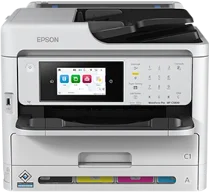
Epson WorkForce Pro WF-C5810 Drivers for Windows and macOS.
Supported Microsoft Windows Operating Systems
Windows 11
Windows 10 (32-bit and 64-bit)
Windows 8.1 (32-bit and 64-bit)
Windows 8 (32-bit and 64-bit)
Windows 7 (32-bit and 64-bit)
Windows Vista (32-bit and 64-bit)
Supported OS: Windows 11, Windows 10 32-bit and 64-bit, Windows 8.1 32-bit and 64-bit, Windows 8 32-bit and 64-bit, Windows 7 32-bit and 64-bit, Windows Vista 32-bit and 64-bit
Supported OS: Windows 10 32-bit, Windows 8.1 32-bit, Windows 8 32-bit, Windows 7 32-bit, Windows Vista 32-bit
Supported OS: Windows 11, Windows 10 64-bit, Windows 8.1 64-bit, Windows 8 64-bit, Windows 7 64-bit, Windows Vista 64-bit
Supported OS: Windows 11, Windows 10 32-bit and 64-bit, Windows 8.1 32-bit and 64-bit, Windows 8 32-bit and 64-bit, Windows 7 32-bit and 64-bit, Windows Vista 32-bit and 64-bit
Supported macOS Operating Systems
macOS Sequoia 15
macOS Sonoma 14
macOS Ventura 13
macOS Monterey 12
macOS Big Sur 11
macOS Catalina 10.15
macOS Mojave 10.14
macOS High Sierra 10.13
macOS Sierra 10.12
OS X El Capitan 10.11
OS X Yosemite 10.10
OS X Mavericks 10.9
OS X Mountain Lion 10.8
Mac OS X Lion 10.7
Mac OS X Snow Leopard 10.6
Supported OS: OS X Mavericks 10.9, OS X Yosemite 10.10, OS X El Capitan 10.11, macOS Sierra 10.12, macOS High Sierra 10.13, macOS Mojave 10.14, macOS Catalina 10.15, macOS Big Sur 11, macOS Monterey 12, macOS Ventura 13, macOS Sonoma 14, macOS Sequoia 15
Supported OS: Mac OS X Snow Leopard 10.6, Mac OS X Lion 10.7, OS X Mountain Lion 10.8, OS X Mavericks 10.9, OS X Yosemite 10.10, OS X El Capitan 10.11, macOS Sierra 10.12, macOS High Sierra 10.13, macOS Mojave 10.14, macOS Catalina 10.15, macOS Big Sur 11, macOS Monterey 12, macOS Ventura 13, macOS Sonoma 14, macOS Sequoia 15
Supported OS: OS X Mavericks 10.9, OS X Yosemite 10.10, OS X El Capitan 10.11, macOS Sierra 10.12, macOS High Sierra 10.13, macOS Mojave 10.14, macOS Catalina 10.15, macOS Big Sur 11, macOS Monterey 12, macOS Ventura 13, macOS Sonoma 14, macOS Sequoia 15
Epson WorkForce Pro WF-C5810 Specifications
The Epson WorkForce Pro WF-C5810 is a workgroup color multifunction printer. It has PrecisionCore Heat-Free technology with a 4S printhead of 800 black nozzles, 800 color nozzles, and Epson ESC/P-R language. Its replaceable ink pack system contains individual black, cyan, magenta, and yellow pigment ink packs for easy replacement. DURABrite Ultra ink works well for quality documents because the ink is made of pigment and thus allows for good printing on plain office paper. Driver setup requires only one install that sets up the printer for printing, scanning, copying, and faxing tasks on supported computers.
Print resolution is maximized to 4800 x 1200 optimized dpi for quality text and images. For simplex print jobs, the printer can print up to 25 pages per minute in both black and color modes. Duplex printing jobs have a speed of 16 ppm. The WF-C5810 can be used to print up to 34 ppm in its highest black or color printing mode. This printer has an input paper capacity of 250 pages from its front cassette, 80 from the rear feeder, and 150 pages in the output tray. When using three extra trays, the total input increases to 1,830 pages.
The standard connections include a Hi-Speed USB port, Wi-Fi, Wi-Fi Direct, and a wired Gigabit Ethernet connection. Network printing is available via TCP/IP v4/v6 with IPP, LPD, Port 9100, and WSD printing protocols. The closed dimensions are 42.5 x 53.5 x 35.7 cm, and thus the printer fits easily in the office setting. It can be placed on a desk or on the printer stand and used in various computer environments. The WF-C5810 can print files from a USB memory stick in JPEG and TIFF formats, but not PDF files.