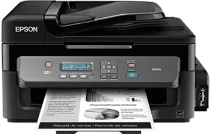
Epson WorkForce M205 Drivers for Windows and macOS.
Supported Microsoft Windows Operating Systems
Windows 11
Windows 10 (32-bit and 64-bit)
Windows 8.1 (32-bit and 64-bit)
Windows 8 (32-bit and 64-bit)
Windows 7 (32-bit and 64-bit)
Windows Vista (32-bit and 64-bit)
Supported OS: Windows 11, Windows 10 32-bit and 64-bit, Windows 8.1 32-bit and 64-bit, Windows 8 32-bit and 64-bit, Windows 7 32-bit and 64-bit, Windows Vista 32-bit and 64-bit
Supported OS: Windows 10 32-bit, Windows 8.1 32-bit, Windows 8 32-bit, Windows 7 32-bit, Windows Vista 32-bit
Supported OS: Windows 11, Windows 10 64-bit, Windows 8.1 64-bit, Windows 8 64-bit, Windows 7 64-bit, Windows Vista 64-bit
Supported OS: Windows 11, Windows 10 32-bit and 64-bit, Windows 8.1 32-bit and 64-bit, Windows 8 32-bit and 64-bit, Windows 7 32-bit and 64-bit, Windows Vista 32-bit and 64-bit
Supported macOS Operating Systems
macOS Sequoia 15
macOS Sonoma 14
macOS Ventura 13
macOS Monterey 12
macOS Big Sur 11
macOS Catalina 10.15
macOS Mojave 10.14
macOS High Sierra 10.13
macOS Sierra 10.12
OS X El Capitan 10.11
OS X Yosemite 10.10
OS X Mavericks 10.9
OS X Mountain Lion 10.8
Mac OS X Lion 10.7
Mac OS X Snow Leopard 10.6
Mac OS X Leopard 10.5
Supported OS: macOS Catalina 10.15, macOS Big Sur 11, macOS Monterey 12, macOS Ventura 13
Supported OS: Mac OS X Lion 10.7, OS X Mountain Lion 10.8, OS X Mavericks 10.9, OS X Yosemite 10.10, OS X El Capitan 10.11, macOS Sierra 10.12, macOS High Sierra 10.13, macOS Mojave 10.14
Supported OS: Mac OS X Snow Leopard 10.6, Mac OS X Lion 10.7, OS X Mountain Lion 10.8, OS X Mavericks 10.9, OS X Yosemite 10.10, OS X El Capitan 10.11, macOS Sierra 10.12, macOS High Sierra 10.13, macOS Mojave 10.14, macOS Catalina 10.15, macOS Big Sur 11, macOS Monterey 12, macOS Ventura 13, macOS Sonoma 14, macOS Sequoia 15
Supported OS: macOS Catalina 10.15, macOS Big Sur 11, macOS Monterey 12, macOS Ventura 13, macOS Sonoma 14, macOS Sequoia 15
Supported OS: Mac OS X Leopard 10.5, Mac OS X Snow Leopard 10.6, Mac OS X Lion 10.7, OS X Mountain Lion 10.8, OS X Mavericks 10.9, OS X Yosemite 10.10, OS X El Capitan 10.11, macOS Sierra 10.12, macOS High Sierra 10.13, macOS Mojave 10.14, macOS Catalina 10.15, macOS Big Sur 11, macOS Monterey 12, macOS Ventura 13, macOS Sonoma 14, macOS Sequoia 15
Epson WorkForce M205 Specifications
The Epson WorkForce M205 printer is a mono ink tank MFP printer aimed for office usage. It operates on demand with Micro Piezo inkjet technology, has 360 black nozzles, and controls variable-sized droplets for text in mono printing. The refillable ink tank supports Epson T7741 black pigment ink with an estimated page yield of 6000 pages according to Epson. The printer can print, scan, and copy; hence, only one driver package manages all of the key functions of the printer. It has a CIS color scanner and a 30-page ADF to support multipage original documents.
Printing performance is provided with 1440 x 720 dpi resolution and variable-sized droplet technology for better text. Black text prints at about 34 ppm in draft mode (15 ipm by ISO measurements) for standard documents. A single friction-feed tray holds 100 plain A4 sheets. The output tray supports 30 sheets, which are sufficient for invoices, forms, reports, and any other B/W paperwork. Manually supported double-sided printing helps users save on paper, but users need to add additional sheets to print duplex documents.
Connectivity includes USB 2.0 and Wi-Fi with support for Epson iPrint for mobile printing and scanning. Wireless connectivity makes it easy for several users to print and scan documents using laptops and smart devices connected to the same local network. The dimensions of the printer are about 435 x 377 x 226 mm, and its weight is about 6.0 kg. The compact design allows it to be used in smaller office places, and the ADF is good enough to scan and copy documents on a daily basis. However, duplexing is performed manually.