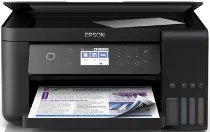
Epson L6161 Drivers for Windows and macOS.
Supported Microsoft Windows Operating Systems
Windows 11
Windows 10 (32-bit and 64-bit)
Windows 8.1 (32-bit and 64-bit)
Windows 8 (32-bit and 64-bit)
Windows 7 (32-bit and 64-bit)
Windows Vista (32-bit and 64-bit)
Supported OS: Windows 11, Windows 10 32-bit and 64-bit, Windows 8.1 32-bit and 64-bit, Windows 8 32-bit and 64-bit, Windows 7 32-bit and 64-bit, Windows Vista 32-bit and 64-bit
This combo package installer obtains and installs the following items:
- Printer Driver
- Scanner Driver and Epson Scan 2 Utility
- Epson Event Manager
- Epson Scan 2 OCR Component
- Epson Software Updater
Supported OS: Windows 10 32-bit, Windows 8.1 32-bit, Windows 8 32-bit, Windows 7 32-bit, Windows Vista 32-bit
Supported OS: Windows 10 64-bit, Windows 8.1 64-bit, Windows 8 64-bit, Windows 7 64-bit, Windows Vista 64-bit
Supported OS: Windows 11, Windows 10 32-bit and 64-bit, Windows 8.1 32-bit and 64-bit, Windows 8 32-bit and 64-bit, Windows 7 32-bit and 64-bit, Windows Vista 32-bit and 64-bit
Supported macOS Operating Systems
macOS Tahoe 26
macOS Sequoia 15
macOS Sonoma 14
macOS Ventura 13
macOS Monterey 12
macOS Big Sur 11
macOS Catalina 10.15
macOS Mojave 10.14
macOS High Sierra 10.13
macOS Sierra 10.12
OS X El Capitan 10.11
OS X Yosemite 10.10
OS X Mavericks 10.9
OS X Mountain Lion 10.8
Mac OS X Lion 10.7
Mac OS X Snow Leopard 10.6
Supported OS: macOS Tahoe 26, macOS Sequoia 15, macOS Sonoma 14, macOS Ventura 13, macOS Monterey 12, macOS Big Sur 11, macOS Catalina 10.15
This combo package installer obtains and installs the following items:
- Printer Driver
- Scanner Driver and Epson Scan 2 Utility
- Epson Photo+
- Epson Event Manager
- Epson Scan 2 OCR Component
- EPSON Software Updater
Supported OS: macOS Mojave 10.14, macOS High Sierra 10.13, macOS Sierra 10.12, OS X El Capitan 10.11, OS X Yosemite 10.10, OS X Mavericks 10.9, OS X Mountain Lion 10.8, Mac OS X Lion 10.7
This combo package installer obtains and installs the following items:
- Printer Driver
- Scanner Driver and Epson Scan 2 Utility
- EPSON Easy Photo Print
- Epson Event Manager
- Epson Scan 2 OCR Component
- EPSON Software Updater
Supported OS: macOS Tahoe 26, macOS Sequoia 15, macOS Sonoma 14, macOS Ventura 13, macOS Monterey 12, macOS Big Sur 11, macOS Catalina 10.15, macOS Mojave 10.14, macOS High Sierra 10.13, macOS Sierra 10.12, OS X El Capitan 10.11, OS X Yosemite 10.10, OS X Mavericks 10.9, OS X Mountain Lion 10.8, Mac OS X Lion 10.7, Mac OS X Snow Leopard 10.6
Supported OS: macOS Tahoe 26, macOS Sequoia 15, macOS Sonoma 14, macOS Ventura 13, macOS Monterey 12, macOS Big Sur 11, macOS Catalina 10.15, macOS Mojave 10.14, macOS High Sierra 10.13, macOS Sierra 10.12, OS X El Capitan 10.11, OS X Yosemite 10.10, OS X Mavericks 10.9, OS X Mountain Lion 10.8, Mac OS X Lion 10.7, Mac OS X Snow Leopard 10.6
Epson L6161 Specifications
Epson L6161 is an EcoTank inkjet all-in-one with printing, scanning, and copying in the same body. The ink system relies on refillable tanks for black, cyan, magenta, and yellow ink instead of cartridges. Printing comes from Epson’s inkjet printhead system, so the driver must pass page size, color, and quality settings correctly. The front tank window also makes the remaining ink level visible during use.
For print detail, the machine reaches up to 4800 × 1200 dpi on supported media. Black pages run faster than color pages, and automatic two-sided printing reduces paper use on longer documents. On the paper side, the main cassette takes up to 150 plain sheets. Photo media can also run through the printer, although everyday document work fits its paper layout more naturally.
A computer can connect through USB, while network setups can use Ethernet, Wi-Fi, or Wi-Fi Direct. For scanning, the flatbed accepts one original at a time and scans at up to 1200 × 2400 dpi optical resolution. The body measures about 375 × 347 × 187 mm and weighs around 5.5 kg. However, this model leaves out fax support and an automatic document feeder.