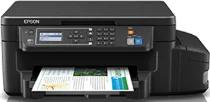
Epson L606 Drivers for Windows and macOS.
Supported Microsoft Windows Operating Systems
Windows 11
Windows 10 (32-bit and 64-bit)
Windows 8.1 (32-bit and 64-bit)
Windows 8 (32-bit and 64-bit)
Windows 7 (32-bit and 64-bit)
Windows Vista (32-bit and 64-bit)
Supported OS: Windows 11, Windows 10 32-bit and 64-bit, Windows 8.1 32-bit and 64-bit, Windows 8 32-bit and 64-bit, Windows 7 32-bit and 64-bit, Windows Vista 32-bit and 64-bit
This combo package installer obtains and installs the following items:
- Printer Driver
- Scanner Driver and Epson Scan 2 Utility
- Epson Easy Photo Print
- Epson Event Manager
- Epson Scan 2 OCR Component
- Epson Software Updater
Supported OS: Windows 10 32-bit, Windows 8.1 32-bit, Windows 8 32-bit, Windows 7 32-bit, Windows Vista 32-bit
Supported OS: Windows 10 64-bit, Windows 8.1 64-bit, Windows 8 64-bit, Windows 7 64-bit, Windows Vista 64-bit
Supported OS: Windows 11, Windows 10 32-bit and 64-bit, Windows 8.1 32-bit and 64-bit, Windows 8 32-bit and 64-bit, Windows 7 32-bit and 64-bit, Windows Vista 32-bit and 64-bit
Supported macOS Operating Systems
macOS Tahoe 26
macOS Sequoia 15
macOS Sonoma 14
macOS Ventura 13
macOS Monterey 12
macOS Big Sur 11
macOS Catalina 10.15
macOS Mojave 10.14
macOS High Sierra 10.13
macOS Sierra 10.12
OS X El Capitan 10.11
OS X Yosemite 10.10
OS X Mavericks 10.9
OS X Mountain Lion 10.8
Mac OS X Lion 10.7
Mac OS X Snow Leopard 10.6
Supported OS: macOS Mojave 10.14, macOS High Sierra 10.13, macOS Sierra 10.12, OS X El Capitan 10.11, OS X Yosemite 10.10, OS X Mavericks 10.9, OS X Mountain Lion 10.8, Mac OS X Lion 10.7
This combo package installer obtains and installs the following items:
- Printer Driver
- Scanner Driver and Epson Scan 2 Utility
- Epson Event Manager
- Epson Scan 2 OCR Component
- EPSON Software Updater
Supported OS: macOS Tahoe 26, macOS Sequoia 15, macOS Sonoma 14, macOS Ventura 13, macOS Monterey 12, macOS Big Sur 11, macOS Catalina 10.15, macOS Mojave 10.14, macOS High Sierra 10.13, macOS Sierra 10.12, OS X El Capitan 10.11, OS X Yosemite 10.10, OS X Mavericks 10.9, OS X Mountain Lion 10.8, Mac OS X Lion 10.7, Mac OS X Snow Leopard 10.6
Supported OS: macOS Tahoe 26, macOS Sequoia 15, macOS Sonoma 14, macOS Ventura 13, macOS Monterey 12, macOS Big Sur 11, macOS Catalina 10.15, macOS Mojave 10.14, macOS High Sierra 10.13, macOS Sierra 10.12, OS X El Capitan 10.11, OS X Yosemite 10.10, OS X Mavericks 10.9, OS X Mountain Lion 10.8, Mac OS X Lion 10.7, Mac OS X Snow Leopard 10.6
Epson L606 Specifications
Epson L606 is an EcoTank inkjet all-in-one for printing, scanning, and copying from one compact body. Printing comes from a Micro Piezo printhead, paired with refillable black, cyan, magenta, and yellow ink tanks. The cartridge-free layout keeps ink bottles separate from the printhead, so refilling stays part of normal maintenance. The flatbed handles one original at a time, which matters for copies and scanned sheets.
For printing, pages can reach up to 5760 x 1440 dpi when media and settings allow. ISO speeds are commonly listed around 13.7 ipm for black and 7.3 ipm for color. Paper enters from the rear tray, where plain sheets and selected photo media feed into the printer. Two-sided document output can run automatically, so reports need less manual paper turning. That setup fits ordinary document batches better than unattended, high-volume office work.
A nearby computer can connect through USB, while network printing can use Wi-Fi, Wi-Fi Direct, or Ethernet. Phone and tablet printing depend on compatible Epson mobile services and the printer’s network setup. During operation, the body measures about 515 x 360 x 241 mm and weighs around 6.2 kg without ink bottles. However, the model does not carry fax hardware or an automatic document feeder, so multi-page originals need manual placement.