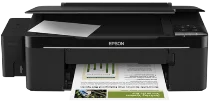
Epson L200 Printer Software and Drivers for Windows and macOS.
Supported Microsoft Windows Operating Systems
Windows 11
Windows 10 (32-bit and 64-bit)
Windows 8.1 (32-bit and 64-bit)
Windows 8 (32-bit and 64-bit)
Windows 7 (32-bit and 64-bit)
Windows Vista (32-bit and 64-bit)
Windows XP (32-bit and 64-bit)
Supported OS: Windows 10 32-bit, Windows 8.1 32-bit, Windows 8 32-bit, Windows 7 32-bit, Windows Vista 32-bit, Windows XP 32-bit
Supported OS: Windows 11, Windows 10 64-bit, Windows 8.1 64-bit, Windows 8 64-bit, Windows 7 64-bit, Windows Vista 64-bit, Windows XP 64-bit
Supported OS: Windows 10 32-bit and 64-bit, Windows 8.1 32-bit and 64-bit, Windows 8 32-bit and 64-bit, Windows 7 32-bit and 64-bit, Windows Vista 32-bit and 64-bit, Windows XP 32-bit and 64-bit
Supported macOS Operating Systems
macOS Big Sur 11
macOS Catalina 10.15
macOS Mojave 10.14
macOS High Sierra 10.13
macOS Sierra 10.12
OS X El Capitan 10.11
OS X Yosemite 10.10
OS X Mavericks 10.9
OS X Mountain Lion 10.8
Mac OS X Lion 10.7
Mac OS X Snow Leopard 10.6
Mac OS X Leopard 10.5
Supported OS: Mac OS X Leopard 10.5, Mac OS X Snow Leopard 10.6, Mac OS X Lion 10.7, OS X Mountain Lion 10.8, OS X Mavericks 10.9, OS X Yosemite 10.10, OS X El Capitan 10.11, macOS Sierra 10.12, macOS High Sierra 10.13, macOS Mojave 10.14, macOS Catalina 10.15, macOS Big Sur 11
Supported OS: Mac OS X Snow Leopard 10.6, Mac OS X Lion 10.7, OS X Mountain Lion 10.8, OS X Mavericks 10.9, OS X Yosemite 10.10, OS X El Capitan 10.11, macOS Sierra 10.12, macOS High Sierra 10.13, macOS Mojave 10.14, macOS Catalina 10.15, macOS Big Sur 11
Supported OS: OS X El Capitan 10.11
Supported OS: Mac OS X Leopard 10.5, Mac OS X Snow Leopard 10.6, Mac OS X Lion 10.7, OS X Mountain Lion 10.8, OS X Mavericks 10.9, OS X Yosemite 10.10, OS X El Capitan 10.11, macOS Sierra 10.12, macOS High Sierra 10.13, macOS Mojave 10.14, macOS Catalina 10.15, macOS Big Sur 11
Epson L200 Specifications
The Epson L200 is one of the first printers in the budget market to sport an integrated ink tank system. An inexpensive way to get high-volume printing is a wise purchase for homes and small offices with serious printing needs. The transparent tank attached to the side makes it easy to monitor ink levels, a helpful tool for operating a business that uses a lot of paper. Running prints at home has always been easy with the L200: just top off your levels, and you’re ready to go in no time–without ever having an ink cartridge to replace. However, because the ink can dry out over time, people who only print sometimes may find this printer isn’t for them.
In terms of quality, the price is reasonable. Documents looked sharp, making them appropriate for printing reports or essays full of text content. Prices for printing photographs or drawings are tolerable, not first-class. The Epson L200’s speed is satisfactory; it is faster than older models but only partly keeps up with current models. Even so, it is faster than you think for most everyday work. For ordinary old document printing, however, it moves apace.
Its small size is an advantage to environmentalist and anti-waste types. However, it is stripped of advanced features like wireless connectivity or duplex printing. You will have to make do with its just-USB interface and simple setup. Many people who do not know anything about computers find this kind of simplicity appealing. In brief, the Epson L200 is the best solution for people who print a lot. It takes away high-end features in favor of simplicity and cost and caters to people prioritizing volume over flexibility.