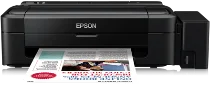
Epson L110 Printer Software and Drivers for Windows and macOS.
Supported Microsoft Windows Operating Systems
Windows 11
Windows 10 (32-bit and 64-bit)
Windows 8.1 (32-bit and 64-bit)
Windows 8 (32-bit and 64-bit)
Windows 7 (32-bit and 64-bit)
Windows Vista (32-bit and 64-bit)
Windows XP (32-bit and 64-bit)
Supported OS: Windows 10 32-bit, Windows 8.1 32-bit, Windows 8 32-bit, Windows 7 32-bit, Windows Vista 32-bit, Windows XP 32-bit
Supported OS: Windows 11, Windows 10 64-bit, Windows 8.1 64-bit, Windows 8 64-bit, Windows 7 64-bit, Windows Vista 64-bit, Windows XP 64-bit
Supported macOS Operating Systems
OS X El Capitan 10.11
OS X Yosemite 10.10
OS X Mavericks 10.9
OS X Mountain Lion 10.8
Mac OS X Lion 10.7
Mac OS X Snow Leopard 10.6
Mac OS X Leopard 10.5
Supported OS: Mac OS X Leopard 10.5, Mac OS X Snow Leopard 10.6, Mac OS X Lion 10.7, OS X Mountain Lion 10.8, OS X Mavericks 10.9, OS X Yosemite 10.10, OS X El Capitan 10.11
Epson L110 Specifications
The Epson L110 is a single-function inkjet printer; its high-capacity ink tank system is what makes it known for its low printing cost. Another significant advantage of this design is that ink bottles are easily refillable and affordable. The price per page for consumers who print frequently is lower than that of many other cartridge-based printers. The Epson L110 holds the cost-effective printing place, but those with occasional printing needs may enjoy only a fraction of the ink system economy.
The L110 is a reliable performer quality-wise in everyday use. There is no fuzz on the text. It is suitable for business letters and reports; it performs without problems, making it perform reliably enough for paperwork. Images are vibrant and clear without having that professional edge to them for fine printing. Speed-wise, this is ahead of some older models at the current production level. This printer won’t break any speed records compared to these newer models, but the average home or small business user, who takes savings in preference to speed, can’t complain about print speed.
There’s still room for improvement in the area of design. That it’s so small is good because it’s suitable for saving desk space. But it lacks additional features: the basic functionality focuses only on printing, with no scanning or wireless capability. It is an obvious drawback for people looking for an all-in-one device. However, individuals and small offices that need to print frequently and keep costs down will find the L110 a good option. The simple design of the printer also makes it easy to use for frequent tasks. There is no doubt about it: the Epson L110 is a smart choice for consumers who want frequent printing and ongoing expenses kept to a minimum.