Epson ET-3958 Drivers for Windows and macOS.
Supported Microsoft Windows Operating Systems
Windows 11
Windows 10 (32-bit and 64-bit)
Windows 8.1 (32-bit and 64-bit)
Windows 8 (32-bit and 64-bit)
Windows 7 (32-bit and 64-bit)
Windows Vista (32-bit and 64-bit)
Supported OS: Windows 11, Windows 10 32-bit and 64-bit, Windows 8.1 32-bit and 64-bit, Windows 8 32-bit and 64-bit, Windows 7 32-bit and 64-bit
Supported OS: Windows 10 32-bit, Windows 8.1 32-bit, Windows 8 32-bit, Windows 7 32-bit
Supported OS: Windows 11, Windows 10 64-bit, Windows 8.1 64-bit, Windows 8 64-bit, Windows 7 64-bit
Supported OS: Windows 11, Windows 10 32-bit and 64-bit, Windows 8.1 32-bit and 64-bit, Windows 8 32-bit and 64-bit, Windows 7 32-bit and 64-bit
Supported OS: Windows 10 32-bit, Windows 8.1 32-bit, Windows 8 32-bit, Windows 7 32-bit, Windows Vista 32-bit
Supported OS: Windows 11, Windows 10 64-bit, Windows 8.1 64-bit, Windows 8 64-bit, Windows 7 64-bit, Windows Vista 64-bit
Supported macOS Operating Systems
macOS Tahoe 26
macOS Sequoia 15
macOS Sonoma 14
macOS Ventura 13
macOS Monterey 12
macOS Big Sur 11
macOS Catalina 10.15
macOS Mojave 10.14
macOS High Sierra 10.13
macOS Sierra 10.12
OS X El Capitan 10.11
OS X Yosemite 10.10
OS X Mavericks 10.9
OS X Mountain Lion 10.8
Mac OS X Lion 10.7
Mac OS X Snow Leopard 10.6
Supported OS: OS X Mavericks 10.9, OS X Yosemite 10.10, OS X El Capitan 10.11, macOS Sierra 10.12, macOS High Sierra 10.13, macOS Mojave 10.14, macOS Catalina 10.15, macOS Big Sur 11, macOS Monterey 12, macOS Ventura 13, macOS Sonoma 14, macOS Sequoia 15, macOS Tahoe 26
Supported OS: OS X Mavericks 10.9, OS X Yosemite 10.10, OS X El Capitan 10.11, macOS Sierra 10.12, macOS High Sierra 10.13, macOS Mojave 10.14, macOS Catalina 10.15, macOS Big Sur 11, macOS Monterey 12, macOS Ventura 13, macOS Sonoma 14, macOS Sequoia 15, macOS Tahoe 26
Supported OS: OS X Mavericks 10.9, OS X Yosemite 10.10, OS X El Capitan 10.11, macOS Sierra 10.12, macOS High Sierra 10.13, macOS Mojave 10.14, macOS Catalina 10.15, macOS Big Sur 11, macOS Monterey 12, macOS Ventura 13, macOS Sonoma 14, macOS Sequoia 15, macOS Tahoe 26
Supported OS: Mac OS X Snow Leopard 10.6, Mac OS X Lion 10.7, OS X Mountain Lion 10.8, OS X Mavericks 10.9, OS X Yosemite 10.10, OS X El Capitan 10.11, macOS Sierra 10.12, macOS High Sierra 10.13, macOS Mojave 10.14, macOS Catalina 10.15, macOS Big Sur 11, macOS Monterey 12, macOS Ventura 13, macOS Sonoma 14, macOS Sequoia 15, macOS Tahoe 26
Epson ET-3958 Specifications
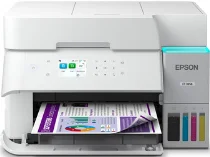
The Epson ET-3958 is an ink-refillable printer with color all-in-one functions intended for personal and small office routine usage. This printer makes use of Epson’s PrecisionCore Heat-Free technology, which allows for the movement of ink through nozzles without the use of laser toner during the printing process. The front tank is capable of using refillable bottles of Epson 502 ink in black, cyan, magenta, and yellow colors. Thus, the driver handles the processes of print, scan, and copy communication from one device. The tank system excludes the use of disposables, so the user primarily prefers it for color printing at home.
Print resolution comes to 4800 x 1200 dpi; it allows for providing good quality texts, graphics, and photos. Print speed for documents in ISO is 18 black pages per minute and 9 color pages per minute. The presence of a 250-sheet front paper tray facilitates less frequent refilling while doing school, bills, or office prints without filling the worktable. Two-sided automatic printing saves paper on longer prints of draft documents. When working, the printer can be used both with usual sizes of plain paper and borderless photo printouts up to the size of a letter.
Wi-Fi, Wi-Fi Direct, Ethernet, and USB connections can be used to set up the driver on Windows and Mac OS systems. Also, Epson Smart Panel, Apple AirPrint, and Mopria can be used for quick mobile printing from cellphones, tablets, or laptops. The printer occupies 14.8 by 13.7 by 9.4 inches of storage space and weighs about 15.9 pounds. There is an automatic document feeder for multi-page scanning and copying; thus, it can be used for light office papers. The fax function is not provided in the list of specifications.