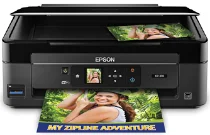
Epson XP-310 Printer Software and Drivers for Windows and macOS.
Supported Microsoft Windows Operating Systems
Windows 11
Windows 10 (32-bit and 64-bit)
Windows 8.1 (32-bit and 64-bit)
Windows 8 (32-bit and 64-bit)
Windows 7 (32-bit and 64-bit)
Windows Vista (32-bit and 64-bit)
Windows XP (32-bit and 64-bit)
Supported OS: Windows 11, Windows 10 32-bit and 64-bit, Windows 8.1 32-bit and 64-bit, Windows 8 32-bit and 64-bit, Windows 7 32-bit and 64-bit, Windows Vista 32-bit and 64-bit, Windows XP 32-bit and 64-bit
This driver package installer contains the following items:
- Printer Driver
- Scanner Driver and EPSON Scan Utility
- Epson Event Manager
- Epson Software Updater
- Network Installer
Supported OS: Windows 10 32-bit, Windows 8.1 32-bit, Windows 8 32-bit, Windows 7 32-bit, Windows Vista 32-bit, Windows XP 32-bit
Supported OS: Windows 10 64-bit, Windows 8.1 64-bit, Windows 8 64-bit, Windows 7 64-bit, Windows Vista 64-bit, Windows XP 64-bit
Supported OS: Windows 11, Windows 10 32-bit and 64-bit, Windows 8.1 32-bit and 64-bit, Windows 8 32-bit and 64-bit, Windows 7 32-bit and 64-bit, Windows Vista 32-bit and 64-bit, Windows XP 32-bit and 64-bit
Supported OS: Windows 10 32-bit, Windows 8.1 32-bit, Windows 8 32-bit, Windows 7 32-bit, Windows Vista 32-bit, Windows XP 32-bit
Supported OS: Windows 11, Windows 10 64-bit, Windows 8.1 64-bit, Windows 8 64-bit, Windows 7 64-bit, Windows Vista 64-bit, Windows XP 64-bit
Supported macOS Operating Systems
macOS Ventura 13
macOS Monterey 12
macOS Big Sur 11
macOS Catalina 10.15
macOS Mojave 10.14
macOS High Sierra 10.13
macOS Sierra 10.12
OS X El Capitan 10.11
OS X Yosemite 10.10
OS X Mavericks 10.9
OS X Mountain Lion 10.8
Mac OS X Lion 10.7
Mac OS X Snow Leopard 10.6
Mac OS X Leopard 10.5
Supported OS: macOS Catalina 10.15, macOS Big Sur 11, macOS Monterey 12, macOS Ventura 13
This driver package installer contains the following items:
- Printer Driver
- Scanner Driver and EPSON Scan Utility
- ICA Scanner Driver
- Epson Event Manager
- Epson Software Updater
Supported OS: Mac OS X Lion 10.7, OS X Mountain Lion 10.8, OS X Mavericks 10.9, OS X Yosemite 10.10, OS X El Capitan 10.11, macOS Sierra 10.12, macOS High Sierra 10.13, macOS Mojave 10.14
This driver package installer contains the following items:
- Printer Driver
- Scanner Driver and EPSON Scan Utility
- ICA Scanner Driver
- Epson Event Manager
- Epson Software Updater
Supported OS: Mac OS X Snow Leopard 10.6, Mac OS X Lion 10.7, OS X Mountain Lion 10.8, OS X Mavericks 10.9, OS X Yosemite 10.10, OS X El Capitan 10.11, macOS Sierra 10.12, macOS High Sierra 10.13, macOS Mojave 10.14, macOS Catalina 10.15, macOS Big Sur 11, macOS Monterey 12, macOS Ventura 13
Supported OS: macOS Catalina 10.15, macOS Big Sur 11, macOS Monterey 12, macOS Ventura 13
Supported OS: Mac OS X Leopard 10.5, Mac OS X Snow Leopard 10.6, Mac OS X Lion 10.7, OS X Mountain Lion 10.8, OS X Mavericks 10.9, OS X Yosemite 10.10, OS X El Capitan 10.11, macOS Sierra 10.12, macOS High Sierra 10.13, macOS Mojave 10.14
Supported OS: Mac OS X Leopard 10.5, Mac OS X Snow Leopard 10.6, Mac OS X Lion 10.7, OS X Mountain Lion 10.8, OS X Mavericks 10.9, OS X Yosemite 10.10, OS X El Capitan 10.11, macOS Sierra 10.12, macOS High Sierra 10.13, macOS Mojave 10.14, macOS Catalina 10.15, macOS Big Sur 11, macOS Monterey 12, macOS Ventura 13
Supported OS: Mac OS X Snow Leopard 10.6, Mac OS X Lion 10.7, OS X Mountain Lion 10.8, OS X Mavericks 10.9, OS X Yosemite 10.10, OS X El Capitan 10.11, macOS Sierra 10.12, macOS High Sierra 10.13, macOS Mojave 10.14, macOS Catalina 10.15, macOS Big Sur 11, macOS Monterey 12, macOS Ventura 13
Epson XP-310 Specifications
We’d classify the XP-310 as a minor incremental upgrade from its predecessor, positioning it as a suitable contender in the home printer space at the budget end of the market. The XP-310 stands out among its features in this space, as does Epson’s focus on wireless connectivity, now recognized as a needs-must in the modern digitally connected household. We had no issues with setup, and we’d suggest that most users will only have a few troubles. Of course, only some users in the household will be incredibly tech-savvy. The responsive control panel complete with a reasonable-sized color LCD should mean that even when it’s time to change the inks — and that will be over time, as another advantage of the XP-310 series is separate inks for each primary color, which means that while they’re not the most spacious, you’re not immediately replacing all colors at once for a complete outlay of typically around $75 for a full ink replacement set.
Printing, scanning, and copying duties are all performed as expected from a modern all-in-one, which is to say adequately but not spectacularly. Still, it was a surprise to see that the Canon PIXMA MG7160 was a touch quicker, or certainly quicker in typical home office duty. That’s not to say that the XP-310 can’t manage day-to-day tasks, but you’re looking at the wrong printer class for high-volume printing at speed. Print quality is perfectly acceptable for text documents and relatively basic graphics, too; yes, the XP-310 will struggle to match some photo quality levels if you’re used to high-end photo labs because it has a single-pass print head, which builds up ink one pass at a time and can make color areas with tricky blending look messy. Still, if you’re not looking to print A3 gallery graphics on it anyway, that’s not such a big deal.
That’s not to say the Epson XP-310 is without its drawbacks.
It should come as no surprise that the XP-310 also carries on the mainstream Epson tradition of using individual ink cartridges. It is a blessing and a curse: You won’t have to replace three colors of ink simply because the thirsty yellow ran out, but the cost of frequently printing — particularly in color — can add up over time.
The real strength of the Epson XP-310 is in its connectivity. A printer in this price range sports an impressive array of connectivity options, headed up by Wi-Fi Direct in addition to traditional Wi-Fi. That makes it easy to print from smartphones and tablets. These are the kinds of features that are quickly becoming standard in the market. Epson Connect, Apple AirPrint, and Google Cloud Print are also supported. Many options are an acknowledgment from Epson that the XP-310 has to be compatible with many ecosystems. It’s an excellent all-in-one made even lovelier by these convenience and connectivity features. There are some performance trade-offs, but for the home user who values convenience and connectivity, the Epson XP-310 is an excellent all-in-one.