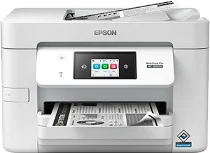
Epson WorkForce Pro WF-M4619 Drivers for Windows and macOS.
Supported Microsoft Windows Operating Systems
Windows 11
Windows 10 (32-bit and 64-bit)
Windows 8.1 (32-bit and 64-bit)
Windows 8 (32-bit and 64-bit)
Windows 7 (32-bit and 64-bit)
Windows Vista (32-bit and 64-bit)
Supported OS: Windows 11, Windows 10 32-bit and 64-bit, Windows 8.1 32-bit and 64-bit, Windows 8 32-bit and 64-bit, Windows 7 32-bit and 64-bit, Windows Vista 32-bit and 64-bit
Supported OS: Windows 10 32-bit, Windows 8.1 32-bit, Windows 8 32-bit, Windows 7 32-bit, Windows Vista 32-bit
Supported OS: Windows 11, Windows 10 64-bit, Windows 8.1 64-bit, Windows 8 64-bit, Windows 7 64-bit, Windows Vista 64-bit
Supported OS: Windows 11, Windows 10 32-bit and 64-bit, Windows 8.1 32-bit and 64-bit, Windows 8 32-bit and 64-bit
Supported macOS Operating Systems
macOS Sequoia 15
macOS Sonoma 14
macOS Ventura 13
macOS Monterey 12
macOS Big Sur 11
macOS Catalina 10.15
macOS Mojave 10.14
macOS High Sierra 10.13
macOS Sierra 10.12
OS X El Capitan 10.11
OS X Yosemite 10.10
OS X Mavericks 10.9
OS X Mountain Lion 10.8
Mac OS X Lion 10.7
Mac OS X Snow Leopard 10.6
Supported OS: OS X Mavericks 10.9, OS X Yosemite 10.10, OS X El Capitan 10.11, macOS Sierra 10.12, macOS High Sierra 10.13, macOS Mojave 10.14, macOS Catalina 10.15, macOS Big Sur 11, macOS Monterey 12, macOS Ventura 13, macOS Sonoma 14, macOS Sequoia 15
Supported OS: Mac OS X Snow Leopard 10.6, Mac OS X Lion 10.7, OS X Mountain Lion 10.8, OS X Mavericks 10.9, OS X Yosemite 10.10, OS X El Capitan 10.11, macOS Sierra 10.12, macOS High Sierra 10.13, macOS Mojave 10.14, macOS Catalina 10.15, macOS Big Sur 11, macOS Monterey 12, macOS Ventura 13, macOS Sonoma 14, macOS Sequoia 15
Supported OS: OS X Mavericks 10.9, OS X Yosemite 10.10, OS X El Capitan 10.11, macOS Sierra 10.12, macOS High Sierra 10.13, macOS Mojave 10.14, macOS Catalina 10.15, macOS Big Sur 11, macOS Monterey 12, macOS Ventura 13, macOS Sonoma 14, macOS Sequoia 15
Epson WorkForce Pro WF-M4619 Specifications
Epson WorkForce Pro WF-M4619 is an office monochrome multifunction inkjet printer. PrecisionCore Heat-Free technology utilizes a Micro TFP printhead for high-speed black printing and reduced energy consumption in an office environment. The ink system consists of DURABrite Ultra pigment ink and a single black ink cartridge for precise printing of text. Copying, scanning, and faxing capabilities accompany printing of office documents from everyday workflows in small groups and at common desks. The printer comes with one DURABrite Ultra black cartridge and accepts replacement T11J black cartridges for routine office usage.
Resolution of the maximum print quality is 4800 x 2400 dpi for printing of black text, black forms, graphics, and everyday files. Printing speed is 25 ISO ppm black, and first-page-out time is 5.5 seconds. Duplex printing happens automatically at a speed of 16 ISO ppm, which reduces paper consumption for typical office tasks and drafts. Paper feed includes a 250-sheet tray, 10 envelopes capability, and the ability to print on Legal-sized media. Everyday office documents such as reports, letters, invoices, and internal forms are also supported without routine refilling of a paper tray in busy small offices.
The printer includes connectivity via Hi-Speed USB, Ethernet, Wi-Fi, and Wi-Fi Direct. Other available mobile features include Epson Email Print, Remote Print, Scan to Cloud, AirPrint, Android printing, and Mopria. During printing, the dimensions of the printer are 16.7 x 19.8 x 10.9 inches, and its weight is 22.3 lb. Supported systems are Windows 11, Windows 10, Windows Server versions, and macOS through 13.x for driver software installation. Nevertheless, the WF-M4619 prints monochrome only; hence, customers requiring printing of color pages need to select a different printer model.