Epson WorkForce 645 Printer Software and Drivers for Windows and macOS.
Supported Microsoft Windows Operating Systems
Windows 11
Windows 10 (32/64-bit)
Windows 8.1 (32/64-bit)
Windows 8 (32/64-bit)
Windows 7 (32/64-bit)
Windows Vista (32/64-bit)
Windows XP (32/64-bit)
Supported OS: Windows 11, Windows 10 32-bit and 64-bit, Windows 8.1 32-bit and 64-bit, Windows 8 32-bit and 64-bit
This driver package installer contains the following items:
- Printer Driver
- Scanner Driver and EPSON Scan Utility
- Epson Fax Utility
- Epson Event Manager
- Epson Software Updater
- Network Installer
Supported OS: Windows 7 32-bit and 64-bit, Windows Vista 32-bit and 64-bit, Windows XP 32-bit
This driver package installer contains the following items:
- Printer Driver
- Scanner Driver and EPSON Scan Utility
- Epson Fax Utility
- Epson Event Manager
- Epson Software Updater
- Network Installer
Supported OS: Windows 10 32-bit
Supported OS: Windows 10 64-bit
Supported OS: Windows 8 32-bit, Windows 8.1 32-bit
Supported OS: Windows 8 64-bit, Windows 8.1 64-bit
Supported OS: Windows 7 32-bit, Windows Vista 32-bit, Windows XP 32-bit
Supported OS: Windows 7 64-bit, Windows Vista 64-bit, Windows XP 64-bit
Supported OS: Windows 11, Windows 10 32-bit and 64-bit, Windows 8.1 32-bit and 64-bit, Windows 7 32-bit and 64-bit, Windows Vista 32-bit and 64-bit, Windows XP 32-bit
Supported OS: Windows 10 32-bit, Windows 8.1 32-bit, Windows 8 32-bit, Windows 7 32-bit, Windows Vista 32-bit, Windows XP 32-bit
Supported OS: Windows 11, Windows 10 64-bit, Windows 8.1 64-bit, Windows 8 64-bit, Windows 7 64-bit, Windows Vista 64-bit
Supported macOS Operating Systems
macOS Ventura 13
macOS Monterey 12
macOS Big Sur 11
macOS Catalina 10.15
macOS Mojave 10.14
macOS High Sierra 10.13
macOS Sierra 10.12
OS X El Capitan 10.11
OS X Yosemite 10.10
OS X Mavericks 10.9
OS X Mountain Lion 10.8
Mac OS X Lion 10.7
Mac OS X Snow Leopard 10.6
Mac OS X Leopard 10.5
Supported OS: Mac OS X Snow Leopard 10.6, Mac OS X Lion 10.7, OS X Mountain Lion 10.8, OS X Mavericks 10.9, OS X Yosemite 10.10, OS X El Capitan 10.11, macOS Sierra 10.12, macOS High Sierra 10.13, macOS Mojave 10.14, macOS Catalina 10.15, macOS Big Sur 11, macOS Monterey 12, macOS Ventura 13
Supported OS: Mac OS X Leopard 10.5, Mac OS X Snow Leopard 10.6, Mac OS X Lion 10.7, OS X Mountain Lion 10.8, OS X Mavericks 10.9, OS X Yosemite 10.10, OS X El Capitan 10.11, macOS Sierra 10.12, macOS High Sierra 10.13, macOS Mojave 10.14, macOS Catalina 10.15, macOS Big Sur 11, macOS Monterey 12, macOS Ventura 13
Supported OS: Mac OS X Snow Leopard 10.6, Mac OS X Lion 10.7, OS X Mountain Lion 10.8, OS X Mavericks 10.9, OS X Yosemite 10.10, OS X El Capitan 10.11, macOS Sierra 10.12, macOS High Sierra 10.13, macOS Mojave 10.14, macOS Catalina 10.15, macOS Big Sur 11, macOS Monterey 12, macOS Ventura 13
Supported OS: Mac OS X Leopard 10.5, Mac OS X Snow Leopard 10.6, Mac OS X Lion 10.7, OS X Mountain Lion 10.8, OS X Mavericks 10.9, OS X Yosemite 10.10, OS X El Capitan 10.11, macOS Sierra 10.12, macOS High Sierra 10.13, macOS Mojave 10.14
Epson WorkForce 645 Specifications
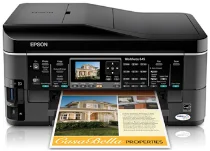
The Epson WorkForce 645 caters to the small business owner/sole proprietor with functionality and reliability wrapped up in an office-friendly package. Its aesthetic is nicely understated — a well-built machine with a matte finish that won’t display the trail of fingerprint smudges you’re sure to leave all over. The key to the WorkForce 645 is its all-in-one capability, printing, scanning, copying, and faxing, with no quality lost in translation. It speaks to Epson’s dedication to following dimension office equipment and servicing the varied demands of today’s workplace.
In operation, the WorkForce 645 doesn’t disappoint, especially when it’s time to print. The print quality is nothing to scoff at either, as the WorkForce 645 turns out sharp text and vibrant graphics that should satisfy most professional needs. Automatic duplex printing is also a nice feature (with the requisite green benefits) that reminds users that the WorkForce 645 means business. The 30-page Auto Document Feeder (ADF) isn’t a world-beater, but it’s a time-saver and points to the 645’s moderate volume task suitability. For all its operational prowess, it can be a bit vocal in its tasks, so quiet office environments may get interrupted when it’s in full swing.
Economically, the 645 shows promise with individual ink cartridges designed to reduce waste and save money — you replace the color you need. Cost-effectiveness could vary depending on your specific print habits. However, folks who like to produce heavy text documents will undoubtedly find frequent cartridge replacements rather inconvenient. A 2.5-inch LCD helps streamline overall operation via the unit’s intuitive navigation panel. While initial setup can test one’s patience, particularly for the less tech-savvy, it’s a minor annoyance in light of the machine’s robust performance. Balancing a web of minor caveats with strong (and consistent) performance, the 645 is a somewhat savvy investment for those seeking to unite their home/office with a solid choice for all-encompassing hardware.