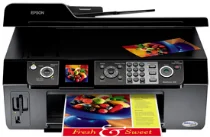
Epson WorkForce 500 Printer Software and Drivers for Windows and macOS.
Supported Microsoft Windows Operating Systems
Windows 11
Windows 10 (32-bit and 64-bit)
Windows 8.1 (32-bit and 64-bit)
Windows 8 (32-bit and 64-bit)
Windows 7 (32-bit and 64-bit)
Windows Vista (32-bit and 64-bit)
Windows XP (32-bit and 64-bit)
Supported OS: Windows 10 32-bit, Windows 8.1 32-bit, Windows 8 32-bit
This driver package installer contains the following items:
- Printer Driver
- Scanner Driver and EPSON Scan Utility
- Epson Fax Utility
- Network Installer
Supported OS: Windows 11, Windows 10 64-bit, Windows 8.1 64-bit, Windows 8 64-bit
This driver package installer contains the following items:
- Printer Driver
- Scanner Driver and EPSON Scan Utility
- Epson Fax Utility
- Network Installer
Supported OS: Windows XP 32-bit, Windows Vista 32-bit
This driver package installer contains the following items:
- Printer Driver
- Scanner Driver and EPSON Scan Utility
- Epson Fax Utility
- Network Installer
Supported OS: Windows XP 64-bit, Windows Vista 64-bit
This driver package installer contains the following items:
- Printer Driver
- Scanner Driver and EPSON Scan Utility
- Epson Fax Utility
- Network Installer
Supported OS: Windows 7 32-bit
This driver package installer contains the following items:
- Printer Driver
- Scanner Driver and EPSON Scan Utility
- Epson Fax Utility
- Network Installer
Supported OS: Windows 7 64-bit
This driver package installer contains the following items:
- Printer Driver
- Scanner Driver and EPSON Scan Utility
- Epson Fax Utility
- Network Installer
Supported OS: Windows 10 32-bit, Windows 8.1 32-bit, Windows 8 32-bit
Supported OS: Windows 10 64-bit, Windows 8.1 64-bit, Windows 8 64-bit
Supported OS: Windows 7 32-bit
Supported OS: Windows 7 64-bit
Supported OS: Windows 11, Windows 10 32-bit and 64-bit, Windows 8.1 32-bit and 64-bit, Windows 8 32-bit and 64-bit, Windows 7 32-bit and 64-bit
Supported macOS Operating Systems
macOS Ventura 13
macOS Monterey 12
macOS Big Sur 11
macOS Catalina 10.15
macOS Mojave 10.14
macOS High Sierra 10.13
macOS Sierra 10.12
OS X El Capitan 10.11
OS X Yosemite 10.10
OS X Mavericks 10.9
OS X Mountain Lion 10.8
Mac OS X Lion 10.7
Mac OS X Snow Leopard 10.6
Mac OS X Leopard 10.5
Supported OS: macOS Mojave 10.14, macOS Catalina 10.15, macOS Big Sur 11, macOS Monterey 12
Supported OS: Mac OS X Leopard 10.5, Mac OS X Snow Leopard 10.6, Mac OS X Lion 10.7, OS X Mountain Lion 10.8, OS X Mavericks 10.9, OS X Yosemite 10.10, OS X El Capitan 10.11, macOS Sierra 10.12, macOS High Sierra 10.13, macOS Mojave 10.14, macOS Catalina 10.15, macOS Big Sur 11, macOS Monterey 12, macOS Ventura 13
Supported OS: Mac OS X Leopard 10.5, Mac OS X Snow Leopard 10.6, Mac OS X Lion 10.7, OS X Mountain Lion 10.8, OS X Mavericks 10.9, OS X Yosemite 10.10, OS X El Capitan 10.11, macOS Sierra 10.12, macOS High Sierra 10.13, macOS Mojave 10.14, macOS Catalina 10.15, macOS Big Sur 11, macOS Monterey 12, macOS Ventura 13
Epson WorkForce 500 Specifications
The Epson WorkForce 500 all-in-one printer offers convenient solutions for a home office. It’s for people who want a simple machine to do everything–print, scan, copy, fax. It’s simple. It’s very user-friendly in operation. It has settings and functions that are easy to get the hang of–suitable for people of all skill levels.
Regarding performance, WorkForce 500 is good for text documents: The impressions are sharp and distinct. On the downside, the print speed could be more impressive. A heavy print load will mean longer waits for users. The printer doesn’t guzzle ink, but average ink-refilling expenses could worry people who print a lot. Hopefully, that’s where the high-yield cartridges come to the rescue. They are simply a cheaper way out in the long run. It is significant to people who need to control their printing budget precisely.
The printer doesn’t have wireless connectivity. In today’s wireless-centric society, this is a real pity. People who print from smartphones or tablets daily might decide against it just because of this lack. However, the WorkForce 500 provides an Automatic Document Feeder (ADF). This feature is handy for those who need to scan or copy, especially when dealing with multiple pages at a go. If efficiency in coping with many-page documents is essential to you, then this should tip the scales. To make a long story short, the Epson WorkForce 500 does an excellent job with basic tasks. It’s best suited to users who don’t need extra bells or whistles and primarily work on a desktop rather than a laptop.