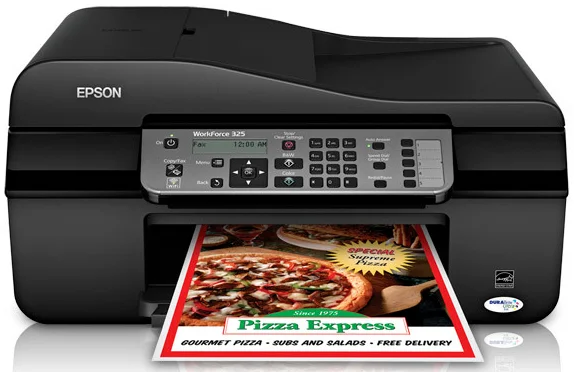
Epson WorkForce 325 Printer Software and Drivers for Windows and macOS.
Supported Microsoft Windows Operating Systems
Windows 11
Windows 10 (32-bit and 64-bit)
Windows 8.1 (32-bit and 64-bit)
Windows 8 (32-bit and 64-bit)
Windows 7 (32-bit and 64-bit)
Windows Vista (32-bit and 64-bit)
Windows XP (32-bit and 64-bit)
Supported OS: Windows 8 32-bit and 64-bit, Windows 8.1 32-bit and 64-bit, Windows 10 32-bit and 64-bit, Windows 11
This driver package installer contains the following items:
- Printer Driver
- Scanner Driver
- Status Monitor
- Fax Utility
- Network Installer
Supported OS: Windows 7 32-bit and 64-bit, Windows Vista 32-bit and 64-bit, Windows XP 32-bit and 64-bit
This driver package installer contains the following items:
- Printer Driver
- Scanner Driver
- Status Monitor
- Fax Utility
- Network Installer
Supported OS: Windows 8 32-bit, Windows 8.1 32-bit, Windows 10 32-bit
Supported OS: Windows 8 64-bit, Windows 8.1 64-bit, Windows 10 64-bit
Supported OS: Windows 7 32-bit, Windows Vista 32-bit, Windows XP 32-bit
Supported OS: Windows 7 64-bit, Windows Vista 64-bit, Windows XP 64-bit
Supported macOS Operating Systems
macOS Ventura 13
macOS Monterey 12
macOS Big Sur 11
macOS Catalina 10.15
macOS Mojave 10.14
macOS High Sierra 10.13
macOS Sierra 10.12
OS X El Capitan 10.11
OS X Yosemite 10.10
OS X Mavericks 10.9
OS X Mountain Lion 10.8
Mac OS X Lion 10.7
Mac OS X Snow Leopard 10.6
Mac OS X Leopard 10.5
Supported OS: macOS Mojave 10.14, macOS Catalina 10.15, macOS Big Sur 11, macOS Monterey 12
Supported OS: Mac OS X Leopard 10.5, Mac OS X Snow Leopard 10.6, Mac OS X Lion 10.7, OS X Mountain Lion 10.8, OS X Mavericks 10.9, OS X Yosemite 10.10, OS X El Capitan 10.11, macOS Sierra 10.12, macOS High Sierra 10.13, macOS Mojave 10.14, macOS Catalina 10.15, macOS Big Sur 11, macOS Monterey 12, macOS Ventura 13
Supported OS: Mac OS X Leopard 10.5, Mac OS X Snow Leopard 10.6, Mac OS X Lion 10.7, OS X Mountain Lion 10.8, OS X Mavericks 10.9, OS X Yosemite 10.10, OS X El Capitan 10.11, macOS Sierra 10.12, macOS High Sierra 10.13, macOS Mojave 10.14
Epson WorkForce 325 Specifications
Epson’s WorkForce 323 is an all-in-one entry-model inkjet printer with just the right balance of performance and affordability. It will suit small businesses and home offices with modest printing needs perfectly. The essential functions comprise printing, scanning, copying, and faxing, making the WorkForce 323 an efficient yet compact printer. As far as speed goes, it could be faster. However, print quality is good, mainly for black and white text documents. It’s just for text. Less satisfying is the printing of photos and graphics. It will do if you need to print a lot of text. The 323 is adequate for text, but not for someone who requires high-quality photo prints.
The cost-effective Epson WorkForce 323 is sufficient for ink consumption without outshining the competition. Its cartridges are priced reasonably and therefore put less strain on your pocket. At the same time, the printer doesn’t suck ink too fast, so long as you don’t print in large amounts. Due to these running costs, it uses less ink and isn’t an ideal choice for heavy-duty printing, but it offers a fair tradeoff for the occasional print task.
The WorkForce 323 has good practicality. The simple interface is easy to use and does not require a manual for day-to-day tasks. It avoids complicated technology that appeals to people who like a simple user experience. While it fails to deliver advanced features such as wireless connectivity, this is no significant disadvantage for users who do not require the latest and greatest. Ultimately, the Epson WorkForce 323 is a dependable choice for users needing a no-frills printer to accomplish their everyday tasks. For its part, those seeking advanced capabilities or higher-quality visual output should also look at some other models.