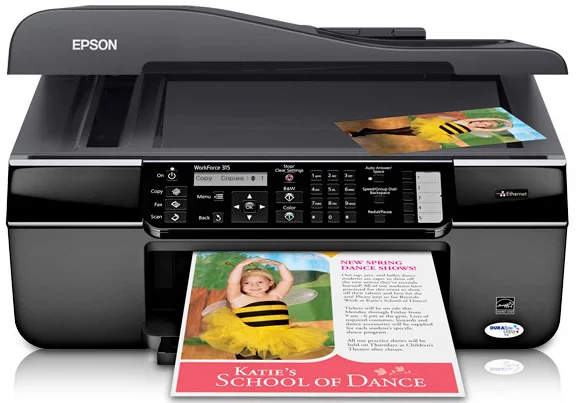
Epson WorkForce 315 Printer Software and Drivers for Windows and macOS.
Supported Microsoft Windows Operating Systems
Windows 11
Windows 10 (32-bit and 64-bit)
Windows 8.1 (32-bit and 64-bit)
Windows 8 (32-bit and 64-bit)
Windows 7 (32-bit and 64-bit)
Windows Vista (32-bit and 64-bit)
Windows XP (32-bit and 64-bit)
Supported OS: Windows 8 32-bit, Windows 8.1 32-bit, Windows 10 32-bit
This driver package installer contains the following items:
- Printer Driver
- Scanner Driver
- Epson Status Monitor
- Epson EasyPrint
- Epson Event Manager
Supported OS: Windows 8 64-bit, Windows 8.1 64-bit, Windows 10 64-bit, Windows 11
This driver package installer contains the following items:
- Printer Driver
- Scanner Driver
- Epson Status Monitor
- Epson EasyPrint
- Epson Event Manager
Supported OS: Windows 7 32-bit, Windows Vista 32-bit, Windows XP 32-bit
This driver package installer contains the following items:
- Printer Driver
- Scanner Driver
- Epson Status Monitor
- Epson EasyPrint
- Epson Event Manager
Supported OS: Windows 7 64-bit, Windows Vista 64-bit, Windows XP 64-bit
This driver package installer contains the following items:
- Printer Driver
- Scanner Driver
- Epson Status Monitor
- Epson EasyPrint
- Epson Event Manager
Supported OS: Windows 8 32-bit, Windows 8.1 32-bit, Windows 10 32-bit
Supported OS: Windows 8 64-bit, Windows 8.1 64-bit, Windows 10 64-bit, Windows 11
Supported OS: Windows 7 32-bit, Windows Vista 32-bit, Windows XP 32-bit
Supported OS: Windows 7 64-bit, Windows Vista 64-bit, Windows XP 64-bit
Supported OS: Windows 8 32-bit, Windows 8.1 32-bit, Windows 10 32-bit
Supported OS: Windows 8 64-bit, Windows 8.1 64-bit, Windows 10 64-bit
Supported OS: Windows 7 32-bit, Windows Vista 32-bit, Windows XP 32-bit
Supported OS: Windows 7 64-bit, Windows Vista 64-bit, Windows XP 64-bit
Supported OS: Windows 11, Windows 10 32-bit and 64-bit, Windows 8.1 32-bit and 64-bit, Windows 8 32-bit and 64-bit, Windows 7 32-bit and 64-bit, Windows Vista 32-bit and 64-bit, Windows XP 32-bit and 64-bit
Supported macOS Operating Systems
macOS Ventura 13
macOS Monterey 12
macOS Big Sur 11
macOS Catalina 10.15
macOS Mojave 10.14
macOS High Sierra 10.13
macOS Sierra 10.12
OS X El Capitan 10.11
OS X Yosemite 10.10
OS X Mavericks 10.9
OS X Mountain Lion 10.8
Mac OS X Lion 10.7
Mac OS X Snow Leopard 10.6
Mac OS X Leopard 10.5
Supported OS: macOS Mojave 10.14, macOS Catalina 10.15, macOS Big Sur 11, macOS Monterey 12
Supported OS: Mac OS X Leopard 10.5, Mac OS X Snow Leopard 10.6, Mac OS X Lion 10.7, OS X Mountain Lion 10.8, OS X Mavericks 10.9, OS X Yosemite 10.10, OS X El Capitan 10.11, macOS Sierra 10.12, macOS High Sierra 10.13, macOS Mojave 10.14, macOS Catalina 10.15, macOS Big Sur 11, macOS Monterey 12, macOS Ventura 13
Supported OS: Mac OS X Leopard 10.5, Mac OS X Snow Leopard 10.6, Mac OS X Lion 10.7, OS X Mountain Lion 10.8, OS X Mavericks 10.9, OS X Yosemite 10.10, OS X El Capitan 10.11, macOS Sierra 10.12, macOS High Sierra 10.13, macOS Mojave 10.14
Epson WorkForce 315 Specifications
The Epson WorkForce 315 all-in-one printer enables work-from-home professionals and small-business users to live and work more efficiently. However, it’s the printer’s speed that is particularly striking. Printing black and colored documents gets the job done quickly without leaving you sitting around reading your emails or wandering about. Thus, you should expect efficiency at the cost of printout quality. Although text documents remain clear and distinct as always, even every now and then, things come out okay-worthy for intermittent graphics.
The Epson WorkForce 315 uses ink reasonably well, but the cartridges may need frequent replacement if you’re printing volumes regularly. When print quantities are too high, this might become expensive over time. Then, compared to comparable models in that class, the WorkForce 315 hovers in the middle of the road for ongoing costs. It’s not the most frugal inking either, but hardly extravagant. Upkeep costs for this printer do fit the pattern–it is trying to get good performance and save money on repairs.
WorkForce 315 mostly passes the user experience. Its controls are simple and intuitive, so you’ll spend less time wrestling with the printer and more time finishing work. Connectivity options are also adequate, though it lacks some of the wireless features in newer models. Users interested in this printer are more performance-oriented than interested in bells and whistles. It has yet to take the top spot in any category. Still, it will undoubtedly satisfy you if you value utility and focus on work rather than fancy features.