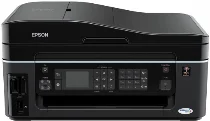
Epson Stylus Office BX610FW Printer Software and Drivers for Windows and macOS.
Supported Microsoft Windows Operating Systems
Windows 11
Windows 10 (32-bit and 64-bit)
Windows 8.1 (32-bit and 64-bit)
Windows 8 (32-bit and 64-bit)
Windows 7 (32-bit and 64-bit)
Windows Vista (32-bit and 64-bit)
Windows XP (32-bit and 64-bit)
Supported OS: Windows 7 32-bit, Windows Vista 32-bit, Windows XP 32-bit
Supported OS: Windows 11, Windows 10 64-bit, Windows 8.1 64-bit, Windows 8 64-bit, Windows 7 64-bit, Windows Vista 64-bit, Windows XP 64-bit
Supported OS: Windows 11, Windows 10 32-bit and 64-bit, Windows 8.1 32-bit and 64-bit, Windows 8 32-bit and 64-bit, Windows 7 32-bit and 64-bit, Windows Vista 32-bit and 64-bit, Windows XP 32-bit and 64-bit
Supported OS: Windows 11
Supported macOS Operating Systems
macOS Big Sur 11
macOS Catalina 10.15
macOS Mojave 10.14
macOS High Sierra 10.13
macOS Sierra 10.12
OS X El Capitan 10.11
OS X Yosemite 10.10
OS X Mavericks 10.9
OS X Mountain Lion 10.8
Mac OS X Lion 10.7
Mac OS X Snow Leopard 10.6
Mac OS X Leopard 10.5
Supported OS: Mac OS X Leopard 10.5, Mac OS X Snow Leopard 10.6, Mac OS X Lion 10.7, OS X Mountain Lion 10.8, OS X Mavericks 10.9, OS X Yosemite 10.10, OS X El Capitan 10.11, macOS Sierra 10.12, macOS High Sierra 10.13, macOS Mojave 10.14, macOS Catalina 10.15, macOS Big Sur 11
Supported OS: Mac OS X Leopard 10.5, Mac OS X Snow Leopard 10.6, Mac OS X Lion 10.7, OS X Mountain Lion 10.8, OS X Mavericks 10.9, OS X Yosemite 10.10, OS X El Capitan 10.11
Supported OS: Mac OS X Leopard 10.5, Mac OS X Snow Leopard 10.6, Mac OS X Lion 10.7, OS X Mountain Lion 10.8, OS X Mavericks 10.9, OS X Yosemite 10.10, OS X El Capitan 10.11
Supported OS: Mac OS X Leopard 10.5, Mac OS X Snow Leopard 10.6, Mac OS X Lion 10.7, OS X Mountain Lion 10.8, OS X Mavericks 10.9, OS X Yosemite 10.10, OS X El Capitan 10.11, macOS Sierra 10.12, macOS High Sierra 10.13, macOS Mojave 10.14, macOS Catalina 10.15, macOS Big Sur 11
Epson Stylus Office BX610FW Specifications
Epson Stylus Office BX610FW is an all in one printer for small office needs, featuring printing, scanning, copying, and faxing. Its innovative and compact design saves precious space yet swells with capacity. This device can churn out some quality prints, and sharp text is essential for professional documents. At the same time, it may be something other than an actual photo printer that prints directly from cameras, but its photo-grade color scans well enough to fulfill most office needs. The device uses individual ink cartridges, not whole color matrixes a frugal alternative.
Two features that stand out are its wireless capability, which facilitates a simple setup and enables multiple people to join without the hassle of wires. The BX610FW also operates quickly, making work a joy instead of just a headache. Furthermore, the two sided printing is in place to aid paper conservation. Epson is hard at work on efficiency and environmental conservation. And though it’s not a slow coach in this regard either the printer keeps up with the big guys. Uniform print quality lasts through even voluminous jobs.
The Epson Stylus Office BX610FW lags behind newer models in functionality, operability and should be revised to match the intuition. Also, opting for genuine Epson cartridges may raise operating costs, but this problem is not unique to the BX610FW. Looking at its peers, the printer industry as a whole makes much money from ink costs. The Epson Stylus Office BX610FW shines among those printers in the same tier for its exceedingly stable all around function and rugged applications, simple machinery, and dependable performance at a steady amble. As an office device, Epson’s mix of yielding output and user amenities, plus economies of scale in operation, means it is a formidable competitor for the no fuss printer customer.