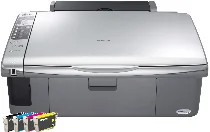
Epson Stylus DX5050 Printer Software and Drivers for Windows and macOS.
Supported Microsoft Windows Operating Systems
Windows 11
Windows 10 (32/64-bit)
Windows 8.1 (32/64-bit)
Windows 8 (32/64-bit)
Windows 7 (32/64-bit)
Windows Vista (32/64-bit)
Windows XP (32/64-bit)
Supported OS: Windows 11, Windows 10 32-bit and 64-bit, Windows 8.1 32-bit and 64-bit, Windows 8 32-bit and 64-bit, Windows 7 32-bit and 64-bit, Windows Vista 32-bit and 64-bit, Windows XP 32-bit and 64-bit
Supported OS: Windows 11, Windows 10 32-bit and 64-bit, Windows 8.1 32-bit and 64-bit, Windows 8 32-bit and 64-bit
Supported OS: Windows 11
Supported macOS Operating Systems
macOS Ventura 13
macOS Monterey 12
macOS Big Sur 11
macOS Catalina 10.15
macOS Mojave 10.14
macOS High Sierra 10.13
macOS Sierra 10.12
OS X El Capitan 10.11
OS X Yosemite 10.10
OS X Mavericks 10.9
OS X Mountain Lion 10.8
Mac OS X Lion 10.7
Mac OS X Snow Leopard 10.6
Mac OS X Leopard 10.5
Supported OS: Mac OS X Leopard 10.5, Mac OS X Snow Leopard 10.6, Mac OS X Lion 10.7, OS X Mountain Lion 10.8, OS X Mavericks 10.9, OS X Yosemite 10.10, OS X El Capitan 10.11, macOS Sierra 10.12, macOS High Sierra 10.13, macOS Mojave 10.14, macOS Catalina 10.15, macOS Big Sur 11, macOS Monterey 12, macOS Ventura 13
Supported OS: Mac OS X Leopard 10.5, Mac OS X Snow Leopard 10.6, Mac OS X Lion 10.7, OS X Mountain Lion 10.8, OS X Mavericks 10.9, OS X Yosemite 10.10, OS X El Capitan 10.11
Supported OS: Mac OS X Leopard 10.5, Mac OS X Snow Leopard 10.6, Mac OS X Lion 10.7, OS X Mountain Lion 10.8, OS X Mavericks 10.9, OS X Yosemite 10.10, OS X El Capitan 10.11
Supported OS: Mac OS X Leopard 10.5, Mac OS X Snow Leopard 10.6, Mac OS X Lion 10.7, OS X Mountain Lion 10.8, OS X Mavericks 10.9, OS X Yosemite 10.10, OS X El Capitan 10.11, macOS Sierra 10.12, macOS High Sierra 10.13, macOS Mojave 10.14, macOS Catalina 10.15, macOS Big Sur 11
Supported OS: macOS Catalina 10.15, macOS Big Sur 11
Epson Stylus DX5050 Specifications
Epson Stylus DX5050 is an all-in-one printer that combines versatility and affordability, serving as an excellent solution for home users and small offices. Featuring reliability as its strongest side, the model satisfies most common printing, scanning, and copying requirements. One of the benefits of this device is its user-friendliness because having technical skills is optional when printing a document. This gadget is more than just user-friendly; the quality and speed of prints are also suitable for its price. Additionally, it supports various types and sizes of paper, so this device is well-suited for frequent use. However, the fact that Stylus DX5050 is highly successful in many aspects does not mean that its ability to print photos – although not bad – meets the demands of people for whom photo quality and precision are paramount, like professional photographers. The other advantage of this model is its tax efficiency, as the initial cost of the model is relatively low, and the use of individual ink cartridges is praiseworthy, setting minimum waste without affecting the quality.
Such an approach means that no multi-color cartridges can be thrown, even if they are not empty, just because one of their colors has run out. However, while the cartridges provided by Epson Corporation themselves are of good quality, they are pretty expensive. However, although using cheap third-party inks can reduce costs, they can also reduce the quality of the prints and harm the device, emptying warranties. Nevertheless, the operating costs of this model correspond to the requirements for the device class. Therefore, it may be concluded that Stylus DX5050 is the best cheap all-in-one device as, for a reasonable price, it proposes good performance in standard printing, scanning, and copying tasks. All in all, being the epitome of what a cheap and high-quality printer should be – a reliable multifunctional workhorse with good versatility and efficiency – this model will not leave anyone indifferent.