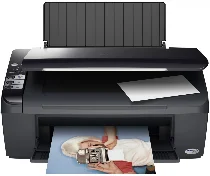
Epson Stylus DX4450 Printer Software and Drivers for Windows and macOS.
Supported Microsoft Windows Operating Systems
Windows 11
Windows 10 (32-bit and 64-bit)
Windows 8.1 (32-bit and 64-bit)
Windows 8 (32-bit and 64-bit)
Windows 7 (32-bit and 64-bit)
Windows Vista (32-bit and 64-bit)
Windows XP (32-bit and 64-bit)
Supported OS: Windows 10 32-bit, Windows 8.1 32-bit, Windows 8 32-bit, Windows 7 32-bit, Windows Vista 32-bit, Windows XP 32-bit
Supported OS: Windows 11, Windows 10 64-bit, Windows 8.1 64-bit, Windows 8 64-bit, Windows 7 64-bit, Windows Vista 64-bit, Windows XP 64-bit
Supported OS: Windows 11, Windows 10 32-bit and 64-bit, Windows 8.1 32-bit and 64-bit, Windows 8 32-bit and 64-bit, Windows 7 32-bit and 64-bit, Windows Vista 32-bit and 64-bit, Windows XP 32-bit and 64-bit
Supported OS: Windows 11
Supported macOS Operating Systems
macOS Ventura 13
macOS Monterey 12
macOS Big Sur 11
macOS Catalina 10.15
macOS Mojave 10.14
macOS High Sierra 10.13
macOS Sierra 10.12
OS X El Capitan 10.11
OS X Yosemite 10.10
OS X Mavericks 10.9
OS X Mountain Lion 10.8
Mac OS X Lion 10.7
Mac OS X Snow Leopard 10.6
Mac OS X Leopard 10.5
Supported OS: Mac OS X Leopard 10.5, Mac OS X Snow Leopard 10.6, Mac OS X Lion 10.7, OS X Mountain Lion 10.8, OS X Mavericks 10.9, OS X Yosemite 10.10, OS X El Capitan 10.11, macOS Sierra 10.12, macOS High Sierra 10.13, macOS Mojave 10.14, macOS Catalina 10.15, macOS Big Sur 11, macOS Monterey 12, macOS Ventura 13
Supported OS: Mac OS X Leopard 10.5, Mac OS X Snow Leopard 10.6, Mac OS X Lion 10.7, OS X Mountain Lion 10.8, OS X Mavericks 10.9, OS X Yosemite 10.10, OS X El Capitan 10.11
Supported OS: Mac OS X Leopard 10.5, Mac OS X Snow Leopard 10.6, Mac OS X Lion 10.7, OS X Mountain Lion 10.8, OS X Mavericks 10.9, OS X Yosemite 10.10, OS X El Capitan 10.11
Supported OS: Mac OS X Leopard 10.5, Mac OS X Snow Leopard 10.6, Mac OS X Lion 10.7, OS X Mountain Lion 10.8, OS X Mavericks 10.9, OS X Yosemite 10.10, OS X El Capitan 10.11, macOS Sierra 10.12, macOS High Sierra 10.13, macOS Mojave 10.14, macOS Catalina 10.15, macOS Big Sur 11
Epson Stylus DX4450 Specifications
Epson Stylus DX4450 is an economical, all in one printer focusing on fundamental tasks such as printing, photocopying, and scanning. Its intended uses are modest, and the user experience is geared toward simplicity, achieved at the expense of advanced functions. The setup is painless even for novices in technical matters, allowing them to use it instantly. Its small size makes it fit nicely on a small desk as just one more thing to squeeze in there and sturdy construction will stand up to many years of faithful service.
The DX4450 is acceptable for everyday printing and other jobs. Epson’s ink cartridges give adequate print quality on plain paper and photo finish. The text comes out clean and easily read, making it all right for memoranda and other personal business records. But when used for printing photos, things feel abbreviated because responsiveness isn’t relatively fast enough, while the color balance is off on some prints. Even in an age of more refined photo printer technology, these conditions would leave something to be desired by many people. Furthermore, this model was less convenient than modern printers, lacking wireless capabilities or mobile printing.
As for the scanner and copy functions, the Epson Stylus DX4450 does a pretty good job; it produces crisp images of texts and graphics. Lacking an automatic document feeder makes copying slow. Though, for users only looking for an uncomplicated low-cost printer, the DX4450 is an excellent buy to consider. However, users of more refined taste will want to note that it is not the latest in high technology printing devices. If you need advanced features, first look at Epson products in the same range or else there are many new competition offerings with modern capabilities now on the market.