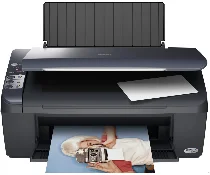
Epson Stylus DX4400 Printer Software and Drivers for Windows and macOS.
Supported Microsoft Windows Operating Systems
Windows 11
Windows 10 (32-bit and 64-bit)
Windows 8.1 (32-bit and 64-bit)
Windows 8 (32-bit and 64-bit)
Windows 7 (32-bit and 64-bit)
Windows Vista (32-bit and 64-bit)
Windows XP (32-bit and 64-bit)
Supported OS: Windows 10 32-bit, Windows 8.1 32-bit, Windows 8 32-bit, Windows 7 32-bit, Windows Vista 32-bit, Windows XP 32-bit
Supported OS: Windows 11, Windows 10 64-bit, Windows 8.1 64-bit, Windows 8 64-bit, Windows 7 64-bit, Windows Vista 64-bit, Windows XP 64-bit
Supported OS: Windows 11, Windows 10 32-bit and 64-bit, Windows 8.1 32-bit and 64-bit, Windows 8 32-bit and 64-bit, Windows 7 32-bit and 64-bit, Windows Vista 32-bit and 64-bit, Windows XP 32-bit and 64-bit
Supported OS: Windows 11
Supported macOS Operating Systems
macOS Ventura 13
macOS Monterey 12
macOS Big Sur 11
macOS Catalina 10.15
macOS Mojave 10.14
macOS High Sierra 10.13
macOS Sierra 10.12
OS X El Capitan 10.11
OS X Yosemite 10.10
OS X Mavericks 10.9
OS X Mountain Lion 10.8
Mac OS X Lion 10.7
Mac OS X Snow Leopard 10.6
Mac OS X Leopard 10.5
Supported OS: Mac OS X Leopard 10.5, Mac OS X Snow Leopard 10.6, Mac OS X Lion 10.7, OS X Mountain Lion 10.8, OS X Mavericks 10.9, OS X Yosemite 10.10, OS X El Capitan 10.11, macOS Sierra 10.12, macOS High Sierra 10.13, macOS Mojave 10.14, macOS Catalina 10.15, macOS Big Sur 11, macOS Monterey 12, macOS Ventura 13
Supported OS: Mac OS X Leopard 10.5, Mac OS X Snow Leopard 10.6, Mac OS X Lion 10.7, OS X Mountain Lion 10.8, OS X Mavericks 10.9, OS X Yosemite 10.10, OS X El Capitan 10.11
Supported OS: Mac OS X Leopard 10.5, Mac OS X Snow Leopard 10.6, Mac OS X Lion 10.7, OS X Mountain Lion 10.8, OS X Mavericks 10.9, OS X Yosemite 10.10, OS X El Capitan 10.11
Supported OS: Mac OS X Leopard 10.5, Mac OS X Snow Leopard 10.6, Mac OS X Lion 10.7, OS X Mountain Lion 10.8, OS X Mavericks 10.9, OS X Yosemite 10.10, OS X El Capitan 10.11, macOS Sierra 10.12, macOS High Sierra 10.13, macOS Mojave 10.14, macOS Catalina 10.15, macOS Big Sur 11
Epson Stylus DX4400 Specifications
Epson has created an entry level multifunction printer to suit the more straightforward needs of users who need only to print. The three in one printer, scanner, copier requires only one unit to perform all three functions, saving you space in your small home office. The machine’s control panel is simple: less is more, with zero excess to distract from the main attraction. The printer is positioned in the market as a low cost option for those only looking to print out something now and then and not bothering with fancy-schmancy wireless doodads.
The DX4400 is acceptable for everyday use, churning out sharp, readable documents. Unsurprisingly, its prints are not suitable as birthday presents or for family photographs, even with basic color available. Print speed is modest, so users who plan on printing large volumes may not be satisfied with the pace. The printer also uses separate ink cartridges for each color, which means that over time, replacing them quite often may also be a hidden cost to consider, depending on your usage pattern.
The Epson Stylus DX4400 does an excellent job of scanning and copying and is appropriate for more general documents. The Epson Stylus DX4400 is okay as a home user solution with limited printing needs, but is unlikely to meet the needs of a busier environment. People requiring a higher volume of prints or faster, higher quality photos might want to know more about other models available now, ones that save resources and do more.