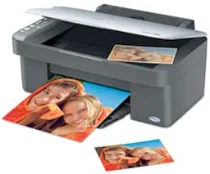
Epson Stylus CX3800 Printer Software and Drivers for Windows and macOS.
Supported Microsoft Windows Operating Systems
Windows 11
Windows 10 (32/64-bit)
Windows 8.1 (32/64-bit)
Windows 8 (32/64-bit)
Windows 7 (32/64-bit)
Windows Vista (32/64-bit)
Windows XP (32/64-bit)
Supported OS: Windows 10 32-bit, Windows 8.1 32-bit, Windows 8 32-bit
This driver package installer contains the following items:
- Printer Driver
- Scanner Driver
- Epson Status Monitor
- Epson EasyPrint
Supported OS: Windows 11, Windows 10 64-bit, Windows 8.1 64-bit, Windows 8 64-bit
This driver package installer contains the following items:
- Printer Driver
- Scanner Driver
- Epson Status Monitor
- Epson EasyPrint
Supported OS: Windows 7 32-bit, Windows Vista 32-bit
This driver package installer contains the following items:
- Printer Driver
- Scanner Driver
- Epson Status Monitor
- Epson EasyPrint
Supported OS: Windows 7 64-bit, Windows Vista 64-bit
This driver package installer contains the following items:
- Printer Driver
- Scanner Driver
- Epson Status Monitor
- Epson EasyPrint
Supported OS: Windows XP 32-bit
This driver package installer contains the following items:
- Printer Driver
- Scanner Driver
- Epson Status Monitor
- Epson EasyPrint
Supported OS: Windows XP 64-bit
This driver package installer contains the following items:
- Printer Driver
- Scanner Driver
- Epson Status Monitor
- Epson EasyPrint
Supported OS: Windows 10 32-bit, Windows 8.1 32-bit, Windows 8 32-bit, Windows 7 32-bit
Supported OS: Windows 11, Windows 10 64-bit, Windows 8.1 64-bit, Windows 8 64-bit, Windows 7 64-bit
Supported OS: Windows 11, Windows 10 32-bit and 64-bit, Windows 8.1 32-bit and 64-bit, Windows 8 32-bit and 64-bit, Windows 7 32-bit and 64-bit, Windows Vista 32-bit and 64-bit
Supported macOS Operating Systems
macOS Catalina 10.15
macOS Mojave 10.14
macOS High Sierra 10.13
macOS Sierra 10.12
OS X El Capitan 10.11
OS X Yosemite 10.10
OS X Mavericks 10.9
OS X Mountain Lion 10.8
Mac OS X Lion 10.7
Mac OS X Snow Leopard 10.6
Mac OS X Leopard 10.5
Driver included with os
Epson Stylus CX3800 Specifications
Epson facilitated the Stylus CX3800, an all-in-one design that makes good sense for the typical user who needs an inconspicuous machine to handle inkjet printing jobs and simple scanning and duplication tasks. Its straightforward installation and user-friendly interface allow access even to those who know little about technology. This model is best suited for smaller office and home environments and appeals primarily to people who occasionally need to work on documents and photographs but only sometimes do heavy printing.
As to print quality, the CX3800 does its class proud. Letters and other text documents are handled handily; you can expect clear, sharp printouts suitable for most everyday tasks. On the photo side, output quality could be better. Despite producing some good pictures, its photos are printed out from photos occasionally. With photos, the colors can sometimes seem flat; finer details might also appear slightly subjugated. Compared to the more expensive photo-printing machines, this could be troublesome for someone who intends to use the printer regularly for photo printing.
The other question is the Stylus CX3800’s economic viability. Using separate ink cartridges means that you only need to replace the color that runs out, which could save some money. But whether compared with more recent models, such as the Epson EcoTank series and its refillable ink tanks, might these present long-term savings? In addition, the CX3800’s slower print speed and lack of features like Wi-Fi stand out as obstacles. While able, the CX3800 is essentially a basic model without the enhanced features or efficiency of more recent others. Users who need something can afford it upfront. At the same time, demand only moderate printing tasks will find it more suitable.