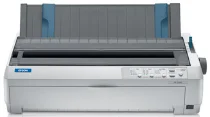
Epson FX-2190N Printer Software and Drivers for Windows and macOS.
Supported Microsoft Windows Operating Systems
Windows 10 (32-bit and 64-bit)
Windows 8.1 (32-bit and 64-bit)
Windows 8 (32-bit and 64-bit)
Windows 7 (32-bit and 64-bit)
Windows Vista (32-bit and 64-bit)
Windows XP (32-bit)
Supported OS: Windows 10 32-bit, Windows 8.1 32-bit, Windows 8 32-bit, Windows 7 32-bit, Windows Vista 32-bit, Windows XP 32-bit
Supported OS: Windows 10 64-bit, Windows 8.1 64-bit, Windows 8 64-bit, Windows 7 64-bit, Windows Vista 64-bit
Supported macOS Operating Systems
macOS Catalina 10.15
macOS Mojave 10.14
macOS High Sierra 10.13
macOS Sierra 10.12
OS X El Capitan 10.11
OS X Yosemite 10.10
OS X Mavericks 10.9
OS X Mountain Lion 10.8
Mac OS X Lion 10.7
Mac OS X Snow Leopard 10.6
Mac OS X Leopard 10.5
Driver included with macOS
Epson FX-2190N Specifications
Regarding their printers within the dot matrix category, the Epson FX-2190N serves as a testament to Epson’s commitment to taking the functionality and durability of its printers to levels of untold heights. As a wide carriage printer, it has expanded to applications that demand larger document printouts. And, while it delivers on a performance level that matches its predecessors, there is more to the FX-2190N that brings it into the big leagues. With 9-pin technology, the clarity that the FX-2190N yields is nothing short of precision printing. Where other printers fail, jam, run low on ink, and produce less than desirable output, the FX-2190N runs on command and produces print at a rate of 680 cps. Speed is the backbone of operations in an environment where getting it printed and right is equally critical, such as logistics and manufacturing.
Integrating network capabilities via its built-in Ethernet port, particularly where shared printers are concerned, distinguishes the FX-2190N from other printers. Included, Epson continues, are remote configuration capabilities. And, in matters of shared workloads and shared office equipment, this type of reliability, reach, and resource offers immeasurable benefits for users, sparing them myriad frustrations. Multiple users can share this printer’s performance and functionality; in other words, this also makes it a logical choice.
Durability and versatility are fundamental to the design of the FX-2190N. A prime example of the former is a ribbon that yields 12 million characters alongside a print head with an impressive life of up to 400 million strokes/wire. A performance specification, yes, but one that ultimately means that this printer isn’t just a hefty performer — it’s also a financially sound solution that is able to scale with a business that requires high-speed, reliable printing many times a day, every day. Its compatibility with everything from single-sheet and continuous forms to labels, roll paper, and envelopes makes the latter obvious. It’s easy to see how this multipurpose workhorse can quickly switch tasks to handle different jobs in a busy organization.
Yet, there is no overlooking the incursions of the digital revolution when thinking of dot matrix technology’s future. While the FX-2190N is exceptional at holding its own handsomely in high-volume instances, particularly for very specialized industrial or commercial tasks, the need for regular consumable replacements is a drawback amid not only ever-growing ecological consciousness but also the increasing clamor for paperless solutions. In environments still replete with multipart forms and carbon copies, the FX-2190N is incontrovertibly a disproportionately robust, network-ready contender. Even so, the shift toward digital documentation will sorely test these models. For now, the Epson FX-2190N is still an efficient, enduring one and a worthy selection for heavy-duty, wide-format printing in a networked environment.