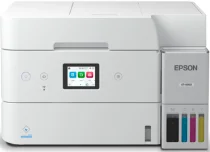
Epson ET-4950 Drivers for Windows and macOS.
Supported Microsoft Windows Operating Systems
Windows 11
Windows 10 (32-bit and 64-bit)
Windows 8.1 (32-bit and 64-bit)
Windows 8 (32-bit and 64-bit)
Windows 7 (32-bit and 64-bit)
Windows Vista (32-bit and 64-bit)
Supported OS: Windows 11, Windows 10 32-bit and 64-bit, Windows 8.1 32-bit and 64-bit, Windows 8 32-bit and 64-bit, Windows 7 32-bit and 64-bit
Supported OS: Windows 10 32-bit, Windows 8.1 32-bit, Windows 8 32-bit, Windows 7 32-bit
Supported OS: Windows 11, Windows 10 64-bit, Windows 8.1 64-bit, Windows 8 64-bit, Windows 7 64-bit
Supported OS: Windows 11, Windows 10 32-bit and 64-bit, Windows 8.1 32-bit and 64-bit, Windows 8 32-bit and 64-bit, Windows 7 32-bit and 64-bit
Supported OS: Windows 10 32-bit, Windows 8.1 32-bit, Windows 8 32-bit, Windows 7 32-bit, Windows Vista 32-bit
Supported OS: Windows 11, Windows 10 64-bit, Windows 8.1 64-bit, Windows 8 64-bit, Windows 7 64-bit, Windows Vista 64-bit
Supported macOS Operating Systems
macOS Sequoia 15
macOS Sonoma 14
macOS Ventura 13
macOS Monterey 12
macOS Big Sur 11
macOS Catalina 10.15
macOS Mojave 10.14
macOS High Sierra 10.13
macOS Sierra 10.12
OS X El Capitan 10.11
OS X Yosemite 10.10
OS X Mavericks 10.9
OS X Mountain Lion 10.8
Mac OS X Lion 10.7
Mac OS X Snow Leopard 10.6
Supported OS: OS X Mavericks 10.9, OS X Yosemite 10.10, OS X El Capitan 10.11, macOS Sierra 10.12, macOS High Sierra 10.13, macOS Mojave 10.14, macOS Catalina 10.15, macOS Big Sur 11, macOS Monterey 12, macOS Ventura 13, macOS Sonoma 14, macOS Sequoia 15
Supported OS: OS X Mavericks 10.9, OS X Yosemite 10.10, OS X El Capitan 10.11, macOS Sierra 10.12, macOS High Sierra 10.13, macOS Mojave 10.14, macOS Catalina 10.15, macOS Big Sur 11, macOS Monterey 12, macOS Ventura 13, macOS Sonoma 14, macOS Sequoia 15
Supported OS: OS X Mavericks 10.9, OS X Yosemite 10.10, OS X El Capitan 10.11, macOS Sierra 10.12, macOS High Sierra 10.13, macOS Mojave 10.14, macOS Catalina 10.15, macOS Big Sur 11, macOS Monterey 12, macOS Ventura 13, macOS Sonoma 14, macOS Sequoia 15
Supported OS: Mac OS X Snow Leopard 10.6, Mac OS X Lion 10.7, OS X Mountain Lion 10.8, OS X Mavericks 10.9, OS X Yosemite 10.10, OS X El Capitan 10.11, macOS Sierra 10.12, macOS High Sierra 10.13, macOS Mojave 10.14, macOS Catalina 10.15, macOS Big Sur 11, macOS Monterey 12, macOS Ventura 13, macOS Sonoma 14, macOS Sequoia 15
Epson ET-4950 Specifications
The Epson ET-4950 is a multifunction inkjet printer that performs the role of a color all-in-one printer in the office. Its PrecisionCore drop-on-demand MicroPiezo inkjet engine prints documents using the four-color CMYK printing process on plain paper. It employs refillable tanks filled with Epson 502 black, cyan, magenta, and yellow ink bottles rather than ink cartridges. Due to the refillability of the ink tanks from keyed EcoFit bottles, users can prevent cartridge replacement. Print, scan, copy, and fax operations involve the same device; hence, drivers affect various day-to-day tasks.
The highest possible print resolution is 4,800 x 1,200 dpi in documents, graphics, and photographs on supported media. According to Epson, the maximum ISO printing speed is 18 pages in black and 9 pages in color per minute in simplex mode. Auto duplex printing occurs at 7 pages in black and 5 pages in color, ISO per minute, in case the user selects duplex output. The front 250-sheet paper tray will be useful for everyday office tasks without continuous interruptions for replenishing the paper tray. Besides, the 30-sheet auto document feeder allows processing multiple-page documents for scanning, copying, and faxing.
Wireless connectivity involves Wi-Fi, Ethernet, USB, and mobile printing via the Epson mobile apps. The compact machine size is 14.8 inches in width, 13.6 inches in depth, and 9.4 inches in height; thus, it does not occupy much desk space. The 2.4-inch color display screen enables setup, maintenance, and printer settings from the front panel. The Epson ET-4950 multifunction printer enables users to perform everyday print, scan, copy, and fax operations without additional printers. However, the ADF can scan only one side of the document at a time.