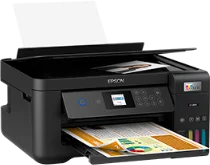
Epson ET-2850U Drivers for Windows and macOS.
Supported Microsoft Windows Operating Systems
Windows 11
Windows 10 (32-bit and 64-bit)
Windows 8.1 (32-bit and 64-bit)
Windows 8 (32-bit and 64-bit)
Windows 7 (32-bit and 64-bit)
Windows Vista (32-bit and 64-bit)
Supported OS: Windows 11, Windows 10 32-bit and 64-bit, Windows 8.1 32-bit and 64-bit, Windows 8 32-bit and 64-bit, Windows 7 32-bit and 64-bit, Windows Vista 32-bit and 64-bit
Supported OS: Windows 10 32-bit, Windows 8.1 32-bit, Windows 8 32-bit, Windows 7 32-bit, Windows Vista 32-bit
Supported OS: Windows 11, Windows 10 64-bit, Windows 8.1 64-bit, Windows 8 64-bit, Windows 7 64-bit, Windows Vista 64-bit
Supported macOS Operating Systems
macOS Tahoe 26
macOS Sequoia 15
macOS Sonoma 14
macOS Ventura 13
macOS Monterey 12
macOS Big Sur 11
macOS Catalina 10.15
macOS Mojave 10.14
macOS High Sierra 10.13
macOS Sierra 10.12
OS X El Capitan 10.11
OS X Yosemite 10.10
OS X Mavericks 10.9
OS X Mountain Lion 10.8
Mac OS X Lion 10.7
Mac OS X Snow Leopard 10.6
Supported OS: macOS Tahoe 26, macOS Sequoia 15, macOS Sonoma 14, macOS Ventura 13, macOS Monterey 12, macOS Big Sur 11, macOS Catalina 10.15, macOS Mojave 10.14, macOS High Sierra 10.13, macOS Sierra 10.12, OS X El Capitan 10.11, OS X Yosemite 10.10, OS X Mavericks 10.9, OS X Mountain Lion 10.8, Mac OS X Lion 10.7
Supported OS: macOS Tahoe 26, macOS Sequoia 15, macOS Sonoma 14, macOS Ventura 13, macOS Monterey 12, macOS Big Sur 11, macOS Catalina 10.15, macOS Mojave 10.14, macOS High Sierra 10.13, macOS Sierra 10.12, OS X El Capitan 10.11, OS X Yosemite 10.10, OS X Mavericks 10.9, OS X Mountain Lion 10.8, Mac OS X Lion 10.7, Mac OS X Snow Leopard 10.6
Supported OS: macOS Tahoe 26, macOS Sequoia 15, macOS Sonoma 14, macOS Ventura 13, macOS Monterey 12, macOS Big Sur 11, macOS Catalina 10.15, macOS Mojave 10.14, macOS High Sierra 10.13, macOS Sierra 10.12, OS X El Capitan 10.11, OS X Yosemite 10.10, OS X Mavericks 10.9, OS X Mountain Lion 10.8, Mac OS X Lion 10.7
Supported OS: macOS Tahoe 26, macOS Sequoia 15, macOS Sonoma 14, macOS Ventura 13, macOS Monterey 12, macOS Big Sur 11, macOS Catalina 10.15, macOS Mojave 10.14, macOS High Sierra 10.13, macOS Sierra 10.12, OS X El Capitan 10.11, OS X Yosemite 10.10, OS X Mavericks 10.9, OS X Mountain Lion 10.8, Mac OS X Lion 10.7, Mac OS X Snow Leopard 10.6
Epson ET-2850U Specifications
Epson ET-2850U is a color multifunctional printer for photo printing in homes, schools, and offices. This printer employs Epson Micro Piezo heat-free inkjet technology with four refillable front ink tanks while the device is being set up. These tanks can be refilled using the black, cyan, magenta, and yellow bottles of ink to avoid the replacement of cartridges in the future. Printing, scanning, and copying are combined into one compact body, which is suitable for common household use. As the printer operates with ink tanks, it requires the proper driver. This enables Windows and macOS to identify its functions correctly.
Optimal print resolution is 5760 x 1440 optimized dpi for high-quality text and colored images. Maximum ISO print speed is up to 10.5 ppm in black documents. In color documents, the ISO speed is 5 ppm in standard conditions at home. Paper feed in the rear part can hold up to 100 sheets for letters, homework assignments, forms, and receipts. Two-sided printing automatically reduces the number of sheets used by the printer for home and educational purposes.
The Epson ET-2850U printer can be connected using Hi-Speed USB, Wi-Fi, and Wi-Fi Direct. A compact body will fit small desks and shelves in rooms where there is not much space around. Mobile printing is provided with the help of Epson Smart Panel, Epson Email Print, Apple AirPrint, and Mopria Print Service. It is designed for common light home printing, not for office printing, common use in a workgroup, or department printing with many users. Users should keep in mind that this printer does not have Ethernet or fax. It also lacks an automatic document feeder for multiple-page scans.