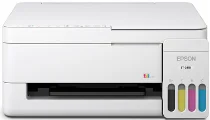
Epson ET-2418 Drivers for Windows and macOS.
Supported Microsoft Windows Operating Systems
Windows 11
Windows 10 (32-bit and 64-bit)
Windows 8.1 (32-bit and 64-bit)
Windows 8 (32-bit and 64-bit)
Windows 7 (32-bit and 64-bit)
Windows Vista (32-bit and 64-bit)
Supported OS: Windows 11, Windows 10 32-bit and 64-bit, Windows 8.1 32-bit and 64-bit, Windows 8 32-bit and 64-bit, Windows 7 32-bit and 64-bit
This combo package installer obtains and installs the following items:
- Printer Driver
- Scanner Driver and Epson Scan 2 Utility
- Epson Photo+ Utility
- Epson Scan OCR Component
- Epson ScanSmart
- Epson Software Updater
Supported OS: Windows 10 32-bit, Windows 8.1 32-bit, Windows 8 32-bit, Windows 7 32-bit
Supported OS: Windows 10 64-bit, Windows 8.1 64-bit, Windows 8 64-bit, Windows 7 64-bit
Supported OS: Windows 11, Windows 10 32-bit and 64-bit, Windows 8.1 32-bit and 64-bit, Windows 8 32-bit and 64-bit, Windows 7 32-bit and 64-bit
Supported OS: Windows 10 32-bit, Windows 8.1 32-bit, Windows 8 32-bit, Windows 7 32-bit, Windows Vista 32-bit
Supported OS: Windows 11, Windows 10 64-bit, Windows 8.1 64-bit, Windows 8 64-bit, Windows 7 64-bit, Windows Vista 64-bit
Supported macOS Operating Systems
macOS Tahoe 26
macOS Sequoia 15
macOS Sonoma 14
macOS Ventura 13
macOS Monterey 12
macOS Big Sur 11
macOS Catalina 10.15
macOS Mojave 10.14
macOS High Sierra 10.13
macOS Sierra 10.12
OS X El Capitan 10.11
OS X Yosemite 10.10
OS X Mavericks 10.9
OS X Mountain Lion 10.8
Mac OS X Lion 10.7
Mac OS X Snow Leopard 10.6
Supported OS: macOS Tahoe 26, macOS Sequoia 15, macOS Sonoma 14, macOS Ventura 13, macOS Monterey 12, macOS Big Sur 11, macOS Catalina 10.15, macOS Mojave 10.14, macOS High Sierra 10.13, macOS Sierra 10.12, OS X El Capitan 10.11, OS X Yosemite 10.10, OS X Mavericks 10.9
This combo package installer obtains and installs the following items:
- Printer Driver
- Scanner Driver and Epson Scan 2 Utility
- Epson Photo+ Utility
- Epson Scan 2 OCR Component
- Epson ScanSmart
- Epson Software Updater
Supported OS: macOS Tahoe 26, macOS Sequoia 15, macOS Sonoma 14, macOS Ventura 13, macOS Monterey 12, macOS Big Sur 11, macOS Catalina 10.15, macOS Mojave 10.14, macOS High Sierra 10.13, macOS Sierra 10.12, OS X El Capitan 10.11, OS X Yosemite 10.10, OS X Mavericks 10.9
Supported OS: macOS Tahoe 26, macOS Sequoia 15, macOS Sonoma 14, macOS Ventura 13, macOS Monterey 12, macOS Big Sur 11, macOS Catalina 10.15, macOS Mojave 10.14, macOS High Sierra 10.13, macOS Sierra 10.12, OS X El Capitan 10.11, OS X Yosemite 10.10, OS X Mavericks 10.9
Supported OS: macOS Tahoe 26, macOS Sequoia 15, macOS Sonoma 14, macOS Ventura 13, macOS Monterey 12, macOS Big Sur 11, macOS Catalina 10.15, macOS Mojave 10.14, macOS High Sierra 10.13, macOS Sierra 10.12, OS X El Capitan 10.11, OS X Yosemite 10.10, OS X Mavericks 10.9, OS X Mountain Lion 10.8, Mac OS X Lion 10.7, Mac OS X Snow Leopard 10.6
Epson ET-2418 Specifications
The Epson ET-2418 is a wireless EcoTank color all-in-one printer with refillable ink tanks. Instead of cartridges, its inkjet system uses Epson Heat-Free technology and a permanent printhead. The tank layout takes Epson 522 black, cyan, magenta, and yellow bottles for routine refilling. In addition, the device prints, scans, and copies from one compact white body. As a result, one driver package controls the main hardware functions.
For printing, the ET-2418 reaches up to 5760 x 1440 dpi for documents and color pages. Therefore, text, forms, and simple graphics can stay clear without photo-focused hardware. Epson also pairs the model with a flatbed scanner, so scan and copy tasks stay local. However, the control layout stays basic, with no touchscreen or office-style feeder shown for this model. On the paper side, it targets small household jobs instead of shared, high-volume work.
Connection options include Wi-Fi 4, Wi-Fi Direct, Apple AirPrint, and USB for computer use. In addition, Epson Smart Panel lets mobile users run print and scan operations from iOS or Android devices. Meanwhile, the compact body fits a desk or shelf where a larger office unit would feel awkward. However, Ethernet does not appear in Epson’s product listing, so wired network use is not a focus. Overall, its specification set suits light home printing, scanning, and copying.