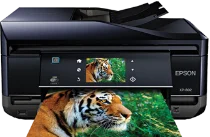
Epson XP-802 Drivers for Windows and macOS.
Supported Microsoft Windows Operating Systems
Windows 11
Windows 10 (32-bit and 64-bit)
Windows 8.1 (32-bit and 64-bit)
Windows 8 (32-bit and 64-bit)
Windows 7 (32-bit and 64-bit)
Windows Vista (32-bit and 64-bit)
Supported OS: Windows 10 32-bit, Windows 8.1 32-bit, Windows 8 32-bit
Supported OS: Windows 11, Windows 10 64-bit, Windows 8.1 64-bit, Windows 8 64-bit
Supported OS: Windows 11, Windows 10 32-bit and 64-bit, Windows 8.1 32-bit and 64-bit, Windows 8 32-bit and 64-bit, Windows 7 32-bit and 64-bit, Windows Vista 32-bit and 64-bit
Supported OS: Windows 10 32-bit, Windows 8.1 32-bit, Windows 8 32-bit, Windows 7 32-bit, Windows Vista 32-bit
Supported OS: Windows 11, Windows 10 64-bit, Windows 8.1 64-bit, Windows 8 64-bit, Windows 7 64-bit, Windows Vista 64-bit
Supported macOS Operating Systems
macOS Sequoia 15
macOS Sonoma 14
macOS Ventura 13
macOS Monterey 12
macOS Big Sur 11
macOS Catalina 10.15
macOS Mojave 10.14
macOS High Sierra 10.13
macOS Sierra 10.12
OS X El Capitan 10.11
OS X Yosemite 10.10
OS X Mavericks 10.9
OS X Mountain Lion 10.8
Mac OS X Lion 10.7
Mac OS X Snow Leopard 10.6
Mac OS X Leopard 10.5
Supported OS: Mac OS X Leopard 10.5, Mac OS X Snow Leopard 10.6, Mac OS X Lion 10.7, OS X Mountain Lion 10.8, OS X Mavericks 10.9, OS X Yosemite 10.10, OS X El Capitan 10.11, macOS Sierra 10.12, macOS High Sierra 10.13, macOS Mojave 10.14, macOS Catalina 10.15, macOS Big Sur 11, macOS Monterey 12, macOS Ventura 13, macOS Sonoma 14, macOS Sequoia 15
Supported OS: Mac OS X Leopard 10.5, Mac OS X Snow Leopard 10.6, Mac OS X Lion 10.7, OS X Mountain Lion 10.8, OS X Mavericks 10.9, OS X Yosemite 10.10, OS X El Capitan 10.11, macOS Sierra 10.12, macOS High Sierra 10.13, macOS Mojave 10.14, macOS Catalina 10.15, macOS Big Sur 11, macOS Monterey 12, macOS Ventura 13, macOS Sonoma 14, macOS Sequoia 15
Supported OS: Mac OS X Leopard 10.5, Mac OS X Snow Leopard 10.6, Mac OS X Lion 10.7, OS X Mountain Lion 10.8, OS X Mavericks 10.9, OS X Yosemite 10.10, OS X El Capitan 10.11, macOS Sierra 10.12, macOS High Sierra 10.13, macOS Mojave 10.14
Supported OS: Mac OS X Snow Leopard 10.6, Mac OS X Lion 10.7, OS X Mountain Lion 10.8, OS X Mavericks 10.9, OS X Yosemite 10.10, OS X El Capitan 10.11, macOS Sierra 10.12, macOS High Sierra 10.13, macOS Mojave 10.14, macOS Catalina 10.15, macOS Big Sur 11, macOS Monterey 12, macOS Ventura 13, macOS Sonoma 14, macOS Sequoia 15
Epson XP-802 Specifications
The Epson XP-802 is designed to perform such functions as printing, scanning, copying and faxing. The color touch screen with gesture navigation allows you to easily use basic functions and set all the settings. The dimensions of the device are 390 x 339 x 191 mm. It occupies a small amount of space and will suit home offices or creative work spaces perfectly. The approximate weight of the printer varies from 8.2 to 8.7 kilograms depending on the model.
Epson XP-802 has a five-ink MicroPiezo® drop-on-demand inkjet printing technology that guarantees high quality output. The colors used are Cyan, Magenta, Yellow, Photo Black and Black. It prints up to 5760 x 1440 optimized dpi. Color accuracy is very impressive in this device. ISO print speed of the printer is 14 ppm (black), 11 ppm (color). Printing a borderless 4 x 6 inch photo takes about 12 seconds. You can print photos directly to a CD, DVD or even specialty cards.
The scanner included in the Epson XP-802 is color and flatbed type. The highest hardware resolution is 4800 dpi. The automatic document feeder can be used for scanning, copying and faxing 30-page document batch. Two-sided printing and copying help to save paper during work. The printer has a capacity of 100 standard sheets and separate 20-sheet photo paper tray. Such media as A4, A5, A6, B5, Letter, Legal, envelopes, 10 x 15 cm, 13 x 18 cm are supported by it.
Wi-Fi connectivity is available due to the usage of 802.11 b/g/n standards and gives you an opportunity to print wirelessly. Wi-Fi Direct allows you to connect any device directly to printer without any prior network. Gigabit Ethernet connectivity will give you reliable wired network for multiple computers connection. With Apple AirPrint and Email Print functions you can print from mobile device and even from clouds. Built-in USB and memory card slots allow you to print files from external drives.