Epson XP-446 printer Software and Drivers for Windows and macOS.
Supported Microsoft Windows Operating Systems
Windows 11
Windows 10 (32/64-bit)
Windows 8.1 (32/64-bit)
Windows 8 (32/64-bit)
Windows 7 SP1 (32/64-bit)
Windows Vista SP2 (32/64-bit)
Windows XP SP3 (32/64-bit)
Supported OS: Windows 11, Windows 10 32-bit and 64-bit, Windows 8.1 32-bit and 64-bit, Windows 8 32-bit and 64-bit, Windows 7 32-bit and 64-bit, Windows Vista 32-bit and 64-bit
This driver package installer contains the following items:
- Printer Driver
- Epson Scan 2 Utility
- Epson Event Manager
- Epson Software Updater
Supported OS: Windows 11, Windows 10 64-bit, Windows 8.1 64-bit, Windows 8 64-bit, Windows 7 64-bit, Windows Vista 64-bit, Windows XP 64-bit
Supported OS: Windows 11, Windows 10 32-bit and 64-bit, Windows 8.1 32-bit and 64-bit, Windows 8 32-bit and 64-bit, Windows 7 32-bit and 64-bit, Windows Vista 32-bit and 64-bit, Windows XP 32-bit and 64-bit
Supported OS: Windows 10 32-bit, Windows 8.1 32-bit, Windows 8 32-bit, Windows 7 32-bit, Windows Vista 32-bit, Windows XP 32-bit
Supported OS: Windows 11, Windows 10 64-bit, Windows 8.1 64-bit, Windows 8 64-bit, Windows 7 64-bit, Windows Vista 64-bit, Windows XP 64-bit
Supported macOS Operating Systems
macOS Ventura 13
macOS Monterey 12
macOS Big Sur 11
macOS Catalina 10.15
macOS Mojave 10.14
macOS High Sierra 10.13
macOS Sierra 10.12
OS X El Capitan 10.11
OS X Yosemite 10.10
OS X Mavericks 10.9
OS X Mountain Lion 10.8
Mac OS X Lion 10.7
Mac OS X Snow Leopard 10.6
Supported OS: macOS Catalina 10.15, macOS Big Sur 11, macOS Monterey 12, macOS Ventura 13
This driver package installer contains the following items:
- Printer Driver
- Epson Scan
- Epson Event Manager
- Epson Scan 2 OCR Component
- Epson Software Updater
- Network Installer
Supported OS: Mac OS X Lion 10.7, OS X Mountain Lion 10.8, OS X Mavericks 10.9, OS X Yosemite 10.10, OS X El Capitan 10.11, macOS Sierra 10.12, macOS High Sierra 10.13, macOS Mojave 10.14
This driver package installer contains the following items:
- Printer Driver
- Epson Scan
- Epson Event Manager
- Epson Scan 2 OCR Component
- Epson Software Updater
- Network Installer
Supported OS: Mac OS X Snow Leopard 10.6, Mac OS X Lion 10.7, OS X Mountain Lion 10.8, OS X Mavericks 10.9, OS X Yosemite 10.10, OS X El Capitan 10.11, macOS Sierra 10.12, macOS High Sierra 10.13, macOS Mojave 10.14, macOS Catalina 10.15, macOS Big Sur 11, macOS Monterey 12, macOS Ventura 13
Supported OS: Mac OS X Snow Leopard 10.6, Mac OS X Lion 10.7, OS X Mountain Lion 10.8, OS X Mavericks 10.9, OS X Yosemite 10.10, OS X El Capitan 10.11, macOS Sierra 10.12, macOS High Sierra 10.13, macOS Mojave 10.14, macOS Catalina 10.15, macOS Big Sur 11, macOS Monterey 12, macOS Ventura 13
Supported OS: Mac OS X Snow Leopard 10.6, Mac OS X Lion 10.7, OS X Mountain Lion 10.8, OS X Mavericks 10.9, OS X Yosemite 10.10, OS X El Capitan 10.11, macOS Sierra 10.12, macOS High Sierra 10.13, macOS Mojave 10.14, macOS Catalina 10.15, macOS Big Sur 11, macOS Monterey 12, macOS Ventura 13
Epson XP-446 Specifications
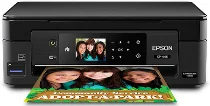
The Epson XP-446 is a compact, all-in-one printer that serves a home user’s daily printing needs. The relatively small footprint is perfect for tight spaces, and the setup couldn’t be more straightforward; it’s as simple as pie. The 2.7-inch color LCD and touch panel make navigation a breeze, so users can perform tasks without being tethered to a PC and supporting Wi-Fi Direct. It gracefully allows wireless printing from smartphones and tablets – one of those features that seems to fit right in with the life of modern, mobile-friendly households.
Regarding print quality, the XP-446 comes off well. For a machine in this price category, its ability to churn out rich, vivid colors in photo images is entirely something. Text documents in black-and-white come out crisp and clear, with fonts remaining legible throughout– from official forms to kids’ homework. Its printing speed doesn’t break any world records but suffices for household use. What the user needs to take note of is the price of ink refills. The XP-446’s cartridges will dry out your bank account if they are used often to print—especially text or high-quality images.
However, if you want to keep ongoing costs low, you can choose from products with cheaper ink pricing or even use subscription services that deliver new cartridges on your schedule. It may not have office-ready speed as some higher-end models do, but as far as cost versus ability is concerned, the XP-446 is a good buy for many home environments. The XP-446 can serve well for those who print intermittently rather than in bulk. It’s a user-friendly printer, compact and neat.