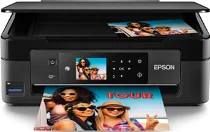
Epson XP-441 Drivers for Windows and macOS.
Supported Microsoft Windows Operating Systems
Windows 11
Windows 10 (32-bit and 64-bit)
Windows 8.1 (32-bit and 64-bit)
Windows 8 (32-bit and 64-bit)
Windows 7 (32-bit and 64-bit)
Windows Vista (32-bit and 64-bit)
Supported OS: Windows 11, Windows 10 32-bit and 64-bit, Windows 8.1 32-bit and 64-bit, Windows 8 32-bit and 64-bit, Windows 7 32-bit and 64-bit, Windows Vista 32-bit and 64-bit
Supported OS: Windows 11, Windows 10 64-bit, Windows 8.1 64-bit, Windows 8 64-bit, Windows 7 64-bit, Windows Vista 64-bit
Supported OS: Windows 11, Windows 10 32-bit and 64-bit, Windows 8.1 32-bit and 64-bit, Windows 8 32-bit and 64-bit, Windows 7 32-bit and 64-bit, Windows Vista 32-bit and 64-bit
Supported macOS Operating Systems
macOS Sequoia 15
macOS Sonoma 14
macOS Ventura 13
macOS Monterey 12
macOS Big Sur 11
macOS Catalina 10.15
macOS Mojave 10.14
macOS High Sierra 10.13
macOS Sierra 10.12
OS X El Capitan 10.11
OS X Yosemite 10.10
OS X Mavericks 10.9
OS X Mountain Lion 10.8
Mac OS X Lion 10.7
Mac OS X Snow Leopard 10.6
Mac OS X Leopard 10.5
Supported OS: macOS Catalina 10.15, macOS Big Sur 11, macOS Monterey 12, macOS Ventura 13
Supported OS: Mac OS X Lion 10.7, OS X Mountain Lion 10.8, OS X Mavericks 10.9, OS X Yosemite 10.10, OS X El Capitan 10.11, macOS Sierra 10.12, macOS High Sierra 10.13, macOS Mojave 10.14
Supported OS: Mac OS X Snow Leopard 10.6, Mac OS X Lion 10.7, OS X Mountain Lion 10.8, OS X Mavericks 10.9, OS X Yosemite 10.10, OS X El Capitan 10.11, macOS Sierra 10.12, macOS High Sierra 10.13, macOS Mojave 10.14, macOS Catalina 10.15, macOS Big Sur 11, macOS Monterey 12, macOS Ventura 13, macOS Sonoma 14, macOS Sequoia 15
Supported OS: Mac OS X Snow Leopard 10.6, Mac OS X Lion 10.7, OS X Mountain Lion 10.8, OS X Mavericks 10.9, OS X Yosemite 10.10, OS X El Capitan 10.11, macOS Sierra 10.12, macOS High Sierra 10.13, macOS Mojave 10.14, macOS Catalina 10.15, macOS Big Sur 11, macOS Monterey 12, macOS Ventura 13, macOS Sonoma 14, macOS Sequoia 15
Supported OS: Mac OS X Leopard 10.5, Mac OS X Snow Leopard 10.6, Mac OS X Lion 10.7, OS X Mountain Lion 10.8, OS X Mavericks 10.9, OS X Yosemite 10.10, OS X El Capitan 10.11, macOS Sierra 10.12, macOS High Sierra 10.13, macOS Mojave 10.14, macOS Catalina 10.15, macOS Big Sur 11, macOS Monterey 12, macOS Ventura 13, macOS Sonoma 14, macOS Sequoia 15
Epson XP-441 Specifications
Firstly, the Epson XP-441 is a compact multifunction printer, scanner, and copier that incorporates all these functions in one device. It features the Epson Micro Piezo inkjet technology with an ink configuration of 4 colors (CMYK). The resolution of the printer is up to 5,760 x 1,440 DPI, which is great for detailed documents and beautiful pictures. In this multifunction printer, Claria Home Ink includes both pigment black ink and dye-based color inks for high-quality printing of both text and images.
The printer can be installed using USB, Wi-Fi, and Wi-Fi Direct. With Epson Connect, such services as iPrint, Email Print, and Remote Print are available. In addition, the printer is compatible with Apple AirPrint. Therefore, with this feature, all compatible Apple devices may print documents without the necessity of downloading any other application. In order to facilitate the process of menu navigation and control, there is a 2.7-inch color Smart-navigation touch panel.
In terms of paper trays, there is a standard paper tray with a maximum of 100 sheets of paper. And, there is a photo paper tray with a maximum of 20 sheets of paper. In this case, the printer is capable of working with A4, A5, A6, B5, Letter, Legal, envelopes, and many other kinds of photo papers of 4 × 6, 5 × 7, and 8 × 10 inches. Thus, it can perform everyday tasks related to various types of documents and personal use.
Regarding its dimensions, the Epson XP-441 is relatively compact (390 × 300 × 145 mm). Its weight is just 4.3 kilograms. Such characteristics make it possible to relocate the printer easily and install it wherever required in a domestic setting.