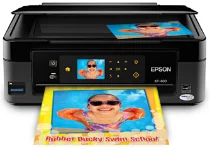
Epson XP-400 Printer Software and Drivers for Windows and macOS.
Supported Microsoft Windows Operating Systems
Windows 11
Windows 10 (32-bit and 64-bit)
Windows 8.1 (32-bit and 64-bit)
Windows 8 (32-bit and 64-bit)
Windows 7 (32-bit and 64-bit)
Windows Vista (32-bit and 64-bit)
Windows XP (32-bit and 64-bit)
Supported OS: Windows 8 32-bit and 64-bit, Windows 8.1 32-bit and 64-bit, Windows 10 32-bit and 64-bit, Windows 11
This driver package installer contains the following items:
- Printer Driver
- Scanner Driver and EPSON Scan Utility
- Epson Event Manager
- Epson Software Updater
- Network Installer
Supported OS: Windows 7 32-bit and 64-bit, Windows Vista 32-bit and 64-bit, Windows XP 32-bit and 64-bit
This driver package installer contains the following items:
- Printer Driver
- Scanner Driver and EPSON Scan Utility
- Epson Event Manager
- Epson Software Updater
- Network Installer
Supported OS: Windows 8 32-bit, Windows 8.1 32-bit, Windows 8 32-bit, Windows 10 32-bit
Supported OS: Windows 8 64-bit, Windows 8.1 64-bit, Windows 10 64-bit
Supported OS: Windows 7 32-bit, Windows Vista 32-bit, Windows XP 32-bit
Supported OS: Windows 7 64-bit, Windows Vista 64-bit, Windows XP 64-bit
Supported OS: Windows 11, Windows 10 32-bit and 64-bit, Windows 8.1 32-bit and 64-bit, Windows 8 32-bit and 64-bit, Windows 7 32-bit and 64-bit, Windows Vista 32-bit and 64-bit, Windows XP 32-bit and 64-bit
Supported OS: Windows 10 32-bit, Windows 8.1 32-bit, Windows 8 32-bit, Windows 7 32-bit, Windows Vista 32-bit, Windows XP 32-bit
Supported OS: Windows 11, Windows 10 64-bit, Windows 8.1 64-bit, Windows 8 64-bit, Windows 7 64-bit, Windows Vista 64-bit, Windows XP 64-bit
Supported macOS Operating Systems
macOS Ventura 13
macOS Monterey 12
macOS Big Sur 11
macOS Catalina 10.15
macOS Mojave 10.14
macOS High Sierra 10.13
macOS Sierra 10.12
OS X El Capitan 10.11
OS X Yosemite 10.10
OS X Mavericks 10.9
OS X Mountain Lion 10.8
Mac OS X Lion 10.7
Mac OS X Snow Leopard 10.6
Mac OS X Leopard 10.5
Supported OS: Mac OS X Snow Leopard 10.6, Mac OS X Lion 10.7, OS X Mountain Lion 10.8, OS X Mavericks 10.9, OS X Yosemite 10.10, OS X El Capitan 10.11, macOS Sierra 10.12, macOS High Sierra 10.13, macOS Mojave 10.14, macOS Catalina 10.15, macOS Big Sur 11, macOS Monterey 12, macOS Ventura 13
Supported OS: Mac OS X Leopard 10.5, Mac OS X Snow Leopard 10.6, Mac OS X Lion 10.7, OS X Mountain Lion 10.8, OS X Mavericks 10.9, OS X Yosemite 10.10, OS X El Capitan 10.11, macOS Sierra 10.12, macOS High Sierra 10.13, macOS Mojave 10.14, macOS Catalina 10.15, macOS Big Sur 11, macOS Monterey 12, macOS Ventura 13
Supported OS: Mac OS X Snow Leopard 10.6, Mac OS X Lion 10.7, OS X Mountain Lion 10.8, OS X Mavericks 10.9, OS X Yosemite 10.10, OS X El Capitan 10.11, macOS Sierra 10.12, macOS High Sierra 10.13, macOS Mojave 10.14, macOS Catalina 10.15, macOS Big Sur 11, macOS Monterey 12, macOS Ventura 13
Supported OS: Mac OS X Leopard 10.5, Mac OS X Snow Leopard 10.6, Mac OS X Lion 10.7, OS X Mountain Lion 10.8, OS X Mavericks 10.9, OS X Yosemite 10.10, OS X El Capitan 10.11, macOS Sierra 10.12, macOS High Sierra 10.13, macOS Mojave 10.14
Epson XP-400 Specifications
The Epson Expression Home XP-400 Small-in-One is a compact home multifunction printer with good looks, modest performance, and many features. The XP-400’s space-saving design also means a small paper capacity, 100 sheets, and no fax capability. It would be a good match for a student or anyone who needs a light-use printer. A well-designed control panel featuring a 2.5-inch color LCD with touch-screen capability makes the XP-400 easy to navigate. Wi-Fi is included for easy integration into a home network. It averaged about 2.8 pages per minute printing text and 2.4 ppm printing graphics, though it did slow down to about 1.1 ppm when printing high-grade photo finishes. The text was sharp and dark, and color graphics were smooth, with only slight banding — copies were acceptable until I started stacking them, where the marginally thinner ink began to fade.
XP-400’s budget nature starts to show when it comes to printing costs and speed. Its printing expense will only sting frequent users — the cost per page is higher than competing pricier models that offer better ink efficiency. And while it won’t win any championships, the printing speed holds its own for those occasionally needed print jobs for casual users. So long as your printing needs are infrequent or time isn’t a significant issue, this won’t be a deal-breaker, but frequent users with high-volume jobs will likely be left wanting.
Epson did not skimp on the connectivity frontier. The XP-400’s forte is easily Epson Connect, which allows mobile printing from smartphones and tablets, a significant convenience in the current digital climate. Apple AirPrint support is also onboard, in addition to Google Cloud Print, meaning nearly anyone, whatever their device preference, can easily use the printer.
If you’re in the market for casual printing, infrequent scanning, and occasional copying, the XP-400’s feature set and performance make for a compelling value proposition. Yes, the XP-400’s output could work in several areas, but remember that the XP-400 isn’t a photo printer. Nor is it a professional one. Adjust your expectations for the sans-traditional printer and its portability, though, and there’s little doubt — for those in the market for versatility and connectivity without the bulk of traditional printers – the Epson XP-400 is a talented, practical option.