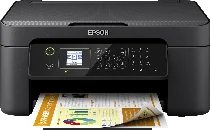
Epson WorkForce WF-2810DWF Printer Software and Drivers for Windows and macOS.
Supported Microsoft Windows Operating Systems
Windows 10 (32/64-bit)
Windows 8.1 (32/64-bit)
Windows 8 (32/64-bit)
Windows 7 (32/64-bit)
Windows Vista (32/64-bit)
Windows XP SP2 (32/64-bit)
Supported OS: Windows 10 32-bit and 64-bit, Windows 8.1 32-bit and 64-bit, Windows 8 32-bit and 64-bit, Windows 7 32-bit and 64-bit, Windows Vista 32-bit and 64-bit, Windows XP 32-bit and 64-bit
Supported macOS Operating Systems
macOS Sonoma 14
macOS Ventura 13
macOS Monterey 12
macOS Big Sur 11
macOS Catalina 10.15
macOS Mojave 10.14
macOS High Sierra 10.13
macOS Sierra 10.12
OS X El Capitan 10.11
OS X Yosemite 10.10
OS X Mavericks 10.9
OS X Mountain Lion 10.8
Mac OS X Lion 10.7
Mac OS X Snow Leopard 10.6
Mac OS X Leopard 10.5
Supported OS: Mac OS X Leopard 10.5, Mac OS X Snow Leopard 10.6, Mac OS X Lion 10.7, OS X Mountain Lion 10.8, OS X Mavericks 10.9, OS X Yosemite 10.10, OS X El Capitan 10.11, macOS Sierra 10.12, macOS High Sierra 10.13, macOS Mojave 10.14, macOS Catalina 10.15, macOS Big Sur 11, macOS Monterey 12, macOS Ventura 13, macOS Sonoma 14
Epson WorkForce WF-2810DWF Specifications
Epson WorkForce WF-2810DWF is a printing multifunction printer for home offices or small businesses. It is a very efficient printer capable of printing, scanning, copying, and faxing from only that compact device. This device is remarkable for its wireless options like Wi-Fi and Wi-Fi Direct. Thanks to these options, users do not even need to connect their phones, tablets, or laptops to the printed with cables – it can be done so quickly, within a “blink of an eye.” Also, it is possible to print something using this printer from many mobile printing services like Apple AirPrint and Google Cloud Print.
Another advantage of printing with this device is that it delivers clear and crisp documents because its printing technology is exact. It also provides access to automatic double-sided printing, which surely will be profitable in terms of saving resources. So, if the critical necessity is printing good quality documents with texts and basic graphics, this printer would be suitable, yet, when it comes to printing high-quality photos, there are more suitable printers for this.
In comparison to other printers, which need to have all of the colors replaced when only one of them is empty, Epson WF-2810DWF uses individual ink cartridges. So, using this printer will be relatively cheaper than the ones that replaced all the red, blue, or yellow colors or all the black. Compared to the others, this device is a good option for students, freelance workers, and small business owners, as it is a very efficient printer that prints all in one. What is very important is that it prints clear documents very fast, though the photos are probably not the “forte” of this printer. I suggest this device to those needing multifunctional tools who want to save space, time, and money when buying this printer.