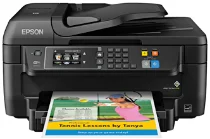
Epson WorkForce WF-2760 printer Software and Drivers for Windows and macOS.
Supported Microsoft Windows Operating Systems
Windows 11
Windows 10 (32/64-bit)
Windows 8.1 (32/64-bit)
Windows 8 (32/64-bit)
Windows 7 (32/64-bit)
Windows Vista (32/64-bit)
Windows XP (32/64-bit)
Supported OS: Windows 11, Windows 10 32-bit and 64-bit, Windows 8.1 32-bit and 64-bit, Windows 8 32-bit and 64-bit, Windows 7 32-bit and 64-bit, Windows Vista 32-bit and 64-bit
This driver package installer contains the following items:
- Printer Driver
- Scanner Driver and EPSON Scan Utility
- Epson Event Manager
- FAX Utility
- Epson Scan 2 OCR Component
- Epson Software Updater
- Epson ReadyInk Agent
Supported OS: Windows 10 32-bit, Windows 8.1 32-bit, Windows 8 32-bit, Windows 7 32-bit, Windows Vista 32-bit, Windows XP 32-bit
Supported OS: Windows 11, Windows 10 64-bit, Windows 8.1 64-bit, Windows 8 64-bit, Windows 7 64-bit, Windows Vista 64-bit, Windows XP 64-bit
Supported OS: Windows 11, Windows 10 32-bit and 64-bit, Windows 8.1 32-bit and 64-bit, Windows 8 32-bit and 64-bit, Windows 7 32-bit and 64-bit, Windows Vista 32-bit and 64-bit, Windows XP 32-bit and 64-bit
Supported OS: Windows 10 32-bit, Windows 8.1 32-bit, Windows 8 32-bit, Windows 7 32-bit, Windows Vista 32-bit, Windows XP 32-bit
Supported OS: Windows 11, Windows 10 64-bit, Windows 8.1 64-bit, Windows 8 64-bit, Windows 7 64-bit, Windows Vista 64-bit, Windows XP 64-bit
Supported macOS Operating Systems
macOS Ventura 13
macOS Monterey 12
macOS Big Sur 11
macOS Catalina 10.15
macOS Mojave 10.14
macOS High Sierra 10.13
macOS Sierra 10.12
OS X El Capitan 10.11
OS X Yosemite 10.10
OS X Mavericks 10.9
OS X Mountain Lion 10.8
Mac OS X Lion 10.7
Mac OS X Snow Leopard 10.6
Mac OS X Leopard 10.5
Supported OS: macOS Catalina 10.15, macOS Big Sur 11, macOS Monterey 12, macOS Ventura 13
This driver package installer contains the following items:
- Printer Driver
- ICA Driver
- Epson Fax Utility
- Epson Software Updater
- Epson ReadyInk Agent
Supported OS: Mac OS X Lion 10.7, OS X Mountain Lion 10.8, OS X Mavericks 10.9, OS X Yosemite 10.10, OS X El Capitan 10.11, macOS Sierra 10.12, macOS High Sierra 10.13, macOS Mojave 10.14
This driver package installer contains the following items:
- Printer Driver
- ICA Driver
- Epson Fax Utility
- Epson Software Updater
- Epson ReadyInk Agent
Supported OS: Mac OS X Snow Leopard 10.6, Mac OS X Lion 10.7, OS X Mountain Lion 10.8, OS X Mavericks 10.9, OS X Yosemite 10.10, OS X El Capitan 10.11, macOS Sierra 10.12, macOS High Sierra 10.13, macOS Mojave 10.14, macOS Catalina 10.15, macOS Big Sur 11, macOS Monterey 12, macOS Ventura 13
Supported OS: macOS Catalina 10.15, macOS Big Sur 11, macOS Monterey 12, macOS Ventura 13
Supported OS: Mac OS X Snow Leopard 10.6, Mac OS X Lion 10.7, OS X Mountain Lion 10.8, OS X Mavericks 10.9, OS X Yosemite 10.10, OS X El Capitan 10.11, macOS Sierra 10.12, macOS High Sierra 10.13, macOS Mojave 10.14
Supported OS: Mac OS X Snow Leopard 10.6, Mac OS X Lion 10.7, OS X Mountain Lion 10.8, OS X Mavericks 10.9, OS X Yosemite 10.10, OS X El Capitan 10.11, macOS Sierra 10.12, macOS High Sierra 10.13, macOS Mojave 10.14, macOS Catalina 10.15, macOS Big Sur 11, macOS Monterey 12, macOS Ventura 13
Supported OS: Mac OS X Leopard 10.5, Mac OS X Snow Leopard 10.6, Mac OS X Lion 10.7, OS X Mountain Lion 10.8, OS X Mavericks 10.9, OS X Yosemite 10.10, OS X El Capitan 10.11, macOS Sierra 10.12, macOS High Sierra 10.13, macOS Mojave 10.14, macOS Catalina 10.15, macOS Big Sur 11, macOS Monterey 12, macOS Ventura 13
Epson WorkForce WF-2760 Specifications
The Epson WorkForce WF-2760 is tailored for small offices or home-office work. Compared with entry-level devices, it offers productivity. These features include an automatic document feeder (ADF) that makes scanning easier; paper-saving two-sided printing also increases efficiency. It is session-connected, with all the company’s digital life in hand. The WF-2760 is an actual Wi-Fi printer, not just in name only. Regarding mobile computing, NFC allows users to print without configuring wireless settings.
Its 2.7-inch color touchscreen makes initialization and operation more straightforward, resulting in an excellent user experience. Altogether, the WF-2760 generally performs well in terms of print quality. Its sharply defined lettering makes it work nicely for creating standard documents such as letters or reports. The color prints are generally good, with more faithful colors than most. For professional photo printing, however, the color of WF-2760’s outputs may need to be more vibrant. Print speeds are acceptable. The printer can produce up to 13.7 pages of text per minute and 7.3 ppm for color prints sufficient for most small office tasks. One downside is the cost of ink, the WF-2760 users feel wrong about this. Standard cartridges run out quickly, mainly if you use them regularly. Yet high-capacity cartridges can also lower the overall cost per page and are an excellent investment for those who frequently print.
In terms of printers in its category, the WF-2760 does pretty well. An ADF and built-in duplex printing give it additional value. But those of us who print more than 100 months might think that the cheaper ink solution offered by some printers is more suitable for them since these technologies can help you economize over the long term. Epson has turned out a printer model in its WorkForce series—WF-2760—that will suit minimal environments well, a happy medium between features and cost, agile enough to meet your daily printing needs without hiking your wallet. It is a plus that its ease of use makes for no-fuss printing, and anybody who can’t be bothered with setup will love it in their small office or at home.