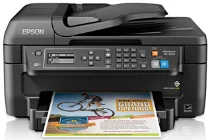
Epson WorkForce WF-2650 Printer Software and Drivers for Windows and macOS.
Supported Microsoft Windows Operating Systems
Windows 11
Windows 10 (32/64-bit)
Windows 8.1 (32/64-bit)
Windows 8 (32/64-bit)
Windows 7 SP1 (32/64-bit)
Windows Vista SP2 (32/64-bit)
Windows XP SP3 (32/64-bit)
Supported OS: Windows 11, Windows 10 32-bit and 64-bit, Windows 8.1 32-bit and 64-bit, Windows 8 32-bit and 64-bit, Windows 7 32-bit and 64-bit, Windows Vista 32-bit and 64-bit
This driver package installer contains the following items:
- Printer Driver
- Scanner Driver and EPSON Scan Utility
- Epson Event Manager
- Epson FAX Utility
- Epson ReadyInk Agent
- Epson Software Updater
Supported OS: Windows XP 32-bit and 64-bit
This driver package installer contains the following items:
- Printer Driver
- Scanner Driver and EPSON Scan Utility
- Epson Event Manager
- Epson FAX Utility
- Epson ReadyInk Agent
- Epson Software Updater
Supported OS: Windows 10 32-bit, Windows 8.1 32-bit, Windows 8 32-bit, Windows 7 32-bit, Windows Vista 32-bit, Windows XP 32-bit
Supported OS: Windows 11, Windows 10 64-bit, Windows 8.1 64-bit, Windows 8 64-bit, Windows 7 64-bit, Windows Vista 64-bit, Windows XP 64-bit
Supported OS: Windows 11, Windows 10 32-bit and 64-bit, Windows 8.1 32-bit and 64-bit, Windows 8 32-bit and 64-bit, Windows 7 32-bit and 64-bit, Windows Vista 32-bit and 64-bit, Windows XP 32-bit and 64-bit
Supported OS: Windows 10 32-bit, Windows 8.1 32-bit, Windows 8 32-bit, Windows 7 32-bit, Windows Vista 32-bit, Windows XP 32-bit
Supported OS: Windows 11, Windows 10 64-bit, Windows 8.1 64-bit, Windows 8 64-bit, Windows 7 64-bit, Windows Vista 64-bit, Windows XP 64-bit
Supported macOS Operating Systems
macOS Ventura 13
macOS Monterey 12
macOS Big Sur 11
macOS Catalina 10.15
macOS Mojave 10.14
macOS High Sierra 10.13
macOS Sierra 10.12
OS X El Capitan 10.11
OS X Yosemite 10.10
OS X Mavericks 10.9
OS X Mountain Lion 10.8
Mac OS X Lion 10.7
Mac OS X Snow Leopard 10.6
Mac OS X Leopard 10.5
Supported OS: macOS Catalina 10.15, macOS Big Sur 11, macOS Monterey 12, macOS Ventura 13
This driver package installer contains the following items:
- Printer Driver
- Scanner Driver and EPSON Scan Utility
- ICA Scanner Driver
- Epson Event Manager
- Epson Software Updater
- Epson Fax Utility
- Network Installer
Supported OS: Mac OS X Lion 10.7, OS X Mountain Lion 10.8, OS X Mavericks 10.9, OS X Yosemite 10.10, OS X El Capitan 10.11, macOS Sierra 10.12, macOS High Sierra 10.13, macOS Mojave 10.14
This driver package installer contains the following items:
- Printer Driver
- Scanner Driver and EPSON Scan Utility
- ICA Scanner Driver
- Epson Event Manager
- Epson Software Updater
- Epson Fax Utility
- Network Installer
Supported OS: Mac OS X Snow Leopard 10.6, Mac OS X Lion 10.7, OS X Mountain Lion 10.8, OS X Mavericks 10.9, OS X Yosemite 10.10, OS X El Capitan 10.11, macOS Sierra 10.12, macOS High Sierra 10.13, macOS Mojave 10.14, macOS Catalina 10.15, macOS Big Sur 11, macOS Monterey 12
Supported OS: macOS Catalina 10.15, macOS Big Sur 11, macOS Monterey 12, macOS Ventura 13
Supported OS: Mac OS X Snow Leopard 10.6, Mac OS X Lion 10.7, OS X Mountain Lion 10.8, OS X Mavericks 10.9, OS X Yosemite 10.10, OS X El Capitan 10.11, macOS Sierra 10.12, macOS High Sierra 10.13, macOS Mojave 10.14
Supported OS: Mac OS X Snow Leopard 10.6, Mac OS X Lion 10.7, OS X Mountain Lion 10.8, OS X Mavericks 10.9, OS X Yosemite 10.10, OS X El Capitan 10.11, macOS Sierra 10.12, macOS High Sierra 10.13, macOS Mojave 10.14, macOS Catalina 10.15, macOS Big Sur 11, macOS Monterey 12, macOS Ventura 13
Supported OS: Mac OS X Leopard 10.5, Mac OS X Snow Leopard 10.6, Mac OS X Lion 10.7, OS X Mountain Lion 10.8, OS X Mavericks 10.9, OS X Yosemite 10.10, OS X El Capitan 10.11, macOS Sierra 10.12, macOS High Sierra 10.13, macOS Mojave 10.14, macOS Catalina 10.15, macOS Big Sur 11, macOS Monterey 12, macOS Ventura 13
Epson WorkForce WF-2650 Specifications
Consequently, the Epson WorkForce WF-2650 is a compact and unique impact multifunctional design that saves under crowded circumstances. The basic processes described for starting it are transparent; even computer beginners can do it. What sets it apart, though, is the convenience of being wireless-supported. If you have a smartphone or tablet, you can print from them all with mobile apps that genuinely bring freedom. Our view is there is a big push for wireless. Wifi means you’re only sometimes at your desk, and increasingly, people are mobile like never before.
As far as overall output quality is concerned, the WF-2650 printer does the job. It makes it suitable for the bulk of enterprise applications. But it’s okay when it comes to color printing. Those who need more might choose a different character. The printing speed is middle-of-the-row–not fast, but acceptable for everyday use. Or it’s too slow for huge files. In addition to blank media, there’s a scanner, copier, and fax. These features are consistent with an office multifunctional machine. An automatic document feeder is a good thing. In short, it simplifies the job of scanning or sending multi-page documents by fax.
The cost might stem from some people who use a WF-2650 printer. Mini-ink cartridges allow you to replace only the color you need, but they are also expensive – especially for anyone who prints a lot. This cost can also take many forms according to the degree of value offered to businesses and professional users with their incredibly high print volumes. Regarding people fittingly office-at-home and small business companies that do not require much printing, the WF-2650 is comparatively highly competitive because it is not just cheap but also has many features. It is the only inkjet printer in such a price range to be compatible with various uses on regular paper. It makes it much better than most competing products for their needs.