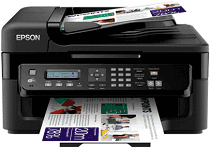
Epson WorkForce WF-2538 Drivers for Windows and macOS.
Supported Microsoft Windows Operating Systems
Windows 11
Windows 10 (32-bit and 64-bit)
Windows 8.1 (32-bit and 64-bit)
Windows 8 (32-bit and 64-bit)
Windows 7 (32-bit and 64-bit)
Windows Vista (32-bit and 64-bit)
Windows XP (32-bit and 64-bit)
Supported OS: Windows 10 32-bit, Windows 8.1 32-bit, Windows 8 32-bit, Windows 7 32-bit, Windows Vista 32-bit, Windows XP 32-bit
Supported OS: Windows 11, Windows 10 64-bit, Windows 8.1 64-bit, Windows 8 64-bit, Windows 7 64-bit, Windows Vista 64-bit, Windows XP 64-bit
Supported OS: Windows 11, Windows 10 32-bit and 64-bit, Windows 8.1 32-bit and 64-bit, Windows 8 32-bit and 64-bit, Windows 7 32-bit and 64-bit, Windows Vista 32-bit and 64-bit, Windows XP 32-bit and 64-bit
Supported OS: Windows 11, Windows 10 32-bit and 64-bit, Windows 8.1 32-bit and 64-bit, Windows 8 32-bit and 64-bit, Windows 7 32-bit and 64-bit, Windows Vista 32-bit and 64-bit, Windows XP 32-bit and 64-bit
Supported OS: Windows 11, Windows 10 32-bit and 64-bit, Windows 8.1 32-bit and 64-bit, Windows 8 32-bit and 64-bit, Windows 7 32-bit and 64-bit, Windows Vista 32-bit and 64-bit, Windows XP 32-bit and 64-bit
Supported macOS Operating Systems
macOS Sonoma 14
macOS Ventura 13
macOS Monterey 12
macOS Big Sur 11
macOS Catalina 10.15
macOS Mojave 10.14
macOS High Sierra 10.13
macOS Sierra 10.12
OS X El Capitan 10.11
OS X Yosemite 10.10
OS X Mavericks 10.9
OS X Mountain Lion 10.8
Mac OS X Lion 10.7
Mac OS X Snow Leopard 10.6
Mac OS X Leopard 10.5
Supported OS: Mac OS X Leopard 10.5, Mac OS X Snow Leopard 10.6, Mac OS X Lion 10.7, OS X Mountain Lion 10.8, OS X Mavericks 10.9, OS X Yosemite 10.10, OS X El Capitan 10.11, macOS Sierra 10.12, macOS High Sierra 10.13, macOS Mojave 10.14, macOS Catalina 10.15, macOS Big Sur 11, macOS Monterey 12, macOS Ventura 13, macOS Sonoma 14
Supported OS: Mac OS X Leopard 10.5, Mac OS X Snow Leopard 10.6, Mac OS X Lion 10.7, OS X Mountain Lion 10.8, OS X Mavericks 10.9, OS X Yosemite 10.10, OS X El Capitan 10.11, macOS Sierra 10.12, macOS High Sierra 10.13, macOS Mojave 10.14, macOS Catalina 10.15, macOS Big Sur 11, macOS Monterey 12, macOS Ventura 13, macOS Sonoma 14
Epson WorkForce WF-2538 Specifications
The Epson WorkForce WF-2538 is a multifunctional all-in-one printer, offering the convenience of printing, scanning, copying, and faxing in a compact size that fits perfectly in small spaces. Its built-in LCD and user-friendly interface cater to all users, even those less tech-savvy. Its cost-effectiveness sets it apart, with the initial purchase and long-term operational costs being meager.
In addition, the 30-page ADF simplifies scanning, copying, or faxing multiple files in one go, and using separate cartridges erases the need to change only the exact color that has run out. However, some features could be better, namely, the quality of some photo prints. Since this device performs well in all essential functions instead of printing high-end photos, adding a large scale of DPI may be excessive. Printers for other uses are also intended to work faster because the speed is not efficient enough. The Wi-Fi connection does not stabilize sometimes, and the printer requires manual shutdown or reset. The usage of this device, nevertheless, is still a good choice for small office printing due to the high-quality printing of everyday used files and acceptable professional photo printing quality. Its optimal feature is a wireless connection, and it performs essential functions, so I recommend it for purchase.