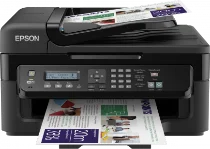
Epson WorkForce WF-2530WF Printer Software and Drivers for Windows and macOS.
Supported Microsoft Windows Operating Systems
Windows 11
Windows 10 (32-bit and 64-bit)
Windows 8.1 (32-bit and 64-bit)
Windows 8 (32-bit and 64-bit)
Windows 7 (32-bit and 64-bit)
Windows Vista (32-bit and 64-bit)
Windows XP (32-bit and 64-bit)
Supported OS: Windows 10 32-bit, Windows 8.1 32-bit, Windows 8 32-bit, Windows 7 32-bit, Windows Vista 32-bit, Windows XP 32-bit
Supported OS: Windows 11, Windows 10 64-bit, Windows 8.1 64-bit, Windows 8 64-bit, Windows 7 64-bit, Windows Vista 64-bit, Windows XP 64-bit
Supported OS: Windows 11, Windows 10 32-bit and 64-bit, Windows 8.1 32-bit and 64-bit, Windows 8 32-bit and 64-bit, Windows 7 32-bit and 64-bit, Windows Vista 32-bit and 64-bit, Windows XP 32-bit and 64-bit
Supported OS: Windows 11, Windows 10 32-bit and 64-bit, Windows 8.1 32-bit and 64-bit, Windows 8 32-bit and 64-bit, Windows 7 32-bit and 64-bit
Supported OS: Windows 11
Supported macOS Operating Systems
macOS Ventura 13
macOS Monterey 12
macOS Big Sur 11
macOS Catalina 10.15
macOS Mojave 10.14
macOS High Sierra 10.13
macOS Sierra 10.12
OS X El Capitan 10.11
OS X Yosemite 10.10
OS X Mavericks 10.9
OS X Mountain Lion 10.8
Mac OS X Lion 10.7
Mac OS X Snow Leopard 10.6
Mac OS X Leopard 10.5
Supported OS: Mac OS X Leopard 10.5, Mac OS X Snow Leopard 10.6, Mac OS X Lion 10.7, OS X Mountain Lion 10.8, OS X Mavericks 10.9, OS X Yosemite 10.10, OS X El Capitan 10.11, macOS Sierra 10.12, macOS High Sierra 10.13, macOS Mojave 10.14, macOS Catalina 10.15, macOS Big Sur 11, macOS Monterey 12, macOS Ventura 13
Supported OS: Mac OS X Leopard 10.5, Mac OS X Snow Leopard 10.6, Mac OS X Lion 10.7, OS X Mountain Lion 10.8, OS X Mavericks 10.9, OS X Yosemite 10.10, OS X El Capitan 10.11, macOS Sierra 10.12
Supported OS: Mac OS X Leopard 10.5, Mac OS X Snow Leopard 10.6, Mac OS X Lion 10.7, OS X Mountain Lion 10.8, OS X Mavericks 10.9, OS X Yosemite 10.10, OS X El Capitan 10.11
Epson WorkForce WF-2530WF Specifications
The Epson WorkForce WF-2530WF is an excellent printer for those who work from home or operate a small business. Its compact shape saves valuable space but includes the basics like printing, copying, and scanning without any unnecessary frills. This model truly excels through wireless abilities: you’ll be able to connect easily to Wi-Fi and print from your chosen device. Epson Connect, along with Apple AirPrint and Google Cloud Print, makes printing from smartphones and tablets as easy as 1-2-3.
While feature-rich, the WF-2530WF falls midrange among its peers regarding quality and speed. The text comes out sharp and clear — suitable for most business uses. Yet in color graphics, the output doesn’t have the punch of your more specially designed photo printers. Though speed-wise it’s zippy enough for small jobs, the printer’s functioning pace is merely so-so – or shall I say OK at best. You’d be better off with moderate daily printing volumes than a low-volume model in terms of performance.
The WF-2530WF is identical to many other models in that running it can be expensive. Standard ink cartridges drain out quickly compared to others in this size/type. So, if you print a lot, it would be sensible to go with high-yield cartridges because such an arrangement will lower your cost per page overall. The WorkForce WF-2530WF, weighing up its manifold virtues against costs, gives a decent balance. People who need flexibility but want one device rather than machinery holding down a room should find this printer to their liking. It’s perfect for people who do a lot of everyday printing and document handling.