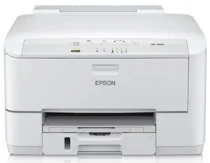
Epson WorkForce Pro WP-4010 Printer Software and Drivers for Windows and macOS.
Supported Microsoft Windows Operating Systems
Windows 11
Windows 10 (32/64-bit)
Windows 8.1 (32/64-bit)
Windows 8 (32/64-bit)
Windows 7 (32/64-bit)
Windows Vista (32/64-bit)
Windows XP (32/64-bit)
Supported OS: Windows 10 32-bit and 64-bit, Windows 8.1 32-bit and 64-bit, Windows 8 32-bit and 64-bit, Windows 7 32-bit and 64-bit, Windows Vista 32-bit and 64-bit, Windows XP 32-bit and 64-bit
This driver package installer contains the following items:
- Printer Driver
- Epson Software Updater
- Network Installer
Supported OS: Windows 10 32-bit and 64-bit, Windows 8.1 32-bit and 64-bit, Windows 8 32-bit and 64-bit, Windows 7 32-bit and 64-bit, Windows Vista 32-bit and 64-bit, Windows XP 32-bit and 64-bit
This driver package installer contains the following items:
- Printer Driver
- Epson Software Updater
- Network Installer
Supported OS: Windows 10 32-bit, Windows 8.1 32-bit, Windows 8 32-bit
Supported OS: Windows 10 64-bit, Windows 8.1 64-bit, Windows 8 64-bit
Supported OS: Windows 10 32-bit, Windows 7 32-bit, Windows Vista 32-bit, Windows XP 32-bit
Supported OS: Windows 10 64-bit, Windows 7 64-bit, Windows Vista 64-bit, Windows XP 64-bit
Supported OS: Windows 10 32-bit, Windows 8.1 32-bit, Windows 8 32-bit, Windows 7 32-bit, Windows Vista 32-bit, Windows XP 32-bit
Supported OS: Windows 11, Windows 10 64-bit, Windows 8.1 64-bit, Windows 8 64-bit, Windows 7 64-bit, Windows Vista 64-bit, Windows XP 64-bit
Supported macOS Operating Systems
macOS Ventura 13
macOS Monterey 12
macOS Big Sur 11
macOS Catalina 10.15
macOS Mojave 10.14
macOS High Sierra 10.13
macOS Sierra 10.12
OS X El Capitan 10.11
OS X Yosemite 10.10
OS X Mavericks 10.9
OS X Mountain Lion 10.8
Mac OS X Lion 10.7
Mac OS X Snow Leopard 10.6
Mac OS X Leopard 10.5
Supported OS: macOS Catalina 10.15, macOS Big Sur 11, macOS Monterey 12
Supported OS: Mac OS X Leopard 10.5, Mac OS X Snow Leopard 10.6, Mac OS X Lion 10.7, OS X Mountain Lion 10.8, OS X Mavericks 10.9, OS X Yosemite 10.10, OS X El Capitan 10.11, macOS Sierra 10.12, macOS High Sierra 10.13, macOS Mojave 10.14
Supported OS: Mac OS X Snow Leopard 10.6, Mac OS X Lion 10.7, OS X Mountain Lion 10.8, OS X Mavericks 10.9, OS X Yosemite 10.10, OS X El Capitan 10.11, macOS Sierra 10.12, macOS High Sierra 10.13, macOS Mojave 10.14, macOS Catalina 10.15, macOS Big Sur 11, macOS Monterey 12, macOS Ventura 13
Epson WorkForce Pro WP-4010 Specifications
It is introducing the Epson WorkForce Pro WP-4010–a workhorse of a printer designed for the needs of a small business or home office. Boasting robust construction, it supports a high monthly duty cycle of 20,000 pages, proving it can handle a constant workload without strain. Its forte is cost-efficient, boasting lower printing costs per page than color laser printers. It can mean an economic boon for businesses watching their bottom line. High-yield ink cartridges are used in this model, allowing for more prints between replacements and reducing the frequent hassle of off-dropping.
It is a good printer at its class speed and quality level. The WP-4010 produces sharp, clear prints quickly, doing 16 pages per minute in black and white and 11 pages per minute in color. These speeds are suitable for most small business operations. Print resolution of an impressive 4800 x 1200 dpi means it handles text and graphics. Text documents are crisp and readable; color graphics are stunning, but there are better choices for photo-heavy jobs.
This convenience with the WP-4010 comes through Ethernet and Wi-Fi capabilities. It enables easy connection to the network and lets you print from tablets and smartphones. But for businesses that need simple, reliable, and economical printing options, the WP-4010 is a strong competitor. While the initial price is higher than others tried, long-term savings in operational costs could compensate. It’s a smart buy for people who want value.