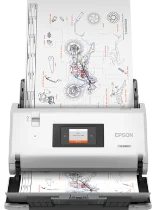
Epson WorkForce DS-30000 Drivers for Windows and macOS.
Supported Microsoft Windows Operating Systems
Windows 11
Windows 10 (32-bit and 64-bit)
Windows 8.1 (32-bit and 64-bit)
Windows 8 (32-bit and 64-bit)
Windows 7 (32-bit and 64-bit)
Windows Vista (32-bit and 64-bit)
Windows XP (32-bit and 64-bit)
Supported OS: Windows 11, Windows 10 32-bit and 64-bit, Windows 8.1 32-bit and 64-bit, Windows 8 32-bit and 64-bit, Windows 7 32-bit and 64-bit, Windows Vista 32-bit and 64-bit, Windows XP 32-bit and 64-bit
This combo package contains the following
Scanner Driver and Epson Scan 2 Utility
Epson ScanSmart
Epson Software Updater
Supported macOS Operating Systems
macOS Sonoma 14
macOS Ventura 13
macOS Monterey 12
macOS Big Sur 11
macOS Catalina 10.15
macOS Mojave 10.14
macOS High Sierra 10.13
macOS Sierra 10.12
OS X El Capitan 10.11
OS X Yosemite 10.10
OS X Mavericks 10.9
OS X Mountain Lion 10.8
Mac OS X Lion 10.7
Mac OS X Snow Leopard 10.6
Mac OS X Leopard 10.5
Supported OS: Mac OS X Leopard 10.5, Mac OS X Snow Leopard 10.6, Mac OS X Lion 10.7, OS X Mountain Lion 10.8, OS X Mavericks 10.9, OS X Yosemite 10.10, OS X El Capitan 10.11, macOS Sierra 10.12, macOS High Sierra 10.13, macOS Mojave 10.14
Epson WorkForce DS-30000 Specifications
The Epson WorkForce DS-30000 is a model of a large-format document scanner targeting a high-volume setting. Its design particularly appeals to businesses requiring accurate and swift digitization of comprehensive documents up to 12 x 17 inches. The device can scan a range of materials, from simple documents to complex blueprints. However, the DS-30000 primarily excels because of its sturdy design and relatively high scanning speed – up to 70 pages per minute, encompassing most tasks in the scanner’s league.
The strong point of the WorkForce DS-30000 design is its ease of use. The printer features an intuitive user interface and has versatile software to boot. The scanner supports one-pass duplex scanning, which allows the capture of the sides of a document at the same time. As is only proper, the intelligent software features document management tools, including OCR technology. As such, it is also relatively easy to organize and amend the text of a scanned document, though the setup routine might be challenging for no-techs. Regardless, once set up, the DS-30000 runs flawlessly.
Compared to its predecessors and rivals, the DS-30000 is superior in scanning speed and capacity. Indeed, the device’s major drawback is its cost, which might be prohibitively high for a small firm. The scanner’s size should not be overlooked either; it is substantial and might require a dedicated office section. Nevertheless, for companies that frequently work with large documents, the Epson WorkForce DS-30000 performs efficiently enough and produces high-quality output worth the expense and space.