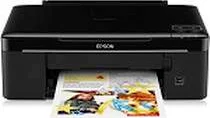
Epson Stylus SX130 Printer Software and Drivers for Windows and macOS.
Supported Microsoft Windows Operating Systems
Windows 11
Windows 10 (32-bit and 64-bit)
Windows 8.1 (32-bit and 64-bit)
Windows 8 (32-bit and 64-bit)
Windows 7 (32-bit and 64-bit)
Windows Vista (32-bit and 64-bit)
Windows XP (32-bit and 64-bit)
Supported OS: Windows 10 32-bit, Windows 8.1 32-bit, Windows 8 32-bit, Windows 7 32-bit, Windows Vista 32-bit, Windows XP 32-bit
Supported OS: Windows 11, Windows 10 64-bit, Windows 8.1 64-bit, Windows 8 64-bit, Windows 7 64-bit, Windows Vista 64-bit, Windows XP 64-bit
Supported OS: Windows 11
Supported OS: Windows 10 32-bit and 64-bit, Windows 8.1 32-bit and 64-bit, Windows 8 32-bit and 64-bit, Windows 7 32-bit and 64-bit, Windows Vista 32-bit and 64-bit, Windows XP 32-bit and 64-bit
Supported OS: Windows 11
Supported macOS Operating Systems
macOS Ventura 13
macOS Monterey 12
macOS Big Sur 11
macOS Catalina 10.15
macOS Mojave 10.14
macOS High Sierra 10.13
macOS Sierra 10.12
OS X El Capitan 10.11
OS X Yosemite 10.10
OS X Mavericks 10.9
OS X Mountain Lion 10.8
Mac OS X Lion 10.7
Mac OS X Snow Leopard 10.6
Mac OS X Leopard 10.5
Supported OS: Mac OS X Leopard 10.5, Mac OS X Snow Leopard 10.6, Mac OS X Lion 10.7, OS X Mountain Lion 10.8, OS X Mavericks 10.9, OS X Yosemite 10.10, OS X El Capitan 10.11, macOS Sierra 10.12, macOS High Sierra 10.13, macOS Mojave 10.14, macOS Catalina 10.15, macOS Big Sur 11, macOS Monterey 12, macOS Ventura 13
Supported OS: Mac OS X Leopard 10.5, Mac OS X Snow Leopard 10.6, Mac OS X Lion 10.7, OS X Mountain Lion 10.8, OS X Mavericks 10.9, OS X Yosemite 10.10, OS X El Capitan 10.11, macOS Sierra 10.12
Supported OS: Mac OS X Leopard 10.5, Mac OS X Snow Leopard 10.6, Mac OS X Lion 10.7, OS X Mountain Lion 10.8, OS X Mavericks 10.9, OS X Yosemite 10.10, OS X El Capitan 10.11
Supported OS: Mac OS X Leopard 10.5, Mac OS X Snow Leopard 10.6, Mac OS X Lion 10.7, OS X Mountain Lion 10.8, OS X Mavericks 10.9, OS X Yosemite 10.10, OS X El Capitan 10.11, macOS Sierra 10.12, macOS High Sierra 10.13, macOS Mojave 10.14, macOS Catalina 10.15, macOS Big Sur 11
Epson Stylus SX130 Specifications
The Epson Stylus SX130 is a small all in one printer designed for users without much space but needing basic printing, scanning, and copying capabilities. It takes up only the smallest space on a table or shelf to locate. Installation is a snap, plug, print & play. The minimal technical requirements are an added benefit. The user interface is straightforward, with a simple control panel of large, well labeled buttons people of virtually any tech level can use.
As for performance, the SX130 is dependable for everyday printing tasks. Its text is satisfactory for most personal or student needs, and colors look fine on prints, although they may need more accuracy for professional photo jobs. High speed this one’s not, yet it’s suitable for the occasional document or picture; heavy print jobs will require patience. It’s important to note the ink cost, the SX130 uses individual cartridges, a boon for ease of replacement. However, the expense of genuine Epson inks may mount over time, and therefore, it may need to be more budget friendly for heavy users.
Among beginner printers, the Epson Stylus SX130 is a straightforward machine. It doesn’t need to be feature packed. Instead, it does well in meeting people’s basic needs without excess expense to serve features most buyers do not want. Unlike more expensive models, it has neither such advanced capabilities as wireless networking nor automatic two sided printing. With its low price and small size, those who enjoy simplicity or compactness might find this little machine perfect. In summary, the Epson Stylus SX130 is suitable for those who want a simple and space saving printer for occasional use, provided you consider how high your running costs may grow if more printing is still needed.