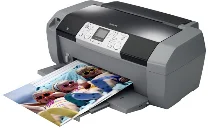
Epson Stylus Photo R250 Printer Software and Drivers for Windows and macOS.
Supported Microsoft Windows Operating Systems
Windows 11
Windows 10 (32-bit and 64-bit)
Windows 8.1 (32-bit and 64-bit)
Windows 8 (32-bit and 64-bit)
Windows 7 (32-bit and 64-bit)
Windows Vista (32-bit and 64-bit)
Windows XP (32-bit and 64-bit)
Supported OS: Windows 10 32-bit, Windows 8.1 32-bit, Windows 8 32-bit, Windows 7 32-bit, Windows Vista 32-bit, Windows XP 32-bit
Supported OS: Windows 11, Windows 10 64-bit, Windows 8.1 64-bit, Windows 8 64-bit, Windows 7 64-bit, Windows Vista 64-bit, Windows XP 64-bit
Supported macOS Operating Systems
macOS Monterey 12
macOS Big Sur 11
Supported OS: macOS Big Sur 11, macOS Monterey 12
Epson Stylus Photo R250 Specifications
Those wanting photo printing quality plus the versatility of general purpose use would do well to consider the Epson Stylus Photo R250 inkjet printer. The printer focuses on producing high resolution photographs for the amateur photographer or home user. Equipment like the Stylus Photo R250 also features the customary performance for a mid-range photo printer, including direct printing from cameras and memory cards, making it incredibly user-friendly. But the slower rate could discourage those who want a fast, business like print for plain text. This six color cartridge system, which caters to a far more comprehensive color range, gives off a brilliant and accurate color, but also has to be replaced frequently under continuous use, resulting in potentially higher running expenses.
The Epson Stylus Photo R250 has an excellent photo output compared to its similarly priced counterpart. The photos it takes will be sharp, and good light levels will yield a better view. This quality is partly due to Variable Sized Droplet Technology, which ensures that every ink droplet is dispensed with fine control and produces detailed images. The R250 may cost more than other models with higher initial prices but lower ink costs. Also, there are some concerns about its durability with prolonged use, a critical factor in long-term reliability for these users.
Also, the R250 integrates well with almost any digital device. Epson’s Easy Photo Fix software, a basic photo editor, adds convenience. The printer’s ability to produce images of up to A4 size with no border is an added advantage, a feature many photo lovers seek. The R250, however, may not satisfy those users who require features beyond only photographs. On the other hand, it does well enough. However, performance with text documents is acceptable but is similar to that of text focused printers. A choice, then, is up to the individual buyer. Before deciding, those considering a purchase of the R250 should compare their need for top quality photo prints against general functionality and operation costs.