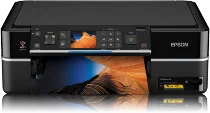
Epson Stylus Photo PX700W Printer Software and Drivers for Windows and macOS.
Supported Microsoft Windows Operating Systems
Windows 11
Windows 10 (32-bit and 64-bit)
Windows 8.1 (32-bit and 64-bit)
Windows 8 (32-bit and 64-bit)
Windows 7 (32-bit and 64-bit)
Windows Vista (32-bit and 64-bit)
Windows XP (32-bit and 64-bit)
Supported OS: Windows 10 32-bit, Windows 8.1 32-bit, Windows 8 32-bit, Windows 7 32-bit, Windows Vista 32-bit, Windows XP 32-bit
Supported OS: Windows 11, Windows 10 64-bit, Windows 8.1 64-bit, Windows 8 64-bit, Windows 7 64-bit, Windows Vista 64-bit, Windows XP 64-bit
Supported OS: Windows 11, Windows 10 32-bit and 64-bit, Windows 8.1 32-bit and 64-bit, Windows 8 32-bit and 64-bit, Windows 7 32-bit and 64-bit, Windows Vista 32-bit and 64-bit, Windows XP 32-bit and 64-bit
Supported OS: Windows 11
Supported macOS Operating Systems
macOS Ventura 13
macOS Monterey 12
macOS Big Sur 11
macOS Catalina 10.15
macOS Mojave 10.14
macOS High Sierra 10.13
macOS Sierra 10.12
OS X El Capitan 10.11
OS X Yosemite 10.10
OS X Mavericks 10.9
OS X Mountain Lion 10.8
Mac OS X Lion 10.7
Mac OS X Snow Leopard 10.6
Mac OS X Leopard 10.5
Supported OS: Mac OS X Leopard 10.5, Mac OS X Snow Leopard 10.6, Mac OS X Lion 10.7, OS X Mountain Lion 10.8, OS X Mavericks 10.9, OS X Yosemite 10.10, OS X El Capitan 10.11, macOS Sierra 10.12, macOS High Sierra 10.13, macOS Mojave 10.14, macOS Catalina 10.15, macOS Big Sur 11, macOS Monterey 12, macOS Ventura 13
Supported OS: Mac OS X Leopard 10.5, Mac OS X Snow Leopard 10.6, Mac OS X Lion 10.7, OS X Mountain Lion 10.8, OS X Mavericks 10.9, OS X Yosemite 10.10, OS X El Capitan 10.11
Supported OS: Mac OS X Leopard 10.5, Mac OS X Snow Leopard 10.6, Mac OS X Lion 10.7, OS X Mountain Lion 10.8, OS X Mavericks 10.9, OS X Yosemite 10.10, OS X El Capitan 10.11
Supported OS: Mac OS X Leopard 10.5, Mac OS X Snow Leopard 10.6, Mac OS X Lion 10.7, OS X Mountain Lion 10.8, OS X Mavericks 10.9, OS X Yosemite 10.10, OS X El Capitan 10.11, macOS Sierra 10.12, macOS High Sierra 10.13, macOS Mojave 10.14, macOS Catalina 10.15, macOS Big Sur 11
Epson Stylus Photo PX700W Specifications
Solid in its nature, the Epson Stylus Photo PX700W is a unique all in one device with a winning touch in photo printing performance. Printing photos with the PX700W can be much easier with wireless Wi-Fi connectivity than ever before because you won’t have to worry about tangled cables. The steps to get set up on Wi-Fi are plain and simple. Even people who know nothing about high tech gadgets can join the network quickly. The touch panel is easy to use, with no befuddling symbols, so people can navigate it comfortably and not get stressed.
The PX700W, in terms of photo print quality, excels at producing ink that yields vibrant, lifelike colors. Due to photo lab grade details produced thanks to the high resolution and Epson’s Claria Photographic Black Inks, the PX700W’s photos emerge clear down to the last hair. It’s cheaper in the long run since each color is held in its tank. While it doesn’t fly through pages, pace is not without merit for a printer that emphasizes quality rather than speed. As a non photo printer, the PX700W gives good results with clearly displayed texts. But its forte still lies in printing photos, which potential buyers should consider.
The PX700W earns some points with its added scan and copy functions compared to other photo printers. Furthermore, these attributes make it suitable for all kinds of jobs, not just printing. However, it is ideal for home users, not offering the advanced features that professional photographers require. Its print costs are slightly higher than other models because of the sophisticated ink technology, but those who love their prints may find the extra few dollars worthwhile. On the whole, the Epson Stylus Photo PX700W is worth investing in. Users like quality pictures and need a trouble free system to work at home.