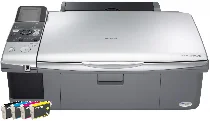
Epson Stylus DX6000 Printer Software and Drivers for Windows and macOS.
Supported Microsoft Windows Operating Systems
Windows 11
Windows 10 (32-bit and 64-bit)
Windows 8.1 (32-bit and 64-bit)
Windows 8 (32-bit and 64-bit)
Windows 7 (32-bit and 64-bit)
Windows Vista (32-bit and 64-bit)
Windows XP (32-bit and 64-bit)
Supported OS: Windows 10 32-bit, Windows 8.1 32-bit, Windows 8 32-bit, Windows 7 32-bit, Windows Vista 32-bit, Windows XP 32-bit
Supported OS: Windows 11, Windows 10 64-bit, Windows 8.1 64-bit, Windows 8 64-bit, Windows 7 64-bit, Windows Vista 64-bit, Windows XP 64-bit
Supported OS: Windows 11, Windows 10 32-bit and 64-bit, Windows 8.1 32-bit and 64-bit, Windows 8 32-bit and 64-bit, Windows 7 32-bit and 64-bit, Windows Vista 32-bit and 64-bit, Windows XP 32-bit and 64-bit
Supported OS: Windows 11
Supported macOS Operating Systems
macOS Ventura 13
macOS Monterey 12
macOS Big Sur 11
macOS Catalina 10.15
macOS Mojave 10.14
macOS High Sierra 10.13
macOS Sierra 10.12
OS X El Capitan 10.11
OS X Yosemite 10.10
OS X Mavericks 10.9
OS X Mountain Lion 10.8
Mac OS X Lion 10.7
Mac OS X Snow Leopard 10.6
Mac OS X Leopard 10.5
Supported OS: Mac OS X Leopard 10.5, Mac OS X Snow Leopard 10.6, Mac OS X Lion 10.7, OS X Mountain Lion 10.8, OS X Mavericks 10.9, OS X Yosemite 10.10, OS X El Capitan 10.11, macOS Sierra 10.12, macOS High Sierra 10.13, macOS Mojave 10.14, macOS Catalina 10.15, macOS Big Sur 11, macOS Monterey 12, macOS Ventura 13
Supported OS: Mac OS X Leopard 10.5, Mac OS X Snow Leopard 10.6, Mac OS X Lion 10.7, OS X Mountain Lion 10.8, OS X Mavericks 10.9, OS X Yosemite 10.10, OS X El Capitan 10.11
Supported OS: Mac OS X Leopard 10.5, Mac OS X Snow Leopard 10.6, Mac OS X Lion 10.7, OS X Mountain Lion 10.8, OS X Mavericks 10.9, OS X Yosemite 10.10, OS X El Capitan 10.11
Supported OS: Mac OS X Leopard 10.5, Mac OS X Snow Leopard 10.6, Mac OS X Lion 10.7, OS X Mountain Lion 10.8, OS X Mavericks 10.9, OS X Yosemite 10.10, OS X El Capitan 10.11, macOS Sierra 10.12, macOS High Sierra 10.13, macOS Mojave 10.14, macOS Catalina 10.15, macOS Big Sur 11
Epson Stylus DX6000 Specifications
The Epson Stylus DX6000 is a multifunctional printer that incorporates printing, scanning, and copying tasks in one easily operated unit. It is well suited for the home use of individual users and small offices where workers need a convenient device exclusively for job related document work. For people eager to start immediately, the printer’s installation is simple. It can handle tasks with minimal fuss because the panel is simple and direct to navigate.
As to print quality, the DX6000 shines with bright, sharp outputs. Using only Epson’s DURABrite Ultra ink, the printouts are colorful but water resistant and smudge proof, just the thing for essential documents or photos you want to last. The print speed is fine for regular usage, but it is not the quickest for photo printing. Scanning and copying are okay with this model despite an obvious drawback, it lacks an automatic feeder for scanning multiple pages. That could be a disadvantage for scanning large documents efficiently.
Some modern features need to be added to the Epson Stylus DX6000. There is no fax service and no support for wireless networking. Nor is there any slot for printing directly from a camera’s memory card. The printer functions quite well for those who want to avoid such advanced features. However, it might not be so satisfying for those searching for more cutting edge technology. The Epson Stylus DX6000 is suitable for most print, scan, and copy tasks. Its printouts are of higher quality. And in use, the machine has simple controls that are easy on the user’s nerves, at the cost of lacking new model advancements.