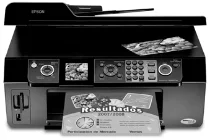
Epson Stylus CX9300F Printer Software and Drivers for Windows and macOS.
Supported Microsoft Windows Operating Systems
Windows 11
Windows 10 (32-bit and 64-bit)
Windows 8.1 (32-bit and 64-bit)
Windows 8 (32-bit and 64-bit)
Windows 7 (32-bit and 64-bit)
Windows Vista (32-bit and 64-bit)
Windows XP (32-bit and 64-bit)
Supported OS: Windows 10 32-bit, Windows 8.1 32-bit, Windows 8 32-bit
Supported OS: Windows 10 64-bit, Windows 8.1 64-bit, Windows 8 64-bit
Supported OS: Windows 7 32-bit, Windows Vista 32-bit, Windows XP 32-bit
Supported OS: Windows 7 64-bit, Windows Vista 64-bit, Windows XP 64-bit
Supported OS: Windows 7 64-bit, Windows Vista 64-bit, Windows XP 64-bit
This driver package contains the following items:
- Printer Driver
- Scanner Driver
- Epson Status Monitor
- Epson EasyPrint
Supported OS: Windows 11, Windows 10 32-bit and 64-bit, Windows 8.1 32-bit and 64-bit, Windows 8 32-bit and 64-bit, Windows 7 32-bit and 64-bit, Windows Vista 32-bit and 64-bit, Windows XP 32-bit and 64-bit
Supported macOS Operating Systems
macOS Ventura 13
macOS Monterey 12
macOS Big Sur 11
macOS Catalina 10.15
macOS Mojave 10.14
macOS High Sierra 10.13
macOS Sierra 10.12
OS X El Capitan 10.11
OS X Yosemite 10.10
OS X Mavericks 10.9
OS X Mountain Lion 10.8
Mac OS X Lion 10.7
Mac OS X Snow Leopard 10.6
Mac OS X Leopard 10.5
Supported OS: macOS Mojave 10.14, macOS Catalina 10.15, macOS Big Sur 11, macOS Monterey 12, macOS Ventura 13
Supported OS: Mac OS X Leopard 10.5, Mac OS X Snow Leopard 10.6
Supported OS: OS X El Capitan 10.11
Supported OS: Mac OS X Leopard 10.5, Mac OS X Snow Leopard 10.6, Mac OS X Lion 10.7, OS X Mountain Lion 10.8, OS X Mavericks 10.9, OS X Yosemite 10.10, OS X El Capitan 10.11, macOS Sierra 10.12, macOS High Sierra 10.13, macOS Mojave 10.14, macOS Catalina 10.15, macOS Big Sur 11, macOS Monterey 12, macOS Ventura 13
Epson Stylus CX9300F Specifications
The Epson Stylus CX9300F is a multifunction printer with built in copier, fax, scanner, and printer functions designed for businesses. Its robust construction and many features reflect a full range of office printing needs in a small office. Regarding output quality, the CX9300F usually delivers okay results on text and pictures. Print quality could be better, but it is good enough for professional documents since it is clean and clear, and the color prints have perfect, vibrant colors, even though photographers needing exceptionally high quality photo prints will find them inadequate.
This printer is on the slow side. While not the fastest out there, it can handle larger print jobs without an excessive wait. It’s perfectly suitable for typical office uses. The addition of a fax is convenient for those offices that still use this method of communication. However, modern offices burdened with digital documents may not put such a high value on this function. The CX9300F, unlike many competitors, doesn’t support wireless printing. It would make printing tasks far more convenient for groups sharing one printer.
The scanning of the CX9300F is very reliable, and the outputs are bright and preserve the original documents’ qualities. And copy work is simple. There is also a size adjustment option if you want a smaller font size, taller letters, or something else to suit individual needs. You can replace the ink cartridge that’s out of color, so buying them one by one is economical. The Epson Stylus CX9300F is an excellent multifunction machine for small office use. It can perform all the basic tasks simply and reliably, even though it offers no other features, such as today’s ubiquitous wireless technology.