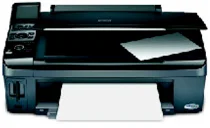
Epson Stylus CX8400 All-In-Ones Printer Software and Drivers for Windows and macOS.
Supported Microsoft Windows Operating Systems
Windows 11
Windows 10 (32/64-bit)
Windows 8.1 (32/64-bit)
Windows 8 (32/64-bit)
Windows 7 (32/64-bit)
Windows Vista (32/64-bit)
Windows XP (32/64-bit)
Supported OS: Windows 10 32-bit, Windows 8.1 32-bit, Windows 8 32-bit
This driver package installer contains the following items:
- Printer Driver
- Scanner Driver
- Epson Status Monitor
- Epson EasyPrint
Supported OS: Windows 11, Windows 10 64-bit, Windows 8.1 64-bit, Windows 8 64-bit
This driver package installer contains the following items:
- Printer Driver
- Scanner Driver
- Epson Status Monitor
- Epson EasyPrint
Supported OS: Windows 7 32-bit, Windows Vista 32-bit, Windows XP 32-bit
This driver package installer contains the following items:
- Printer Driver
- Scanner Driver
- Epson Status Monitor
- Epson EasyPrint
Supported OS: Windows 7 64-bit, Windows Vista 64-bit, Windows XP 64-bit
This driver package installer contains the following items:
- Printer Driver
- Scanner Driver
- Epson Status Monitor
- Epson EasyPrint
Supported OS: Windows 10 32-bit, Windows 8.1 32-bit, Windows 8 32-bit
Supported OS: Windows 10 64-bit, Windows 8.1 64-bit, Windows 8 64-bit
Supported OS: Windows 7 32-bit, Windows Vista 32-bit, Windows XP 32-bit
Supported OS: Windows 7 64-bit, Windows Vista 64-bit, Windows XP 64-bit
Supported OS: Windows 11, Windows 10 32-bit and 64-bit, Windows 8.1 32-bit and 64-bit, Windows 8 32-bit and 64-bit, Windows 7 32-bit and 64-bit, Windows Vista 32-bit and 64-bit, Windows XP 32-bit and 64-bit
Supported macOS Operating Systems
macOS Ventura 13
macOS Monterey 12
macOS Big Sur 11
macOS Catalina 10.15
macOS Mojave 10.14
macOS High Sierra 10.13
macOS Sierra 10.12
OS X El Capitan 10.11
OS X Yosemite 10.10
OS X Mavericks 10.9
OS X Mountain Lion 10.8
Mac OS X Lion 10.7
Mac OS X Snow Leopard 10.6
Mac OS X Leopard 10.5
Supported OS: Mac OS X Leopard 10.5, Mac OS X Snow Leopard 10.6
This driver package installer contains the following items:
- Printer Driver
- Scanner Driver
- Epson EasyPrint
Supported OS: macOS Mojave 10.14, macOS Catalina 10.15, macOS Big Sur 11, macOS Monterey 12, macOS Ventura 13
Supported OS: Mac OS X Leopard 10.5, Mac OS X Snow Leopard 10.6
Supported OS: Mac OS X Leopard 10.5, Mac OS X Snow Leopard 10.6, Mac OS X Lion 10.7, OS X Mountain Lion 10.8, OS X Mavericks 10.9, OS X Yosemite 10.10, OS X El Capitan 10.11, macOS Sierra 10.12, macOS High Sierra 10.13, macOS Mojave 10.14, macOS Catalina 10.15, macOS Big Sur 11, macOS Monterey 12, macOS Ventura 13
Epson Stylus CX8400 Specifications
Epson Stylus CX8400 is an all-in-one multi-function printer that might be in everyone’s or no one’s land. For one, the same set of features, the quality of prints, and the ergonomics of the device may attract an office worker or turn off a professional who relies heavily on fast printing. Rain or shine, the Epson CX8400 is a think-with-your-own-head decision.
On the one hand, this photo printer has a reasonably high print quality level when presenting photos and color business projects. The quality of such prints makes one’s eyes ZOMG! Another good side is the prints’ smear, fade, and water resistance. However, the print speed of this all-in-one is not impressive – it is good enough for no-hurry home users, but demanding professionals would like a better speed. Some users of this machine criticize the high cost of maintenance: that’s only reasonable since the prints are pretty good, and an owner has to pay for them with expensive inks.
On the other hand, the printer’s setup is easy, so it’s easy to use. The menus are clear, and the functions are accessible: even a tech newbie can quickly get what he wants using this printer. Moreover, a 2.5-inch LCD is a foolproof and convenient way to navigate menus and preview prints or scans. Therefore, the ergonomics of handling documents and photos is quite good.
Thus, my take on the Epson cx8400 is an unexceptional model among this class’s long row of printers, especially regarding speed and maintenance costs. Yet the printer has its strong points – the quality of the prints and multi-functionality. That makes the Epson cx8400 an excellent decision for those personal or small office users who do not have to have their prints today. The printer is the one that delivers what it promises.