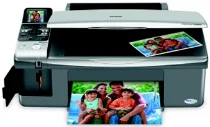
Epson Stylus CX5900 Printer Software and Drivers for Windows and macOS.
Supported Microsoft Windows Operating Systems
Windows 11
Windows 10 (32-bit and 64-bit)
Windows 8.1 (32-bit and 64-bit)
Windows 8 (32-bit and 64-bit)
Windows 7 (32-bit and 64-bit)
Windows Vista (32-bit and 64-bit)
Windows XP (32-bit and 64-bit)
Supported OS: Windows 10 32-bit, Windows 8.1 32-bit, Windows 8 32-bit, Windows 7 32-bit, Windows Vista 32-bit, Windows XP 32-bit
Supported OS: Windows 10 64-bit, Windows 8.1 64-bit, Windows 8 64-bit, Windows Vista 64-bit, Windows XP 64-bit
Supported OS: Windows 7 64-bit, Windows Vista 64-bit
Supported OS: Windows 11, Windows 10 32-bit and 64-bit, Windows 8.1 32-bit and 64-bit, Windows 8 32-bit and 64-bit
Supported OS: Windows 7 32-bit and 64-bit, Windows Vista 32-bit and 64-bit, Windows XP 32-bit and 64-bit
Supported OS: Windows 7 32-bit, Windows Vista 32-bit
This driver package installer contains the following items:
- Printer Driver
- Scanner Driver
- Epson Status Monitor
- Epson EasyPrint
Supported OS: Windows 7 64-bit, Windows Vista 64-bit
This driver package installer contains the following items:
- Printer Driver
- Scanner Driver
- Epson Status Monitor
- Epson EasyPrint
Supported macOS Operating Systems
macOS Ventura 13
macOS Monterey 12
macOS Big Sur 11
macOS Catalina 10.15
macOS Mojave 10.14
macOS High Sierra 10.13
macOS Sierra 10.12
OS X El Capitan 10.11
OS X Yosemite 10.10
OS X Mavericks 10.9
OS X Mountain Lion 10.8
Mac OS X Lion 10.7
Mac OS X Snow Leopard 10.6
Mac OS X Leopard 10.5
Supported OS: macOS Mojave 10.14, macOS Catalina 10.15, macOS Big Sur 11, macOS Monterey 12, macOS Ventura 13
Supported OS: Mac OS X Leopard 10.5, Mac OS X Snow Leopard 10.6, Mac OS X Lion 10.7, OS X Mountain Lion 10.8, OS X Mavericks 10.9, OS X Yosemite 10.10, OS X El Capitan 10.11, macOS Sierra 10.12, macOS High Sierra 10.13, macOS Mojave 10.14, macOS Catalina 10.15, macOS Big Sur 11, macOS Monterey 12, macOS Ventura 13
Supported OS: OS X El Capitan 10.11
Supported OS: Mac OS X Leopard 10.5, Mac OS X Snow Leopard 10.6, Mac OS X Lion 10.7, OS X Mountain Lion 10.8, OS X Mavericks 10.9, OS X Yosemite 10.10, OS X El Capitan 10.11, macOS Sierra 10.12, macOS High Sierra 10.13, macOS Mojave 10.14, macOS Catalina 10.15, macOS Big Sur 11, macOS Monterey 12, macOS Ventura 13
Epson Stylus CX5900 Specifications
The all around Epson Stylus CX5900 printer offers various printing, scanning, and copying functions that are also economical. This item’s main appeal is that it contains printing, scanning, and copying facilities, all within one little machine that can fit anywhere in a room. For those looking for everyday task printing, such as receipts, the CX5900 could be better at photo printing. A professional photographer would need more or richer details. One of its clear advantages is using individual ink cartridges; it differs from printers that use the tri-color all in one cartridge. So, over time, replacing the color you run out of can mean saving money.
In a speed checkpoint, the CX5900 comes through nicely. It will suit any situation that values efficiency, whether a home office or a medium sized business. There are printers faster than it, but within its price range, this rate will not significantly drag down one’s ability to work. Working without breaks because of such productivity is an advantage for users who need a steady workflow not disrupted by printer hold ups.
The unsatisfactory point is that the CX5900 still lacks the latest wireless printing. It could be a minor point. Instead, users must make do with the traditional USB interface and cannot use mobile devices to print out or use their printers from a distance. Some may argue otherwise in an age where wireless technology is now all the rage everywhere. Regardless, the CX5900 is an excellent middle of the road machine for users with no qualms about cords. It is simple but carries out its basic tasks with dependability. The Epson Stylus CX5900 is a no-nonsense machine that doesn’t come with the newest bells and whistles. In short, it gets the job done.