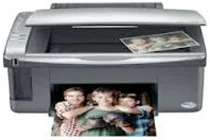
Epson Stylus CX4100 Printer Software and Drivers for Windows and macOS.
Supported Microsoft Windows Operating Systems
Windows 11
Windows 10 (32-bit and 64-bit)
Windows 8.1 (32-bit and 64-bit)
Windows 8 (32-bit and 64-bit)
Windows 7 (32-bit and 64-bit)
Windows Vista (32-bit and 64-bit)
Windows XP (32-bit and 64-bit)
Supported OS: Windows 10 32-bit, Windows 8.1 32-bit, Windows 8 32-bit, Windows 7 32-bit, Windows Vista 32-bit
This driver package installer contains the following items:
- Printer Driver
- Scanner Driver and EPSON Scan Utility
- Epson Status Monitor
- Epson EasyPrint
Supported OS: Windows 7 64-bit, Windows Vista 64-bit
This driver package installer contains the following items:
- Printer Driver
- Scanner Driver and EPSON Scan Utility
- Epson Status Monitor
- Epson EasyPrint
Supported OS: Windows 10 32-bit, Windows 8.1 32-bit, Windows 8 32-bit
Supported OS: Windows Vista 32-bit, Windows XP 32-bit
Supported OS: Windows 11, Windows 10 64-bit, Windows 8.1 64-bit, Windows 8 64-bit
Supported OS: Windows Vista 64-bit, Windows XP 64-bit
Supported OS: Windows 11, Windows 10 32-bit and 64-bit, Windows 8.1 32-bit and 64-bit, Windows 8 32-bit and 64-bit
Supported OS: Windows Vista 32-bit and 64-bit, Windows XP 32-bit and 64-bit
Supported macOS Operating Systems
macOS Ventura 13
macOS Monterey 12
macOS Big Sur 11
macOS Catalina 10.15
macOS Mojave 10.14
macOS High Sierra 10.13
macOS Sierra 10.12
OS X El Capitan 10.11
OS X Yosemite 10.10
OS X Mavericks 10.9
OS X Mountain Lion 10.8
Mac OS X Lion 10.7
Mac OS X Snow Leopard 10.6
Mac OS X Leopard 10.5
Supported OS: macOS Mojave 10.14, macOS Catalina 10.15, macOS Big Sur 11, macOS Monterey 12, macOS Ventura 13
Supported OS: Mac OS X Leopard 10.5, Mac OS X Snow Leopard 10.6, Mac OS X Lion 10.7, OS X Mountain Lion 10.8
Supported OS: Mac OS X Leopard 10.5, Mac OS X Snow Leopard 10.6, Mac OS X Lion 10.7, OS X Mountain Lion 10.8, OS X Mavericks 10.9, OS X Yosemite 10.10, OS X El Capitan 10.11, macOS Sierra 10.12, macOS High Sierra 10.13, macOS Mojave 10.14, macOS Catalina 10.15, macOS Big Sur 11, macOS Monterey 12, macOS Ventura 13
Supported OS: OS X El Capitan 10.11
Supported OS: Mac OS X Leopard 10.5, Mac OS X Snow Leopard 10.6, Mac OS X Lion 10.7, OS X Mountain Lion 10.8, OS X Mavericks 10.9, OS X Yosemite 10.10, OS X El Capitan 10.11, macOS Sierra 10.12, macOS High Sierra 10.13, macOS Mojave 10.14, macOS Catalina 10.15, macOS Big Sur 11, macOS Monterey 12, macOS Ventura 13
Epson Stylus CX4100 Specifications
The Epson Stylus CX4100 is a basic all in one printer. This printer is for people who want an inexpensive machine to print, scan, and copy. This product is aimed at home users, small and simple to operate. ” Undoubtedly, everyone will see what’s going on behind these pictures.” Yes, folks, beautiful scenes are commonplace in the average American home; all one needs is an easel and some paint. It provides crisp, legible text pages. It also does well with color prints. Thus, you could print off essays, recipes, and images at home with comparatively little bother at this particular time.
It is a home-sized printer at a medium speed. It does not print slowly as many other domestic ones do, either. If you need to print out an assignment at the last minute or copy off a letter, the CX4100 is an excellent all around performer. Here, the scanner and copier make faithful copies. This printer also has separate ink tanks for different colors. Consequently, if you use one color up, you replace only the one. It saves money because unused ink does not need to be discarded.
However, the CX4100 has limitations. It does not support Wi-Fi or Bluetooth. Nowadays, most printers allow you to print wirelessly from your phone or computer. Not this one, though this one will only work with a USB cable. But for those who find a simple plugin setup acceptable, the Epson Stylus CX4100 is a good choice. It costs too much for what it shall do. This printer is excellent for those wanting basics. There are no fancy techie features.