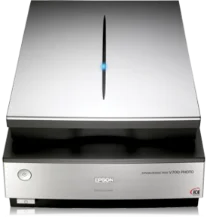
Epson Perfection V700 Drivers for Windows and macOS.
Supported Microsoft Windows Operating Systems
Windows 11
Windows 10 (32-bit and 64-bit)
Windows 8.1 (32-bit and 64-bit)
Windows 8 (32-bit and 64-bit)
Windows 7 (32-bit and 64-bit)
Windows Vista (32-bit and 64-bit)
Windows XP SP2 (32-bit and 64-bit)
Supported OS: Windows 11, Windows 10 32-bit and 64-bit, Windows 8.1 32-bit and 64-bit, Windows 8 32-bit and 64-bit, Windows 7 32-bit and 64-bit, Windows Vista 32-bit and 64-bit, Windows XP 32-bit and 64-bit
Supported macOS Operating Systems
macOS Ventura 13
macOS Monterey 12
macOS Big Sur 11
macOS Catalina 10.15
macOS Mojave 10.14
macOS High Sierra 10.13
macOS Sierra 10.12
OS X El Capitan 10.11
OS X Yosemite 10.10
OS X Mavericks 10.9
OS X Mountain Lion 10.8
Mac OS X Lion 10.7
Mac OS X Snow Leopard 10.6
Mac OS X Leopard 10.5
Supported OS: macOS Catalina 10.15, macOS Big Sur 11, macOS Monterey 12, macOS Ventura 13
Supported OS: Mac OS X Leopard 10.5, Mac OS X Snow Leopard 10.6, Mac OS X Lion 10.7, OS X Mountain Lion 10.8, OS X Mavericks 10.9, OS X Yosemite 10.10, OS X El Capitan 10.11, macOS Sierra 10.12, macOS High Sierra 10.13, macOS Mojave 10.14, macOS Catalina 10.15, macOS Big Sur 11, macOS Monterey 12, macOS Ventura 13
Supported OS: Mac OS X Leopard 10.5, Mac OS X Snow Leopard 10.6, Mac OS X Lion 10.7, OS X Mountain Lion 10.8, OS X Mavericks 10.9, OS X Yosemite 10.10, OS X El Capitan 10.11, macOS Sierra 10.12, macOS High Sierra 10.13, macOS Mojave 10.14
Installation instructions for mac os:
Download the file according to your operating system.
Double-click the driver file to create a disk image on your desktop.
Open the disk image.
Double-click the installer icon to begin the installation.
Epson Perfection V700 Specifications
The Epson Perfection V700 Photo scanner is one of the market’s choices for high-resolution scanning. Its 6400 dpi optical resolution makes it stand out, which is a critical consideration for those who need to scan film and photos. It is a good scanner for photographers or graphic artists looking for high detail in their digital archives. Unlike its competitors, the V700 has a dual-lens system that allows the model to use the optimum lens for the task.
Besides its high resolution, it is also user-friendly. A set of film holders keeps the negatives and slides flat on the scan bed, which is one of the significant contributors to its consistent performance. It includes Digital ICE technology that offers a tool to automatically remove some surface defects, such as dust or scratches, that can be problematic. Compared to other scanners that do not provide this, ICE technology offers greater ease of use and saves time.
There are so many options to consider when purchasing a scanner. For those willing to put money into a product, Perfection V700 Photo offers the most features that can put a scanner in the upper end of the category. However, not all scanners have such features, and budget options can be enough for people with more basic scanning needs who may need to consider cheaper alternatives. Therefore, for art professionals, photography amateurs, or all individuals with a high demand for image qualities, the Epson V700 is a valuable offer considering its higher resolution, users’ seamless scanning experience, and image enhancement technology.