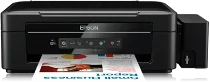
Epson L355 Printer Software and Drivers for Windows and macOS.
Supported Microsoft Windows Operating Systems
Windows 11
Windows 10 (32-bit and 64-bit)
Windows 8.1 (32-bit and 64-bit)
Windows 8 (32-bit and 64-bit)
Windows 7 (32-bit and 64-bit)
Windows Vista (32-bit and 64-bit)
Windows XP (32-bit and 64-bit)
Supported OS: Windows 10 32-bit, Windows 8.1 32-bit, Windows 8 32-bit, Windows 7 32-bit, Windows Vista 32-bit, Windows XP 32-bit
Supported OS: Windows 11, Windows 10 64-bit, Windows 8.1 64-bit, Windows 8 64-bit, Windows 7 64-bit, Windows Vista 64-bit, Windows XP 64-bit
Supported OS: Windows 10 32-bit and 64-bit, Windows 8.1 32-bit and 64-bit, Windows 8 32-bit and 64-bit, Windows 7 32-bit and 64-bit, Windows Vista 32-bit and 64-bit, Windows XP 32-bit and 64-bit
Supported macOS Operating Systems
macOS Catalina 10.15
macOS Mojave 10.14
macOS High Sierra 10.13
macOS Sierra 10.12
OS X El Capitan 10.11
OS X Yosemite 10.10
OS X Mavericks 10.9
OS X Mountain Lion 10.8
Mac OS X Lion 10.7
Mac OS X Snow Leopard 10.6
Mac OS X Leopard 10.5
Supported OS: Mac OS X Leopard 10.5, Mac OS X Snow Leopard 10.6, Mac OS X Lion 10.7, OS X Mountain Lion 10.8, OS X Mavericks 10.9, OS X Yosemite 10.10, OS X El Capitan 10.11, macOS Sierra 10.12, macOS High Sierra 10.13, macOS Mojave 10.14, macOS Catalina 10.15
Supported OS: Mac OS X Leopard 10.5, Mac OS X Snow Leopard 10.6, Mac OS X Lion 10.7, OS X Mountain Lion 10.8, OS X Mavericks 10.9, OS X Yosemite 10.10, OS X El Capitan 10.11, macOS Sierra 10.12, macOS High Sierra 10.13, macOS Mojave 10.14, macOS Catalina 10.15
Supported OS: OS X El Capitan 10.11
Supported OS: Mac OS X Leopard 10.5, Mac OS X Snow Leopard 10.6, Mac OS X Lion 10.7, OS X Mountain Lion 10.8, OS X Mavericks 10.9, OS X Yosemite 10.10, OS X El Capitan 10.11, macOS Sierra 10.12, macOS High Sierra 10.13, macOS Mojave 10.14, macOS Catalina 10.15
Epson L355 Specifications
The Epson L355 is an all-in-one printer emphasizing economy and ease of use. It has a firm spot in the market as a tool for home and small business needs. The integrated high-capacity ink tank system is its major drawing card–a significant attraction to users trying to save on printing costs. The L355 makes a strong case for those needing high-volume printing without constantly buying new ink cartridges. Furthermore, because its cost per page is so low, the L355 even has a conveniently easy-fillable tank that swallows up nothing more than your time–minimizing downtime.
As to printing quality, L355 does well. It is a transparent text file! That is the basic; at least, the text is sharp, clear, and pleasurable to the eye. It has ample energy for occasional photo printouts, but its professional-grade needs to be higher. It is just an average remedy. The pace of printing is slow but convenient, complementing the convenience of everyday print tasks. Added to that practicality, you get Wi-Fi connectivity, a bonus compared to some previous models, to enable wireless printing from your PC or other mobile devices.
The compact body of the Epson L355 contains it, so it is ideally designed for users who want a low profile. It is simple, establishing an easygoing tone that lasts the whole process. The console is simple, making it easy to operate. Unfortunately, this ease also means that some of the advanced functions found on higher-priced models need to be improved. Nevertheless, in its category, the L355 is a fine performer. For people needing low run costs with wireless printing capability, it’s particularly appropriate -but others may want to look elsewhere for professional photography needs.