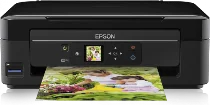
Epson Expression Home XP-312 Printer Software and Drivers for Windows and macOS.
Supported Microsoft Windows Operating Systems
Windows 11
Windows 10 (32-bit and 64-bit)
Windows 8.1 (32-bit and 64-bit)
Windows 8 (32-bit and 64-bit)
Windows 7 (32-bit and 64-bit)
Windows Vista (32-bit and 64-bit)
Windows XP (32-bit and 64-bit)
Supported OS: Windows 10 32-bit, Windows 8.1 32-bit, Windows 8 32-bit, Windows 7 32-bit, Windows Vista 32-bit, Windows XP 32-bit
Supported OS: Windows 11, Windows 10 64-bit, Windows 8.1 64-bit, Windows 8 64-bit, Windows 7 64-bit, Windows Vista 64-bit, Windows XP 64-bit
Supported OS: Windows 11, Windows 10 32-bit and 64-bit, Windows 8.1 32-bit and 64-bit, Windows 8 32-bit and 64-bit, Windows 7 32-bit and 64-bit, Windows Vista 32-bit and 64-bit, Windows XP 32-bit and 64-bit
Supported OS: Windows 11
Supported macOS Operating Systems
macOS Ventura 13
macOS Monterey 12
macOS Big Sur 11
macOS Catalina 10.15
macOS Mojave 10.14
macOS High Sierra 10.13
macOS Sierra 10.12
OS X El Capitan 10.11
OS X Yosemite 10.10
OS X Mavericks 10.9
OS X Mountain Lion 10.8
Mac OS X Lion 10.7
Mac OS X Snow Leopard 10.6
Mac OS X Leopard 10.5
Supported OS: Mac OS X Leopard 10.5, Mac OS X Snow Leopard 10.6, Mac OS X Lion 10.7, OS X Mountain Lion 10.8, OS X Mavericks 10.9, OS X Yosemite 10.10, OS X El Capitan 10.11, macOS Sierra 10.12, macOS High Sierra 10.13, macOS Mojave 10.14, macOS Catalina 10.15, macOS Big Sur 11, macOS Monterey 12, macOS Ventura 13
Supported OS: Mac OS X Leopard 10.5, Mac OS X Snow Leopard 10.6, Mac OS X Lion 10.7, OS X Mountain Lion 10.8, OS X Mavericks 10.9, OS X Yosemite 10.10, OS X El Capitan 10.11, macOS Sierra 10.12, macOS High Sierra 10.13, macOS Mojave 10.14, macOS Catalina 10.15, macOS Big Sur 11, macOS Monterey 12, macOS Ventura 13
Supported OS: Mac OS X Leopard 10.5, Mac OS X Snow Leopard 10.6, Mac OS X Lion 10.7, OS X Mountain Lion 10.8, OS X Mavericks 10.9, OS X Yosemite 10.10, OS X El Capitan 10.11, macOS Sierra 10.12
Supported OS: OS X El Capitan 10.11
Supported OS: Mac OS X Leopard 10.5, Mac OS X Snow Leopard 10.6, Mac OS X Lion 10.7, OS X Mountain Lion 10.8, OS X Mavericks 10.9, OS X Yosemite 10.10, OS X El Capitan 10.11, macOS Sierra 10.12, macOS High Sierra 10.13, macOS Mojave 10.14, macOS Catalina 10.15, macOS Big Sur 11
Epson Expression Home XP-312 Specifications
The Epson Expression Home XP-312 is a compact all-in-one printer that fits comfortably into the small and home office niche. Epson is committed to space-saving design and functional elements, and the XP-312 is no exception. It is a sleek matte-finished device that is perfect for keeping your workspace clean. The installation process is surprisingly easy, and Epson’s user-friendly interface makes it so that even the most technophobic can set up one with little effort. The best feature is that it comes with its own color LCD screen, and what is more, this can activated by touch-sensitive keys. In addition, Epson’s use of individual inks assures consumers that they only need to replace the specific colors that run out. What a financially and environmentally friendly way to keep a printer in top condition.
The XP-312 shines in performance at its price level. Print speeds are tolerable; one won’t have to wait for those critical last-minute prints. Scanning or copying capabilities fill expectations based on our printer’s price range, which is sufficient for most people’s home office needs. But serious photographers or those who observe minutiae–detail may find that its color accuracy and detail could be improved by specialized photo printers.
The XP-312 offers a wealth of connectivity options with Wi-Fi for network printing. Epson Connect’s mobile capabilities allow you to print from your smartphone or tablet. You can now print from several different devices, including tablets and smartphones. Although the wireless feature on this printer offers convenience, its connection occasionally fails, which can disrupt the workflow. Manufacturers should be cautious in considering this printer and any other models with similar problems. However, the Epson Expression Home XP-312 remains perfect for anyone on a budget who needs an easy home office printer because it combines aesthetic appeal with functionality at under $100- great value in a desktop printer that is both practical and pleasing.