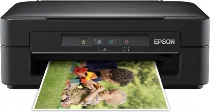
Epson Expression Home XP-103 Printer Software and Drivers for Windows and macOS.
Supported Microsoft Windows Operating Systems
Windows 11
Windows 10 (32-bit and 64-bit)
Windows 8.1 (32-bit and 64-bit)
Windows 8 (32-bit and 64-bit)
Windows 7 (32-bit and 64-bit)
Windows Vista (32-bit and 64-bit)
Windows XP (32-bit and 64-bit)
Supported OS: Windows 10 32-bit, Windows 8.1 32-bit, Windows 8 32-bit, Windows 7 32-bit, Windows Vista 32-bit, Windows XP 32-bit
Supported OS: Windows 11, Windows 10 64-bit, Windows 8.1 64-bit, Windows 8 64-bit, Windows 7 64-bit, Windows Vista 64-bit, Windows XP 64-bit
Supported OS: Windows 11, Windows 10 32-bit and 64-bit, Windows 8.1 32-bit and 64-bit, Windows 8 32-bit and 64-bit, Windows 7 32-bit and 64-bit, Windows Vista 32-bit and 64-bit, Windows XP 32-bit and 64-bit
Supported OS: Windows 11
Supported macOS Operating Systems
macOS Ventura 13
macOS Monterey 12
macOS Big Sur 11
macOS Catalina 10.15
macOS Mojave 10.14
macOS High Sierra 10.13
macOS Sierra 10.12
OS X El Capitan 10.11
OS X Yosemite 10.10
OS X Mavericks 10.9
OS X Mountain Lion 10.8
Mac OS X Lion 10.7
Mac OS X Snow Leopard 10.6
Mac OS X Leopard 10.5
Supported OS: Mac OS X Leopard 10.5, Mac OS X Snow Leopard 10.6, Mac OS X Lion 10.7, OS X Mountain Lion 10.8, OS X Mavericks 10.9, OS X Yosemite 10.10, OS X El Capitan 10.11, macOS Sierra 10.12, macOS High Sierra 10.13, macOS Mojave 10.14, macOS Catalina 10.15, macOS Big Sur 11, macOS Monterey 12, macOS Ventura 13
Supported OS: Mac OS X Leopard 10.5, Mac OS X Snow Leopard 10.6, Mac OS X Lion 10.7, OS X Mountain Lion 10.8, OS X Mavericks 10.9, OS X Yosemite 10.10, OS X El Capitan 10.11, macOS Sierra 10.12
Supported OS: OS X El Capitan 10.11
Supported OS: Mac OS X Leopard 10.5, Mac OS X Snow Leopard 10.6, Mac OS X Lion 10.7, OS X Mountain Lion 10.8, OS X Mavericks 10.9, OS X Yosemite 10.10, OS X El Capitan 10.11, macOS Sierra 10.12, macOS High Sierra 10.13, macOS Mojave 10.14, macOS Catalina 10.15, macOS Big Sur 11
Expression Home XP-103 Specifications
The Epson Expression Home XP-103 all-in-one printer is small and designed for confined spaces and home applications. It is simple: sticking to printing, scanning, and copying basics. The XP-103 is easygoing and suitable for those who like straightforwardness. The machine is mainly designed for people who only occasionally need to print things or want advanced digital features but not a lot of complexity; it is not built for high print volumes because it runs out of paper too quickly.
The XP-103 has acceptable print quality for everyday tasks. Text documents are generally clear and readable. Homework or an occasional work report would be acceptable. The output gets an average score for printing photos but could stand to be better. When measured against specialized printers, pictures from the XP-103 lack sharpness or brilliance. People who are not too demanding about print quality, need something simple for occasional use and lead a hand-to-mouth existence will find it acceptable. But it could be more handy. Without wireless capabilities, you require a physical connection to operate.
When considering operating costs, the Epson XP-103 has some savings to offer, as it operates with individual color cartridges—this means you can replace only the exhausted shades. Unfortunately, with the price of an original Epson cartridge, those who print often may find themselves breaking the bank. Using non-brand cartridges might be a way to save a little money, but at the same time, it could cause problems and even harm to your printer. The Epson XP-103 is a printer for occasional users who want a basic and reliable one without making any significant commitment. But for anyone who expects heavy printing or intends to produce high-quality photos, they’d do well to look at some other models.