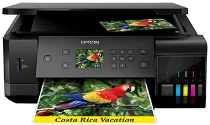
Epson ET-7700 printer Software and Drivers for Windows and macOS.
Supported Microsoft Windows Operating Systems
Windows 11
Windows 10 (32/64-bit)
Windows 8.1 (32/64-bit)
Windows 8 (32/64-bit)
Windows 7 (32/64-bit)
Windows Vista (32/64-bit)
Windows XP (32/64-bit)
Supported OS: Windows 11, Windows 10 32-bit and 64-bit, Windows 8.1 32-bit and 64-bit, Windows 8 32-bit and 64-bit, Windows 7 32-bit and 64-bit, Windows Vista 32-bit and 64-bit
This driver package installer contains the following items:
- Printer Driver
- Scanner Driver and Epson Scan 2 Utility
- Epson Print CD
- Epson Scan 2 OCR Component
- Epson Event Manager
- Epson Software Updater
Supported OS: Windows 10 32-bit, Windows 8.1 32-bit, Windows 8 32-bit, Windows 7 32-bit, Windows Vista 32-bit, Windows XP 32-bit
Supported OS: Windows 11, Windows 10 64-bit, Windows 8.1 64-bit, Windows 8 64-bit, Windows 7 64-bit, Windows Vista 64-bit, Windows XP 64-bit
Supported OS: Windows 11, Windows 10 32-bit and 64-bit, Windows 8.1 32-bit and 64-bit, Windows 8 32-bit and 64-bit, Windows 7 32-bit and 64-bit
Supported OS: Windows 10 32-bit, Windows 8.1 32-bit, Windows 8 32-bit, Windows 7 32-bit, Windows Vista 32-bit, Windows XP 32-bit
Supported OS: Windows 11, Windows 10 64-bit, Windows 8.1 64-bit, Windows 8 64-bit, Windows 7 64-bit, Windows Vista 64-bit, Windows XP 64-bit
Supported macOS Operating Systems
macOS Ventura 13
macOS Monterey 12
macOS Big Sur 11
macOS Catalina 10.15
macOS Mojave 10.14
macOS High Sierra 10.13
macOS Sierra 10.12
OS X El Capitan 10.11
OS X Yosemite 10.10
OS X Mavericks 10.9
OS X Mountain Lion 10.8
Mac OS X Lion 10.7
Mac OS X Snow Leopard 10.6
Supported OS: macOS Catalina 10.15, macOS Big Sur 11, macOS Monterey 12, macOS Ventura 13
This driver package installer contains the following items:
- Printer Driver
- Scanner Driver and Epson Scan 2 Utility
- Epson Print CD
- Epson Scan 2 OCR Component
- Epson Event Manager
- Epson Software Updater
Supported OS: Mac OS X Lion 10.7, OS X Mountain Lion 10.8, OS X Mavericks 10.9, OS X Yosemite 10.10, OS X El Capitan 10.11, macOS Sierra 10.12, macOS High Sierra 10.13, macOS Mojave 10.14
This driver package installer contains the following items:
- Printer Driver
- Scanner Driver and Epson Scan 2 Utility
- Epson Print CD
- Epson Scan 2 OCR Component
- Epson Event Manager
- Epson Software Updater
Supported OS: Mac OS X Snow Leopard 10.6, Mac OS X Lion 10.7, OS X Mountain Lion 10.8, OS X Mavericks 10.9, OS X Yosemite 10.10, OS X El Capitan 10.11, macOS Sierra 10.12, macOS High Sierra 10.13, macOS Mojave 10.14, macOS Catalina 10.15, macOS Big Sur 11, macOS Monterey 12, macOS Ventura 13
Supported OS: Mac OS X Snow Leopard 10.6, Mac OS X Lion 10.7, OS X Mountain Lion 10.8, OS X Mavericks 10.9, OS X Yosemite 10.10, OS X El Capitan 10.11, macOS Sierra 10.12, macOS High Sierra 10.13, macOS Mojave 10.14, macOS Catalina 10.15, macOS Big Sur 11, macOS Monterey 12, macOS Ventura 13
Supported OS: Mac OS X Snow Leopard 10.6, Mac OS X Lion 10.7, OS X Mountain Lion 10.8, OS X Mavericks 10.9, OS X Yosemite 10.10, OS X El Capitan 10.11, macOS Sierra 10.12, macOS High Sierra 10.13, macOS Mojave 10.14, macOS Catalina 10.15, macOS Big Sur 11, macOS Monterey 12, macOS Ventura 13
Epson ET-7700 Specifications
Content the ET-7700 is suitable for people who are always charged with refilling—in other words, it’s an all-in-one printer with a space-saving design that’s large on ink economy. It’s good under home or minor office conditions. An extended ink tank system is designed to save costs. It’s no small thing that there is enough ink already: How many pages can we print before the well runs dry? But efficiency doesn’t mean sacrificing quality. These are photos to savor; text that’s blemish-free– that’s the ET-7700.
In terms of usability, the ET-7700 is user-friendly. Works on the ET-7700 include wireless printing, designed controls, and a logical interface. Fuss-free users take note: the setup process is convenient. The ability to insert an SD card and print mobile things directly makes the machine convenient, yet the ET-7700 could be more adept at pulling in pages. This machine will seem slow for those who depend heavily on printing power compared to some speedsters.
The ET-7700 is more expensive at the outset than its peers but quickly pays off with a high print load. Over time, the benefit of better ink usage becomes apparent. In the end, that makes this EcoTank model relatively cost-effective. Although it can’t be the first choice for those who want the fastest printing or the finest, highest definition photo printing around, what it does manage is solid and reliable. If you throw in something like paper, the ink-sipping Et-7700 is a printer worth considering when it comes to cutting long-term budget holes.