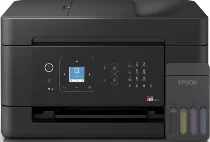
Epson EcoTank L5390 Drivers for Windows and macOS.
Supported Microsoft Windows Operating Systems
Windows 11
Windows 10 (32-bit and 64-bit)
Windows 8.1 (32-bit and 64-bit)
Windows 8 (32-bit and 64-bit)
Windows 7 (32-bit and 64-bit)
Windows Vista (32-bit and 64-bit)
Supported OS: Windows 10 32-bit, Windows 8.1 32-bit, Windows 8 32-bit, Windows 7 32-bit
Supported OS: Windows 11, Windows 10 64-bit, Windows 8.1 64-bit, Windows 8 64-bit, Windows 7 64-bit, Windows Vista 64-bit
Supported OS: Windows 11, Windows 10 32-bit and 64-bit, Windows 8.1 32-bit and 64-bit, Windows 8 32-bit and 64-bit, Windows 7 32-bit and 64-bit, Windows Vista 32-bit and 64-bit
Supported macOS Operating Systems
macOS Sequoia 15
macOS Sonoma 14
macOS Ventura 13
macOS Monterey 12
macOS Big Sur 11
macOS Catalina 10.15
macOS Mojave 10.14
macOS High Sierra 10.13
macOS Sierra 10.12
OS X El Capitan 10.11
OS X Yosemite 10.10
OS X Mavericks 10.9
Supported OS: OS X Mavericks 10.9, OS X Yosemite 10.10, OS X El Capitan 10.11, macOS Sierra 10.12, macOS High Sierra 10.13, macOS Mojave 10.14, macOS Catalina 10.15, macOS Big Sur 11, macOS Monterey 12, macOS Ventura 13, macOS Sonoma 14, macOS Sequoia 15
Supported OS: OS X Mavericks 10.9, OS X Yosemite 10.10, OS X El Capitan 10.11, macOS Sierra 10.12, macOS High Sierra 10.13, macOS Mojave 10.14, macOS Catalina 10.15, macOS Big Sur 11, macOS Monterey 12, macOS Ventura 13, macOS Sonoma 14, macOS Sequoia 15
Epson EcoTank L5390 Specifications
The Epson EcoTank L5390 printer is effective for efficient printing thanks to the high-capacity ink tank system. This model can print, scan, copy, and fax documents. The automatic document feeder will help users easily scan and make copies of documents that are several pages long in one go when working intensively. The wireless printing feature allows connecting a smartphone or a tablet to the printer. Wi-Fi printing lets you connect compatible laptops. Printing from USB drives is also possible.
The print performance of this printer does not vary: text is printed clearly, and color images look brilliant on various documents. The use of PrecisionCore technology helps keep print quality high. It also maintains steady speeds when the printer performs its duties regularly. Duplex printing is supported automatically by the printer to save users money on paper during frequent printing. Refillable ink bottles will save time and effort and allow for hassle-free maintenance of the printer for a long period of time. Borderless printing is supported, too.
The Epson EcoTank L5390 printer has an intuitive control panel where users can easily access everyday printing functions. Its compact size is perfect for small offices, but at the same time, the printer offers all the necessary features for users’ productivity. With this printer, the cost per printout is low due to high-yield ink bottles. Various paper sizes are supported by the printer for business, school, or personal documents.